Key takeaways
- Music volume: set it to 0–10% so menu and match music does not cover movement audio.
- Sound effects volume: use 100% as the reference point, then adjust the headset volume physically.
- Dialogue volume: reduce it to roughly 20–40% if legend callouts distract from footsteps.
- Voice chat volume: set it high enough to understand teammates without making speech dominate gunfire.
- Equalizer: begin with a neutral preset. If footsteps sound buried, make a small cut to sub-bass rather than boosting every treble band.
- Surround processing: test it carefully. Apex already provides directional game audio, and some virtual-surround modes make front-versus-back positioning less distinct.
The best gaming headset for Apex Legends is the Audeze Maxwell if you want the most precise positional detail, while the Razer BlackShark V2 Pro (2023) is the better competitive choice for lighter comfort, a clear microphone, and long wireless sessions.
Apex Legends rewards hearing a door open, a zipline start, a reload behind cover, or footsteps moving from one floor to another. The right headset should therefore be judged less by bass quantity and more by imaging accuracy, sound separation, microphone intelligibility, comfort, and whether its connection works properly on your platform.

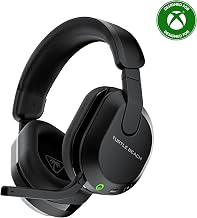
HyperX Cloud III S – Wireless Gaming Headset for PS5, PS4, Switch, PC, Mac, and Mobile, Up to 120-Hour (2.4GHz) / 200-Hour (Bluetooth) Battery, 53mm Angled Drivers, Detachable Mic – Black
Included for 'Best Gaming Headset for Apex Legends' because the listing specifies Wireless Gaming Headset for PS5 and PS4, details this guide uses to compare options.
View on Amazon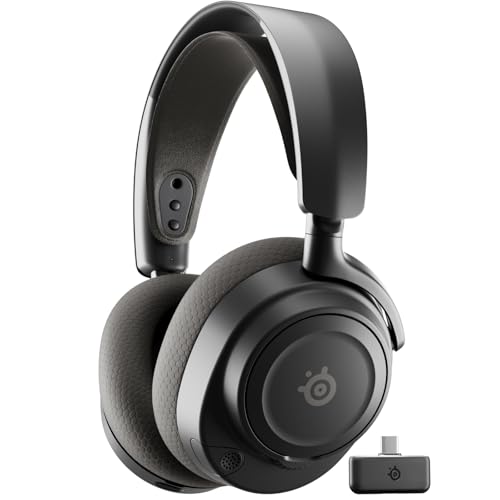
SteelSeries Arctis Nova 7 Wireless Gen 2 Gaming Headset - Black
Included for 'Best Gaming Headset for Apex Legends' because the listing specifies Black, details this guide uses to compare options.
View on Amazon
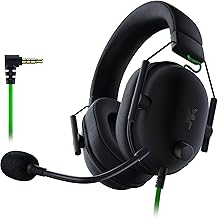
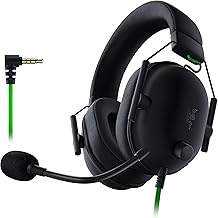
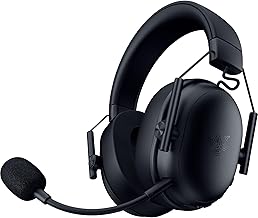
Razer BlackShark V2 Pro Wireless Gaming Headset, 70 Hr Battery, Black
Included for 'Best Gaming Headset for Apex Legends' because the listing specifies 70 Hr Battery and Black, details this guide uses to compare options.
View on AmazonBest Apex Legends headsets at a glance
| Headset | Connection | Approx. weight | Battery claim | Best for |
|---|---|---|---|---|
| Audeze Maxwell | 2.4 GHz wireless, Bluetooth, USB-C, 3.5 mm | 490 g | Up to 80 hours | Maximum detail and imaging |
| Razer BlackShark V2 Pro (2023) | 2.4 GHz wireless, Bluetooth | About 320 g | Up to 70 hours | Competitive wireless play and voice chat |
| SteelSeries Arctis Nova Pro Wireless | 2.4 GHz wireless, Bluetooth, wired base station | About 338 g | Two batteries; roughly 18–22 hours each | Multi-platform setups and hot swapping |
| HyperX Cloud III Wireless | 2.4 GHz wireless, USB-C charging | About 330 g | Up to 120 hours | Battery life and value |
| Logitech G Pro X 2 LIGHTSPEED | 2.4 GHz wireless, Bluetooth, 3.5 mm | About 345 g | Up to 50 hours | Flexible PC and console use |
Battery figures are manufacturer claims and vary with volume, lighting, Bluetooth use, and microphone settings. Weight also matters more than a specification suggests: a heavy headset can become tiring through a three-hour ranked session even when its sound is excellent.
Head-to-head: which headset hears Apex audio most clearly?
Audeze Maxwell: best for positional imaging and separation
The Maxwell uses large planar-magnetic drivers, giving it unusually clean separation between low, mid, and high frequencies. That helps when Apex combines gunfire, ability effects, footsteps, and squad communication. It is particularly strong when you need to distinguish whether a sound is slightly in front of you, beside you, or behind you rather than merely detect that something happened.
The trade-off is substantial weight. At approximately 490 g, it is much heavier than the other recommendations. Its microphone is clear enough for squad communication, but the headset’s main advantage is audio quality rather than the lightest competitive design. Choose it if you value detailed sound and do not mind a heavier frame.
Razer BlackShark V2 Pro (2023): best competitive balance
The BlackShark V2 Pro is a strong fit for players who want wireless freedom without a heavy headset. Its boom microphone is one of its most useful competitive features: teammates should receive speech with better presence and intelligibility than they would from many built-in Bluetooth microphones.
Its imaging is convincing for locating movement and differentiating common Apex cues, while the lighter construction is better suited to long sessions. It uses a USB wireless receiver rather than Bluetooth for gaming, which is important: Bluetooth audio commonly introduces more delay and can reduce microphone quality. Use the 2.4 GHz receiver when playing and reserve Bluetooth for phones or secondary devices.
SteelSeries Arctis Nova Pro Wireless: best for multi-device households
The Nova Pro Wireless is the most convenient option if you switch between a PC, PlayStation, Xbox, or another audio source. Its wireless base station handles connections and supports a second battery, so one battery can charge while the other is in use. It also supports simultaneous 2.4 GHz wireless and Bluetooth, useful for hearing a phone call while playing.
Its positional performance is good, but the headset is more compelling for its connectivity and control system than for being the absolute clearest Apex headset. Check the exact console version before buying: PlayStation and Xbox compatibility is not interchangeable, and some functions depend on the base station and platform connection.
HyperX Cloud III Wireless: best value and battery life
The Cloud III Wireless is a practical choice for players who want a comfortable closed-back headset and do not want to charge it frequently. Its claimed battery life of up to 120 hours is exceptional in this group. It is also light enough for extended sessions and uses a low-latency USB wireless connection for gaming.
Its sound is generally easier to use for competitive play when bass is not exaggerated. That matters in Apex because excessive bass from explosions and weapons can mask quieter movement cues. The microphone is suitable for team chat, although players who stream or need broadcast-quality voice should consider a dedicated USB microphone.
Logitech G Pro X 2 LIGHTSPEED: flexible, comfortable wireless play
The Pro X 2 combines 2.4 GHz wireless, Bluetooth, and a 3.5 mm input. Its rotating ear cups and replaceable ear-pad options make it adaptable, while the wireless connection is designed for gaming rather than phone-style Bluetooth latency.
It is a sensible middle ground: more flexible than a basic wireless headset and lighter than the Maxwell, though its battery claim is shorter than the Cloud III Wireless or Maxwell. Choose it when you want one headset for gaming, mobile listening, and wired backup.
Wired versus wireless latency in Apex Legends
A wired analog connection has the fewest variables. The console or PC sends audio directly through the headset output, so there is no wireless radio link, pairing process, or receiver placement to troubleshoot. For tournament-style consistency, wired remains the safest choice.
Modern 2.4 GHz gaming wireless is usually fast enough that most players will not identify a meaningful disadvantage in normal Apex play. The receiver still adds a signal-processing path, however, and interference, USB power behavior, or poor receiver placement can cause dropouts. Put the receiver in a front USB port or use the supplied extension cable rather than hiding it behind a metal PC case.
Bluetooth is the connection to avoid for serious real-time play when a 2.4 GHz receiver or cable is available. Bluetooth audio may use a higher-latency codec, and activating the Bluetooth microphone can change the audio profile and reduce quality. Use Bluetooth for music, calls, or a second device—not as the default Apex connection.
Platform and use-case decision matrix
| Your situation | Recommended choice | Why |
|---|---|---|
| PC player focused on footsteps and separation | Audeze Maxwell | Strongest detail and cleanest separation, if weight is acceptable |
| Long ranked sessions with frequent voice chat | Razer BlackShark V2 Pro | Light design, dedicated 2.4 GHz wireless, clear boom microphone |
| PC and PlayStation switching | Arctis Nova Pro Wireless or Logitech G Pro X 2 | Flexible wireless and wired connection options |
| Xbox plus PC setup | Xbox-compatible Nova Pro Wireless variant | Platform-specific wireless support; verify the package version |
| Very long battery intervals | HyperX Cloud III Wireless | Manufacturer-rated battery life of up to 120 hours |
| Lowest connection complexity | A wired headset such as the Beyerdynamic MMX 330 PRO | No battery, receiver, or wireless pairing to manage |
Apex audio settings that improve positional cues
Start with Apex’s overall audio volume at a level that is loud but not fatiguing, then make only targeted changes. Excessive volume does not create better imaging; it makes sustained gunfire tiring and can hide quieter cues through listening fatigue.
- Music volume: set it to 0–10% so menu and match music does not cover movement audio.
- Sound effects volume: use 100% as the reference point, then adjust the headset volume physically.
- Dialogue volume: reduce it to roughly 20–40% if legend callouts distract from footsteps.
- Voice chat volume: set it high enough to understand teammates without making speech dominate gunfire.
- Equalizer: begin with a neutral preset. If footsteps sound buried, make a small cut to sub-bass rather than boosting every treble band.
- Surround processing: test it carefully. Apex already provides directional game audio, and some virtual-surround modes make front-versus-back positioning less distinct.
For a headset with a companion app, save a neutral profile first. Then make one change at a time and test in the Firing Range. If you change the equalizer, surround mode, and volume together, you will not know which setting helped or damaged positional clarity.
How to choose the final headset
Choose the Maxwell if maximum audio detail is your priority and its weight will not bother you. Choose the BlackShark V2 Pro for the strongest overall competitive balance between microphone quality, wireless convenience, weight, and positional performance. Choose the Cloud III Wireless if battery life and value matter most. Choose the Nova Pro Wireless when one headset must serve several consoles and devices. Choose the Pro X 2 when Bluetooth, wired backup, and flexible fit are more important than the longest battery.
Whichever model you select, use its 2.4 GHz receiver or wired connection for Apex, keep music low, avoid aggressive bass boosts, and confirm the exact console-compatible version before purchase. Those choices usually make a larger difference to practical match awareness than a small change in driver size or advertised frequency range.