Our Top Picks
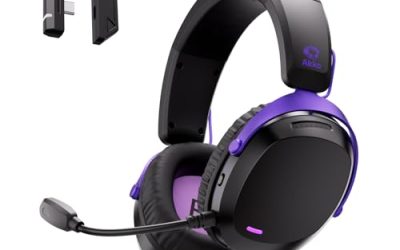
 SteelSeries Arctis Nova 3P Wireless Multi-Platform Gaming HeadsetInformation Not Available3.58 x 6.89 x 7.32 inches0.57 poundsCheck on Amazon
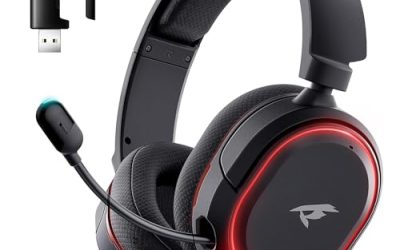
 Razer BlackShark V3 X HyperSpeed Wireless Gaming Headset6.9 x 3.7 x 7.9 inches1.7 poundsCheck on Amazon
The HyperX Cloud Stinger Core Wireless is a lightweight, budget wireless gaming headset that connects through a 2.4 GHz USB adapter, charges over USB-C, and comes in a PC version with virtual 7.1 and a PlayStation version for PS5 and PS4. It is a simple, comfortable headset, not a feature-rich one.
Verdict in 30 Seconds
- Good for: players who want a low-cost wireless headset with a swivel-to-mute mic and a light 244 g body.
- Weak spots: a budget-tier build, a modest battery rating compared with newer rivals, and 7.1 that works only on PC.
- Pick the right version: the PC model with virtual 7.1 and the PlayStation model are different SKUs, so check the platform on the box.
This is a research-based review. We did not use the headset ourselves; the points below come from HyperX specification pages, retailer listings and independent reviews. When sources disagree, we show both figures or tell you to check the maker.
HyperX Cloud Stinger Core Wireless Specs
| Spec | What is listed |
|---|---|
| Drivers | 40 mm dynamic, neodymium magnets, closed-back |
| Impedance | 16 ohm |
| Frequency response | 20 Hz to 20 kHz in one source; 10 Hz to 21 kHz on HyperX’s UK page |
| Wireless | 2.4 GHz through a USB adapter |
| Range | Up to about 12 m on the PlayStation page and 20 m on the PC page, in open space |
| Battery | Up to 17 hours as rated by HyperX at 50 percent volume; varies with use |
| Charging | USB-C, about 3 hours for a full charge |
| Microphone | Electret condenser, noise-cancelling, swivel-to-mute on the left ear cup, 50 Hz to 18 kHz |
| Weight | 244 g |
| Surround | Virtual 7.1 on the PC version only, enabled in HyperX software |
| Platforms | PC (7.1 version); PS5 and PS4 (PlayStation version) |
HyperX publishes slightly different range and frequency numbers on separate regional pages, which is common for a headset sold in several versions. Treat the battery and range figures as maker ratings that depend on volume, distance and walls.
Which HyperX Cloud Stinger Core Wireless Do You Need?
The naming is confusing because several near-identical products share the Stinger Core name. Here is how to tell them apart.
- Cloud Stinger Core Wireless + 7.1: the PC version with virtual 7.1 surround, set up in HyperX software.
- Cloud Stinger Core Wireless for PlayStation: works with PS5 and PS4, and one retailer listing also names PC.
- CloudX Stinger Core Wireless: the Xbox-licensed edition for Xbox Series X|S and Xbox One.
HyperX Cloud Stinger Core Wireless Gaming Headset (PS4, PS5, PC)

HyperX HHSS1C-KB-WT/G Cloud Stinger Core – Wireless Gaming Headset, for PS4, PS5, PC, Lightweight, Durable Steel Sliders, Noise-Cancelling Microphone - White
Chosen because it specifies Wireless Gaming Headset and for PS4.
View on AmazonThis is the white edition of the Stinger Core Wireless listed for PS4, PS5 and PC. The listing mentions a lightweight build, durable steel sliders and a noise-cancelling microphone. It is the model to look at if you play on PlayStation and also want to use the same headset on a PC. Remember that virtual 7.1 is a PC-version feature, so check the product page for your exact model.
- Wireless: 2.4 GHz USB adapter
- Platforms in listing: PS4, PS5, PC
- Build: steel sliders (per listing)
- Mic: noise-cancelling, swivel-to-mute (per maker specs)
Best for: PlayStation players who want a light, simple wireless headset.
Skip if: you need Xbox support or an app with equaliser presets.
Pros
- Light 244 g body
- Simple setup with a USB adapter
- Swivel-to-mute mic is easy to use
- Low cost for a wireless headset
Cons
- Budget-tier build
- Basic feature set
HyperX CloudX Stinger Core Wireless (Xbox)

HyperX CloudX Stinger Core – Wireless Gaming Headset, for Xbox Series X|S and Xbox One, Memory foam & Premium Leatherette Ear Cushions, Noise-Cancelling,Black
Chosen because it specifies Wireless Gaming Headset and for Xbox Series X.
View on AmazonThe CloudX edition is the Xbox-licensed version of the same headset. The listing says it works with Xbox Series X|S and Xbox One and mentions memory foam and a premium leatherette finish. If you play on Xbox, this is the matching SKU, because the PlayStation model will not work as intended on an Xbox.
- Platforms: Xbox Series X|S and Xbox One (per listing)
- Padding: memory foam and leatherette (per listing)
- Wireless: Xbox-compatible connection; check the maker page for the adapter type
Best for: Xbox players who want a light wireless headset.
Skip if: you play on PC or PlayStation.
Pros
- Licensed for Xbox
- Light and simple
- Memory foam cups
Cons
- Does not cover other platforms
- Slightly higher cost tier than the PlayStation edition
Design, Comfort and Build
The Stinger Core Wireless is a light headset at 244 g. That keeps pressure on the head low, which is the main comfort advantage over heavier metal-frame models. The headband uses steel sliders and soft leatherette ear cups according to the listing, and the maker lists a budget-tier build. The trade-off is feel rather than weight.
Closed-back cups block some room noise but trap heat. If you wear glasses, check the fit; light clamping force is gentle on the temples but can leave a gap in the seal.
Controls
- Volume wheel on the ear cup
- Power button and status light
- Swivel-to-mute microphone on the left cup. Flip the mic up to mute, which is easy to do without looking.
- USB-C charging port
Sound Quality
The 40 mm drivers are the standard size for a budget headset. Independent reviewers describe the tuning as punchy and a little bass-forward, with clear mids for dialogue. It is a general-purpose gaming sound, not an audiophile one. If you want to tune the response, the PC version supports software controls, while the console versions lean on in-game audio settings.
Virtual 7.1 on PC
The 7.1 surround on the PC version is virtual. HyperX software processes stereo into a simulated surround field. The headset itself has two drivers. It can add space to games with directional audio, but it is not true multi-driver surround, and many players prefer stereo for competitive games.
Microphone
The electret condenser mic is uni-directional and noise-cancelling, with a listed response of 50 Hz to 18 kHz. It is good enough for party chat and team calls. It is not for streaming voice work. The mic swivels up to mute, and the status light helps you remember whether you are live. If you stream or record, a USB microphone is a better choice.
Wireless Range and Battery
HyperX rates the battery at up to 17 hours at 50 percent volume, with about 3 hours to recharge over USB-C. Real life will vary with volume, so expect less if you listen loud. The 2.4 GHz adapter gives a stable link without Bluetooth lag. Range is quoted differently on the PlayStation and PC pages, so assume a room or two rather than the whole house.
Tips for battery life
- Keep the volume under 60 percent when possible.
- Turn the headset off when you leave the desk.
- Charge it while you do not play, rather than waiting for it to drain.
Setup on PC and PlayStation
PC
- Plug the USB adapter into a free port.
- Power on the headset and wait for the link light to go solid.
- Choose the headset as the playback and recording device in system sound settings.
- Install the HyperX software if your version supports 7.1 and enable it there.
PlayStation
- Plug the adapter into a USB port on the console.
- Power on the headset and wait for pairing.
- Set the audio output to the USB headset in the console audio settings.
Performance by Use
Competitive shooters
The wireless 2.4 GHz link keeps latency low enough for casual and ranked play, and the light body is easy to wear through long queues. The tuning leans toward bass, which can mask quiet footsteps, so a small bass cut in game or software settings helps. Virtual 7.1 is optional; many players find plain stereo more precise for positioning.
Story games and open worlds
Closed-back cups and a lively tuning suit cinematic games. Explosions and music have punch, and dialogue stays clear thanks to the mid range. The 17-hour rating covers a long weekend of play on a single charge if volume stays moderate.
Voice chat and Discord
The noise-cancelling mic handles party chat well. Flip it up to mute during breaks. Because it is a built-in mic with a limited frequency range, voices sound clear but thin, which is fine for gaming calls.
Music and video
It works as a basic wireless headset for music, though the bass-forward sound is not neutral. For critical listening, a dedicated pair of headphones is a better choice.
HyperX Cloud Stinger Family at a Glance
| Model | Connection | Note from the listing or maker |
|---|---|---|
| Cloud Stinger Core Wireless | 2.4 GHz wireless | PC 7.1 version and PlayStation version, up to 17 hours rated |
| CloudX Stinger Core Wireless | Wireless for Xbox | Xbox Series X|S and Xbox One edition |
| Cloud Stinger 2 Core | Wired | Lightweight, swivel-to-mute mic, DTS Headphone:X listed in some versions |
| Cloud Stinger 3 Wireless | Wireless | Newer generation; check the maker page for the battery rating |
| Cloud Stinger 3 (wired) | Wired | Newer generation with signature comfort per listing |
Use the table to avoid buying the wrong edition. If you need a platform that is not named in the product title, check the maker page for the exact SKU before ordering.
Troubleshooting Common Problems
The headset does not connect
Plug the USB adapter into another port, switch the headset off and on, and keep the adapter within a metre while pairing. USB hubs and front-panel ports can weaken the link, so use a rear port on a desktop PC.
Audio cuts out
Wireless headsets can drop out when the adapter is behind a metal case or when other 2.4 GHz devices are nearby. A short USB extension lets you place the adapter in line of sight.
No sound on PlayStation
Open the console audio settings and set the output device to the USB headset. If the console still plays through the TV, restart both.
Mic is quiet
Raise the microphone input level in your system or console settings and check that the mic arm is flipped down. Keep the mic a finger or two from your mouth.
Is the Cloud Stinger Core Wireless Worth It?
For a first wireless headset or a spare headset for a child or guest, it is easy to justify. The weight, mute mic and 2.4 GHz connection cover the basics. Buyers who want a more durable, more featured headset will outgrow it, which is where the alternatives below come in.
Buying Checklist Before You Order
- Match the platform: PC with 7.1, PlayStation and Xbox editions are separate products. Read the product title and the compatibility line.
- Check the adapter: the headset needs its own USB adapter. If you want to use it on both a PC and a console, confirm the adapter works with both.
- Know the battery rating: up to 17 hours as rated by HyperX is a ceiling, not a promise for every session.
- Think about glasses and ear size: a light clamp suits most heads, but large ears may rest against the cup.
- Decide if you need Bluetooth: this headset has none, so it will not pair with a phone.
- Consider replacement parts: ear pads wear over time. Check that replacement pads for your headset are sold before you need them.
Comfort Over Long Sessions
At 244 g, the Stinger Core Wireless is among the lighter wireless gaming headsets. Weight matters most after two or three hours, when a heavy headset starts to press on the crown of the head. The leatherette cups can feel warm, so take short breaks and let your ears cool. If the cups feel too tight at first, stretch the headband gently over a stack of books for a day.
Value Compared with Rivals
| Factor | Stinger Core Wireless | Typical newer rival |
|---|---|---|
| Weight | 244 g, light | Often similar or heavier |
| Battery rating | Up to 17 hours as rated by HyperX | Frequently 40 hours or more |
| Bluetooth | No | Often included |
| App or EQ | HyperX software on the PC version | Often a mobile app |
| Cost tier | Low | Low to mid |
The table shows the trade. The Stinger Core Wireless wins on weight and cost, and loses on battery and extras. That makes it a safe budget option rather than a leader.
Who Should Buy It
- Budget buyers who want a first wireless headset.
- Players who value a light headset for long sessions.
- Anyone who wants a simple wireless link without a companion app.
Who Should Skip It
- Players who want a premium, metal-framed build.
- Anyone who wants Bluetooth, app EQ or ANC.
- People who want very long battery life; several newer rivals list far more hours.
HyperX Cloud Stinger Core Wireless Alternatives
Logitech G321 Lightspeed Wireless Bluetooth Gaming Headset

Logitech G321 Lightspeed Wireless Bluetooth Gaming Headset with Mic - Black | Pc gaming headset, dynamic comfort and fit, 16 kHz boom mic, 20+ hrs battery, PC, PS4, PS5, nintendo switch, mobile
Chosen because it specifies Black and Pc gaming headset.
View on AmazonThe G321 is a similar-tier wireless alternative. The listing describes a Lightspeed wireless Bluetooth gaming headset with a mic and a comfort-focused fit. It adds Bluetooth, which the Stinger Core Wireless lacks, so you can use it with a phone as well.
- Wireless: Lightspeed plus Bluetooth (per listing)
- Mic: built in
- Platforms: check the maker page
Best for: Buyers who want Bluetooth alongside a 2.4 GHz link.
Skip if: you want the lightest headset.
Pros
- Bluetooth option
- Recognised brand
- Comfort-focused fit
Cons
- Battery life is on the maker page
- Different tuning
SteelSeries Arctis Nova 3P Wireless Multi-Platform Gaming Headset
SteelSeries Arctis Nova 3P Wireless Multi-Platform Gaming Headset - White | Mobile App Control — 40 HR Battery — Neodymium Magnetic Drivers — 2.4GHz/Bluetooth — PS5, PS4, PC, Switch, Mobile
Chosen because it specifies White and PS4.
View on AmazonThe Arctis Nova 3P Wireless lists mobile app control and a 40-hour battery, which is more than double the Stinger Core Wireless rating. It also offers app-based sound tuning. It sits a tier above in cost.
- Battery: 40 hours (per listing)
- App: mobile app control (per listing)
- Platforms: multi-platform
Best for: Players who want longer battery life and an app.
Skip if: you want the lowest cost tier.
Pros
- Longer battery rating
- App control
- Multi-platform
Cons
- Higher cost tier
- Wireless details differ by platform version
Razer BlackShark V3 X HyperSpeed Wireless Gaming Headset
Razer BlackShark V3 X HyperSpeed Wireless Gaming Headset for PC, Black | 70-Hour Battery, HyperClear Mic, 7.1 Surround Sound, TriForce Gen-2 Drivers, 3 Connectivity Modes, 270g Lightweight Design
Chosen because it specifies Black and 70-Hour Battery.
View on AmazonThe BlackShark V3 X HyperSpeed lists a 70-hour battery, a HyperClear mic and 7.1 surround sound for PC. It is a step up for esports players who want long battery life.
- Battery: 70 hours (per listing)
- Mic: HyperClear (per listing)
- Surround: 7.1 for PC (per listing)
Best for: PC players who want a long battery life and a boom mic.
Skip if: you play on console only.
Pros
- Very long battery rating
- Esports-style fit
- 7.1 on PC
Cons
- Higher cost tier
- Console support varies by model
Wired Stinger Options
If you prefer a cable, HyperX also sells wired headsets in the same family, such as the Cloud Stinger 2 Core and the newer Cloud Stinger 3. The wired models skip the battery and the adapter, so they cost less and never run flat. The Stinger 3 line also includes a wireless version, so check the maker page before choosing.
Frequently Asked Questions
Is the HyperX Cloud Stinger Core Wireless good?
It is a good budget wireless headset for light weight and a simple setup. It is basic on features, so compare it with rivals if you want app EQ or long battery.
Does the Stinger Core Wireless have 7.1 surround?
The PC version has virtual 7.1 set up in HyperX software. The PlayStation version does not. It is virtual surround, not seven drivers.
How long does the battery last?
HyperX rates it at up to 17 hours at 50 percent volume. Real use varies with volume and distance.
Does the Cloud Stinger Core Wireless work on PS5?
The PlayStation version is listed for PS5 and PS4, and the PC version is listed for PC. Check the box for the exact model.
Is there a Bluetooth mode?
No. It uses a 2.4 GHz USB adapter. If you want Bluetooth too, look at models that list both.
Can I use it on Xbox?
Not the PlayStation or PC editions. The CloudX Stinger Core Wireless is the Xbox-licensed edition.
Is the microphone detachable?
The maker pages describe a swivel-to-mute mic on the left ear cup. Check the product page to see whether it detaches.
Care and Long-Term Use
- Wipe the ear cups with a slightly damp cloth now and then, because sweat breaks down leatherette faster than dust does.
- Store the headset on a stand or hook so the headband does not bend out of shape.
- Keep the USB adapter in a safe spot when travelling, since a lost adapter means the headset cannot connect.
- Do not leave the battery fully drained for weeks. Charge it every month or two if it sits unused.
- Use the volume wheel gently; the controls are small and plastic.
With basic care, a budget headset like this one can last for years of casual play. The ear pads are the first part to wear out, and the battery slowly loses capacity over time, as it does on any rechargeable device.
Final Verdict
The HyperX Cloud Stinger Core Wireless is a competent entry-level wireless headset. It is light, easy to set up, and has a quick mute mic. Its limits are build, battery rating and a feature set that has not changed much. If you want to spend as little as possible, it is a safe pick. If you want more battery or Bluetooth, compare it with the alternatives above.
Sources
- HyperX Cloud Stinger Core Wireless + 7.1 product page (HyperX UK)
- HyperX Cloud Stinger Core Wireless for PlayStation product page
- The Gadgeteer review of the Cloud Stinger Core Wireless for PS4 and PS5
- Impulse Gamer review of the Cloud Stinger Core Wireless + 7.1
Last updated: November 2026
FAQ
Which HyperX Cloud Stinger Core Wireless Do You Need?
Is the Cloud Stinger Core Wireless Worth It?
Is the HyperX Cloud Stinger Core Wireless good?
Does the Stinger Core Wireless have 7.1 surround?
How long does the battery last?
Does the Cloud Stinger Core Wireless work on PS5?
Is there a Bluetooth mode?
Can I use it on Xbox?
More from Amazon
Programs that pair well with the guide above. Offers and eligibility are set by Amazon and may change.
Free shipping on eligible items, Prime Video and more. Eligible new members can start with a free trial.
Start a Prime free trialAd-free music streaming. Eligible new subscribers can start with a free trial.
Try Music Unlimited freeA Prime membership for ages 18-24 with a trial period. Eligibility is set by Amazon.
See Prime for Young AdultsAudiobooks and podcasts to listen to on the go. Eligible new members can start with a free trial.
Try Audible freeAs an Amazon Associate we earn from qualifying purchases.