Key takeaways
- Best overall wired: HyperX Cloud III, for comfort, a durable frame and a clear mic.
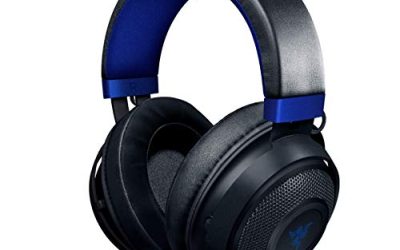
- Best budget: Razer BlackShark V2 X, a lightweight wired headset with 50mm drivers.
- Best wireless for PC and PlayStation: SteelSeries Arctis Nova 5, with a 60 hour battery and 2.4GHz plus Bluetooth.
- Best for Xbox and Warzone on console: Turtle Beach Stealth 600 or RIG 600 PRO HX.
- Best for squad chat: Corsair HS80 MAX, built around a broadcast-style microphone.
The best headset for Warzone and Call of Duty is one that is comfortable for long matches, has a clear microphone for squad chat and works with your platform without adapters. Positional sound quality matters, but fit, mic clarity and the right connection type matter just as much, so this guide ranks eight headsets on those points.
Quick Answer: Which Headset Should You Pick?
- Best overall wired: HyperX Cloud III, for comfort, a durable frame and a clear mic.
- Best budget: Razer BlackShark V2 X, a lightweight wired headset with 50mm drivers.
- Best wireless for PC and PlayStation: SteelSeries Arctis Nova 5, with a 60 hour battery and 2.4GHz plus Bluetooth.
- Best for Xbox and Warzone on console: Turtle Beach Stealth 600 or RIG 600 PRO HX.
- Best for squad chat: Corsair HS80 MAX, built around a broadcast-style microphone.
The same headsets work for CS:GO (now Counter-Strike 2) and Valorant on PC, with a few notes in the sections below. None of them will make you win more fights on their own. A good headset helps you hear footsteps and teammates clearly and stay comfortable for a long session, and that is as far as we go in any claim.
Picks at a Glance
| Headset | Connection | Platforms | Headline spec | Best for |
|---|---|---|---|---|
| HyperX Cloud III | Wired USB-C, USB-A, 3.5mm | PC, PS5, PS4, Xbox Series X|S | Memory foam, durable frame, 10mm mic | All-round wired |
| Razer BlackShark V2 X | Wired 3.5mm | PC, PS4, PS5, Switch | 50mm drivers, 7.1 surround (PC) | Budget |
| Logitech G733 | Wireless Lightspeed | PC, PS5, PS4, Switch | Suspension headband, Blue VO!CE mic | Light wireless |
| SteelSeries Arctis Nova 5 | 2.4GHz or Bluetooth | PC, PS5, PS4, Switch, mobile | 60 hour battery, ClearCast Gen2.X mic | Wireless with app EQ |
| Turtle Beach Stealth 600 | Wireless plus Bluetooth | Xbox, PS5, PC, mobile | 80 hour battery, 50mm drivers | Console players |
| RIG 600 PRO HX | Wireless 2.4GHz or Bluetooth 5.3 | Xbox, PS, Switch, PC, mobile | Dual wireless | Xbox plus phone |
| Corsair HS80 MAX | 2.4GHz plus Bluetooth | PC, PS5, PS4, Switch, Mac, mobile | Up to 65 hr, Dolby Atmos | Mic clarity |
| JBL Quantum 100M2 | Wired 3.5mm | PC, PlayStation, Xbox, Switch | Detachable mic, memory foam | Lowest cost |
What Matters in a Headset for Call of Duty Games
Warzone and multiplayer Call of Duty modes reward clear audio cues, but the hardware features that matter are simple. Here is what to check before you buy.
Positional sound and surround modes
Stereo headsets with good channel separation can give accurate directional audio, and the game itself also mixes sound for stereo. Virtual surround modes (7.1, Dolby Atmos, DTS) are optional extras. Some players like them and some switch them off because they make the sound wider and less precise. Choose a headset that lets you turn the processing off or on in settings so you can decide after a few matches.
Microphone clarity
Squad play in Warzone relies on voice chat. A detachable or flip-to-mute boom mic is easier to manage than a built-in one. Cardioid pickup patterns reduce background noise from a keyboard or fan. Check whether the mic is detachable, because you can then take it off for solo play.
Comfort and weight
A Warzone session can run an hour or more per round with lobby time. Look for memory foam ear cushions, an adjustable headband and a weight in the 250 to 300g range. Clamp force varies from person to person, so a headset that feels light on a medium head may press on a larger one. Glasses wearers should look for softer cushions.
Connection type
- 3.5mm wired: works with a controller jack or a PC audio port. No battery, no latency worries.
- USB wired: adds software EQ and a better built-in sound card.
- 2.4GHz wireless: the low-latency wireless choice for PC and PlayStation, and some Xbox models.
- Bluetooth: useful for phones and for game audio plus calls, but not ideal as the main game connection because of latency.
Xbox compatibility
Xbox consoles use a proprietary wireless protocol, so a headset must be built for Xbox (a “for Xbox” or “HX” model) to connect wirelessly with its own dongle. Other 2.4GHz headsets for PC and PlayStation will usually not pair with an Xbox directly, so check the product title for Xbox support.
1. HyperX Cloud III Wired: Best Overall Wired Headset
The Cloud III is a long-running comfort-first wired design. The listing highlights USB-C, USB-A and 3.5mm connectivity, memory foam ear cushions, a durable frame and a 10mm microphone described as ultra-clear. That connection spread means one headset can serve a PC, a PlayStation and an Xbox controller.
- Connection: wired, USB-C plus USB-A plus 3.5mm
- Platforms: PC, PS5, PS4, Xbox Series X|S
- Comfort: memory foam cushions, durable frame
- Mic: 10mm, per the listing
Best for: players who want one headset for every platform without batteries. Skip if: you want wireless.
Pros: versatile connectivity; comfortable foam; sturdy build; clear mic. Cons: wired only; some versions cost more than budget models.
2. Razer BlackShark V2 X: Best Budget Wired Pick
The BlackShark V2 X is aimed at players who want an esports-style headset at a low cost. The listing mentions 50mm drivers, a memory foam cushion, 7.1 surround sound and a 3.5mm connection for PC, PS4, PS5 and Switch. An Xbox-specific version also exists, so check the title if you play on Xbox.
- Drivers: 50mm
- Connection: wired 3.5mm
- Surround: 7.1 (PC)
- Platforms: PC, PS4, PS5, Switch
Best for: budget buyers who want a lightweight, simple headset. Skip if: you need USB audio features or wireless.
Pros: low cost; lightweight; simple plug and play; cardioid-style mic. Cons: wired 3.5mm only; surround mode is a PC feature; no extras.
3. Logitech G733 Lightspeed: Best Lightweight Wireless
The G733 is known for its suspension headband, which spreads weight across the top of the head instead of clamping. The listing mentions Lightspeed wireless, a Blue VO!CE mic and PRO-G audio drivers, with PC, PS5, PS4 and Switch compatibility.
- Connection: Lightspeed wireless USB dongle
- Comfort: suspension headband
- Mic: Blue VO!CE technology
- Platforms: PC, PS5, PS4, Switch (not Xbox)
Best for: PC and PlayStation players who like a lightweight feel. Skip if: you play on Xbox.
Pros: light feel; software voice filters; colorful options. Cons: no Xbox support; the mic boom is fixed in some versions.
4. SteelSeries Arctis Nova 5: Best Wireless With App EQ
The Nova 5 pairs neodymium magnetic drivers with a ClearCast Gen2.X mic and a 60 hour battery, per the listing. It connects over 2.4GHz or Bluetooth and covers PC, PS5, PS4, Switch and mobile. SteelSeries also makes an Xbox variant, the Nova 5X.
- Battery: 60 hours per the listing
- Connection: 2.4GHz or Bluetooth
- Mic: ClearCast Gen2.X
- Extras: app-based EQ presets
Best for: players who want a wireless headset with an app for EQ and game presets. Skip if: you play on Xbox and need the 5X version.
Pros: long battery; mic clarity; app control; both 2.4GHz and Bluetooth. Cons: priced above wired headsets; Xbox needs a different model.
5. Turtle Beach Stealth 600: Best for Console Players
This model targets console players. The listing shows 50mm drivers, an 80 hour battery, a flip-to-mute mic and Bluetooth, with compatibility for Xbox Series X|S, Xbox One, PlayStation and PC. Always confirm that the version you choose lists your console.
- Drivers: 50mm
- Battery: 80 hours per the listing
- Mic: flip-to-mute
- Platforms: Xbox, PS5, PC, mobile
Best for: console Warzone players who switch between Xbox and PlayStation. Skip if: you want a wired headset.
Pros: very long battery; simple controls; flip-to-mute mic. Cons: platform-specific variants; plain styling.
6. RIG 600 PRO HX: Best Dual Wireless for Xbox and Phone
The 600 PRO HX offers dual wireless, meaning 2.4GHz and Bluetooth 5.3 at the same time. The listing says it works with Xbox Series X|S, Xbox One, PS4, PS5, Switch, PC, Android and iPhone, which makes it handy if you want game audio and a phone call together.
- Wireless: 2.4GHz or Bluetooth 5.3
- Platforms: Xbox, PS, Switch, PC, mobile
- Style: Urban Camo version listed
Best for: Xbox players who also take calls on a phone while gaming. Skip if: you need a spec sheet with drivers and battery numbers, since the listing does not list them. Check the maker.
Pros: dual wireless; broad compatibility. Cons: battery and driver details not listed; fewer reviews than older models.
7. Corsair HS80 MAX: Best for Squad Chat Clarity
Corsair pitches the HS80 MAX around its microphone. The listing mentions a clear broadcast quality mic, Dolby Atmos, SoundID technology, up to 65 hours of battery and 2.4GHz plus Bluetooth. It covers PC, PS5, PS4, Switch, Mac and mobile. An Xbox version of the HS80 MAX also exists.
- Battery: up to 65 hours
- Audio: Dolby Atmos, SoundID personalization
- Connection: 2.4GHz plus Bluetooth
- Platforms: PC, PS5, PS4, Switch, Mac, mobile
Best for: players who talk a lot and want their teammates to hear them clearly. Skip if: you want a lightweight design under 300g, since the weight is not listed here.
Pros: strong mic focus; app-based personalization; long battery. Cons: priced higher; Xbox needs a different SKU.
8. JBL Quantum 100M2: Lowest-Cost Pick
For a tight budget, the Quantum 100M2 is a wired 3.5mm headset with a detachable mic and memory foam ear cushions, working with PC, PlayStation, Xbox and Switch per the listing. It does not offer wireless or software features, which is exactly why it costs so little.
Best for: younger players, backup headsets and tight budgets. Skip if: you need long-session comfort or advanced audio features.
Pros: low cost; detachable mic; works on every platform with a 3.5mm jack. Cons: basic features; no wireless; limited sound customization.
Also Consider
Logitech G Astro A20 X
A multi-platform wireless headset for PS5, Xbox, PC and Switch with a PLAYSYNC audio switcher, according to the listing. A good alternative if you move between console and PC.
Razer BlackShark V3 X HyperSpeed
The listing shows a 70 hour battery, a HyperClear mic, TriForce Gen-2 drivers, three connectivity modes and a 270g design for PC. A wireless step up from the V2 X.
RIG 800 PRO HX
A wireless Xbox headset with a base station, Dolby Atmos 3D audio and a 60 hour battery per the listing. Suited to players who want a charging dock and Xbox-focused wireless.
Headsets for CS:GO and Valorant
CS:GO has since been replaced by Counter-Strike 2, and Valorant is PC only, so the shopping notes are short. In both games you want accurate stereo, a clear mic and a comfortable fit. Many players keep surround modes off in tactical shooters to avoid blurring direction cues.
| Need | Good fit from this list |
|---|---|
| Wired PC headset | HyperX Cloud III, Razer BlackShark V2 X |
| Wireless PC headset | SteelSeries Arctis Nova 5, Logitech G733, Corsair HS80 MAX |
| Voice-chat focus | Corsair HS80 MAX, SteelSeries Arctis Nova 5 |
| Lowest cost | JBL Quantum 100M2 |
Best Warzone Headset by Platform
- PC: any headset on this list works. Wired USB or 3.5mm options are the simplest.
- PlayStation 5: 2.4GHz USB dongle headsets like the Arctis Nova 5, Corsair HS80 MAX or Logitech G733 connect through the console’s USB port.
- Xbox Series X|S: pick an Xbox-licensed wireless model such as the Turtle Beach Stealth 600, RIG 600 PRO HX or RIG 800 PRO HX, or any wired headset with a 3.5mm jack and the controller.
- Switch and mobile: Bluetooth or 3.5mm headsets work.
Common Mistakes When Buying a Call of Duty Headset
- Buying the wrong platform version. Xbox and PlayStation versions of the same headset often have different model numbers.
- Trusting “7.1” as a quality sign. It is a processing mode, not proof of better sound.
- Ignoring weight and clamp. A headset that pinches will end a long session early.
- Skipping the mic. A mediocre mic is a bigger problem for teammates than for you.
- Forgetting the cable length on wired headsets used far from the console.
Audio Settings Checklist for Warzone and Call of Duty
A good headset still needs sensible in-game settings. These steps apply on PC and console, and they help whichever headset you choose.
- Pick the right audio mix. Call of Duty offers several audio mixes, such as headphones, headphones bass boost and others. Try the headphones mix first, then switch if footsteps or gunfire sound too thin or too boomy.
- Set master volume to a level you can sustain. Very loud audio causes ear fatigue and hides quiet cues. Aim for a level where footsteps are audible but explosions do not make you flinch.
- Lower music and effects slightly. Turning the music slider down makes spoken cues and footsteps easier to pick out.
- Adjust voice chat volume separately so teammates are loud enough without drowning the game sound.
- Test your mic in the party lobby. Record a short clip or ask a teammate how you sound before a match.
- Turn off extra virtual surround in the headset software if the game already outputs headphone mixes. Doubling up processing often sounds worse.
- Update firmware and the headset app, since manufacturers fix mic and latency issues through updates.
Wired vs Wireless for Call of Duty
| Factor | Wired | Wireless (2.4GHz) |
|---|---|---|
| Latency | None to worry about | Low on 2.4GHz, higher on Bluetooth |
| Battery | None | Plan on charging; 40 to 80 hours is typical |
| Cost | Lower | Higher |
| Cable drag | Yes, on long sessions | No |
| Console compatibility | Near universal with 3.5mm | Depends on the dongle and platform |
| Weight | Often lighter | Battery adds some weight |
If you mostly play at a desk and rarely move, a wired headset saves money and removes one thing that can go wrong mid-match. Wireless pays off when your console or PC is far from your seat or when you share a headset with another device.
Comfort Guide: Fit Notes for Different Heads and Habits
If you wear glasses
Look for soft, wide ear cushions and low clamp. Memory foam cushions with a fabric or leatherette cover differ in feel; leatherette isolates noise better, fabric breathes better. Neither is universally better, and it comes down to your preference and room temperature.
If you have a larger head
Check whether the headband has enough extension. Suspension designs such as the Logitech G733 and steel-slider designs generally leave room to adjust, but fit varies, so check the return window.
If you play in a warm room
Ear cushions wrapped in leatherette can get warm. Breathable fabric cushions, or replacement cushions sold separately by many makers, can help.
If you stream or record
Pick a detachable mic you can position away from your breath, and consider whether game and chat audio can be separated, which is more common on USB headsets with software.
Voice Chat Tips for Squad Play
- Keep the mic boom about two fingers from the corner of your mouth.
- Use a pop filter or foam cover if the mic is sensitive to breath.
- Mute when typing or when background noise is high.
- Agree on short callouts in the squad so quiet footsteps do not get drowned by talking.
- If teammates complain about echo, lower the in-game speaker volume or switch to push-to-talk.
Picks by Budget Tier
Exact prices change often, so this list groups the headsets by tier instead.
Entry tier
JBL Quantum 100M2 and Razer BlackShark V2 X. Both are wired, simple and light on features, and both suit a first gaming headset or a backup for a second room. Expect solid basics and no app.
Mid tier
HyperX Cloud III, Logitech G733 and RIG 600 PRO HX. This tier adds either broader connectivity, wireless or better comfort features. It is where most Warzone players find the best balance.
Upper tier
SteelSeries Arctis Nova 5, Turtle Beach Stealth 600 and Corsair HS80 MAX. These bring long battery life, wireless with Bluetooth, app control and stronger microphones. They make the most sense if you play most evenings and talk to a squad.
Which tier is worth it?
If you only play a few hours a week, the entry tier is enough. If voice chat is part of every session, spend on the mic and comfort first and the surround features last. A headset that you can wear for three hours without noticing it is worth more than a longer feature list.
How We Chose
This is a research-based guide. We did not use these headsets ourselves. We compared maker specifications, current store listings and published editorial coverage, and favored headsets with clear platform support, a usable mic and a comfort-focused design. Specs that were not listed are marked as such, and you should check the maker’s page before buying.
Buying Guide: Thresholds That Help
| Feature | Threshold to look for |
|---|---|
| Driver size | 40mm to 53mm is common; bigger does not always mean better |
| Weight | Under 300g for long sessions |
| Wireless battery | 40 hours or more for a week of play between charges |
| Mic | Detachable or flip-to-mute, with a cardioid pickup |
| Connection | 2.4GHz for gaming, Bluetooth as a secondary mode |
| Cushions | Memory foam, breathable fabric if you run warm |
Frequently Asked Questions
What is the best headset for Warzone?
For most players the HyperX Cloud III is the safest wired choice, and the SteelSeries Arctis Nova 5 is a strong wireless one. Pick by platform and comfort.
What is the best headset for CS:GO?
Any comfortable stereo headset with a clear mic works. Wired models like the Cloud III or BlackShark V2 X are simple choices for PC.
What is the best Valorant headset?
Valorant is PC only, so a wired USB or 3.5mm headset is enough. Choose clear stereo and comfort over surround processing.
What is the best RIG headset for gaming?
The RIG 600 PRO HX is a flexible dual wireless option, and the RIG 800 PRO HX adds a base station for Xbox players.
Do I need a surround sound headset for Call of Duty?
No. Surround is optional and some players prefer stereo. Choose a headset that allows both so you can decide.
Can I use a PC wireless headset on Xbox?
Usually not directly, because Xbox uses its own wireless protocol. Buy an Xbox-licensed headset or use a wired headset with the controller jack.
Does a gaming headset give a competitive advantage?
No headset guarantees better results. A good one helps you hear clearly and stay comfortable, and the rest depends on your play.
Which One Should You Buy?
- One wired headset for everything: HyperX Cloud III.
- Lowest cost with solid sound: Razer BlackShark V2 X or JBL Quantum 100M2.
- Wireless on PC or PlayStation: SteelSeries Arctis Nova 5.
- Xbox wireless: Turtle Beach Stealth 600 or RIG 600 PRO HX.
- Voice chat first: Corsair HS80 MAX.
Sources
- HyperX product page: Cloud III
- SteelSeries product page: Arctis Nova 5 and 5X
- Turtle Beach product page: Stealth 600
- Corsair product page: HS80 MAX
- Razer product page: BlackShark V2 X
Last updated: November 2026
FAQ
Which tier is worth it?
What is the best headset for Warzone?
What is the best headset for CS:GO?
What is the best Valorant headset?
What is the best RIG headset for gaming?
Do I need a surround sound headset for Call of Duty?
Can I use a PC wireless headset on Xbox?
Does a gaming headset give a competitive advantage?
More from Amazon
Programs that pair well with the guide above. Offers and eligibility are set by Amazon and may change.
Free shipping on eligible items, Prime Video and more. Eligible new members can start with a free trial.
Start a Prime free trialAd-free music streaming. Eligible new subscribers can start with a free trial.
Try Music Unlimited freeA Prime membership for ages 18-24 with a trial period. Eligibility is set by Amazon.
See Prime for Young AdultsAudiobooks and podcasts to listen to on the go. Eligible new members can start with a free trial.
Try Audible freeAs an Amazon Associate we earn from qualifying purchases.