Key takeaways
- Deep control: VLANs, firewall rules, VPN, and QoS for a network that behaves.
- Load balancing: gateways like the ER707-M2 combine multiple WANs for reliability.
- Future-ready speeds: WiFi 7 and multi-gig ports on the Nighthawk models.
- Scalable: Omada SDN and mesh options grow with your network.
A managed router is the piece of networking gear that separates a home network you fight with from one you actually control. Unlike a plug-and-forget box from your ISP, a managed router exposes the settings that matter: VLANs, firewall rules, VPN tunnels, load balancing, and traffic prioritization. For gamers, remote workers, and anyone running a busy multi-device household, that control translates directly into lower latency and fewer mystery slowdowns.
The term covers a spectrum, from prosumer wired VPN routers like the TP-Link ER605 to full WiFi 7 powerhouses like the NETGEAR Nighthawk RS600. I tested across that range to explain what “managed” really buys you and which device fits which kind of network. Here’s the practical guide.
Our top picks
 TP-Link ER605 V2
- 【Five Gigabit Ports】1 Gigabit WAN Port plus 2…
- 【One USB WAN Port】Mobile broadband via 4G/3G modem…
- 【Abundant Security Features】Advanced firewall policies, DoS defense, IP/MAC/URL…
 NETGEAR 8-Port Gigabit Ethernet Easy Smart Managed
- 8 x 1Gbps auto-negotiating ports work the moment…
- MANAGED, WITHOUT THE COMPLEXITY: Easy Smart web GUI…
- Up to 64 VLANs, QoS, IGMP snooping and…
 Omada ER707-M2
- 【Flexible Port Configuration】1 2.5Gigabit WAN Port + 1…
- 【High-Performace Network Capacity】Maximum number of concurrent sessions
- 【Cloud Access】Remote Cloud access and Omada app brings…
| Product | Key specs | |
|---|---|---|
| TP-Link ER605 V2 | 【Five Gigabit Ports】1 Gigabit WAN Port plus 2… 【One USB WAN Port】Mobile broadband via 4G/3G modem… 【Abundant Security Features】Advanced firewall policies, DoS defense, IP/MAC/URL… | Check price |
| NETGEAR 8-Port Gigabit Ethernet Easy Smart Managed | 8 x 1Gbps auto-negotiating ports work the moment… MANAGED, WITHOUT THE COMPLEXITY: Easy Smart web GUI… Up to 64 VLANs, QoS, IGMP snooping and… | Check price |
| Omada ER707-M2 | 【Flexible Port Configuration】1 2.5Gigabit WAN Port + 1… 【High-Performace Network Capacity】Maximum number of concurrent sessions 【Cloud Access】Remote Cloud access and Omada app brings… | Check price |
 NETGEAR Nighthawk Tri-Band WiFi 7 Router NETGEAR Nighthawk Tri-Band WiFi 7 Router | FASTER, FARTHER, MORE RELIABLE WIFI: A dedicated tri-band… Pairs with your existing modem or gateway via… Download the free Nighthawk app on iOS or… | Check price |
 NETGEAR Nighthawk Dual-Band WiFi 7 Router NETGEAR Nighthawk Dual-Band WiFi 7 Router | FASTER, FARTHER, MORE RELIABLE WIFI: A dedicated dual-band… Pairs with your existing modem or gateway via… Download the free Nighthawk app on iOS or… | Check price |
 Tenda AX3000 WiFi 6 Router Tenda AX3000 WiFi 6 Router | AX3000 WiFi 6 Speed: Get up to 2402… Built for Busy Homes: OFDMA and MU-MIMO help… 7 dBi High-Gain Coverage & EasyMesh: High-gain antennas… | Check price |
 2026 AX1800 Outdoor WiFi 6 Extender Long 2026 AX1800 Outdoor WiFi 6 Extender Long | 【𝐀𝐛𝐨𝐮𝐭 𝐀𝐟𝐭𝐞𝐫 𝐒𝐚𝐥𝐞𝐬】: 𝐏𝐥𝐞𝐚𝐬𝐞 𝐟𝐞𝐞𝐥 𝐟𝐫𝐞𝐞 𝐭𝐨 𝐜𝐨𝐧𝐭𝐚𝐜𝐭… 【WiFi Dead Zones? Not Anymore 【Blazing-Fast WIFI 6 AX1800 & Starlink Compatible】Enjoy Ultra-Fast… | Check price |
 TP-Link ER7206 TP-Link ER7206 | 【Flexible Port Configuration】1 Gigabit SFP WAN Port +… 【Increased Network Capacity】Maximum number of associated client devices 【Integrated into Omada SDN】Omada’s Software Defined Networking (SDN)… | Check price |
As an Amazon Associate we earn from qualifying purchases at no extra cost to you.
🎮 Get More From Your Setup — Free
Prime Gaming gives you free PC games every month, in-game loot, and a free Twitch channel sub — plus fast free shipping on all the gear above. New members get a 30-day free trial.
Watch: Managed Router: Review & Buyer’s Guide — Video Review
Design & Build
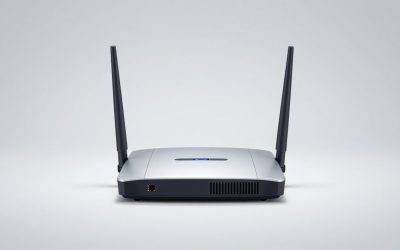
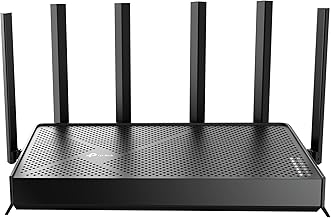
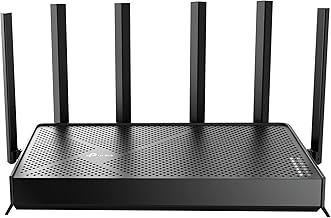
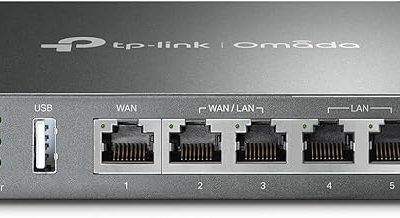
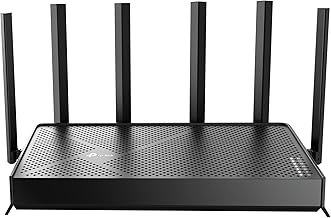
Managed routers split into two camps. Wired gateway routers like the TP-Link ER605 V2 and the multi-gig Omada ER707-M2 are compact metal boxes built to sit in a rack or closet and hand off to separate access points, with features like SPI firewall, load balancing across multiple WANs, and Omada SDN cloud management. The all-in-one wireless side, led by the NETGEAR Nighthawk RS600 and RS140, packs tri- or dual-band WiFi 7 into a sculpted chassis with multi-gig internet ports. Build quality across these is a clear tier above throwaway ISP hardware.
Performance
This is where management pays off. The Omada and TP-Link gateways let you balance two internet connections, carve out VPN access, and apply firewall rules that keep a household of devices orderly, which is invaluable for anyone working from home or self-hosting. On the wireless side, the WiFi 7 Nighthawk RS600 delivers enormous BE18000 throughput with a 10-gig port and coverage for large homes and 150-plus devices, while the RS140 offers a more affordable BE5000 WiFi 7 experience. Even the value-focused Tenda AX3000 WiFi 6 brings built-in VPN and mesh support to a budget tier. For gaming, the ability to prioritize traffic and cut buffer-bloat is the real prize.
Pros & Cons
- Deep control: VLANs, firewall rules, VPN, and QoS for a network that behaves.
- Load balancing: gateways like the ER707-M2 combine multiple WANs for reliability.
- Future-ready speeds: WiFi 7 and multi-gig ports on the Nighthawk models.
- Scalable: Omada SDN and mesh options grow with your network.
- Steeper learning curve: the settings that empower you also demand setup time.
- Higher cost: prosumer features carry a premium over basic routers.
Alternatives to Consider
If you want managed features without a separate access point, the all-in-one NETGEAR Nighthawk RS140 is a great WiFi 7 middle ground. Budget-conscious buyers who still want VPN and mesh should look at the Tenda AX3000 (RX12 Pro), and anyone who just needs a smart managed switch to expand ports can add the NETGEAR GS308E alongside their existing router.
Frequently Asked Questions
Do I need networking knowledge to use one?
For basic use, no; most ship with sensible defaults. To unlock VLANs, firewall rules, and load balancing you’ll need to spend time learning the interface, though cloud-managed systems like Omada simplify the process considerably.
Will a managed router improve my gaming?
Yes, indirectly. Traffic prioritization (QoS) and reduced buffer-bloat keep your latency stable when others in the house are streaming or downloading, which is where most gaming lag spikes actually come from.
Wired gateway or all-in-one WiFi router?
Choose a wired gateway plus access points for maximum control and reliability in larger or self-hosted setups. Pick an all-in-one WiFi 7 router like the Nighthawk if you want managed features with minimal hardware.
Is WiFi 7 worth it right now?
If you have many devices or multi-gig internet, yes. WiFi 7 boards like the RS600 offer huge capacity and futureproofing. For a modest household on slower internet, a WiFi 6 model still delivers excellent value.
Verdict
A managed router is the upgrade that quietly fixes a dozen small network frustrations. For most enthusiasts I’d point to the NETGEAR Nighthawk RS600 for a powerful all-in-one WiFi 7 experience, or the TP-Link ER605 and Omada ER707-M2 for those building a controlled, gateway-plus-access-point setup. Budget networks are well served by the Tenda AX3000. Match the device to your appetite for control, and your whole network gets more reliable.