Key takeaways
- The best cable modems for gamers in 2026 are the Arris Surfboard S34 and the Motorola MB8611 for most plans up to 2 Gbps, the Netgear Nighthawk CM3000 if you want a 2.5 Gbps port from a premium brand, and…
The best cable modems for gamers in 2026 are the Arris Surfboard S34 and the Motorola MB8611 for most plans up to 2 Gbps, the Netgear Nighthawk CM3000 if you want a 2.5 Gbps port from a premium brand, and the Arris Surfboard SB8200 for gigabit plans on a budget. All four are DOCSIS 3.1. Buying a DOCSIS 3.0 modem new in 2026 rarely makes sense. Before you choose, check your provider’s approved list and do the payback math on the rental fee you’re paying now. Both are covered below, along with what a modem can and can’t do for your ping.
Can a modem lower your ping?
Partly. Your ping to a game server is mostly set by physical distance, your ISP’s routing and the server itself. Swapping modems won’t turn 60 ms into 15 ms. What a modem does affect is latency under load, the spike you see when someone starts a 4K stream or a cloud backup kicks off mid-match.
DOCSIS 3.1 introduced Active Queue Management (AQM), which keeps the upstream buffer from filling up and adding hundreds of milliseconds of lag. This “bufferbloat” is the main reason ping jumps from 20 ms to 200 ms when the household is busy. Newer Low Latency DOCSIS features, which some cable operators began enabling in 2025, build on this, but they need both a DOCSIS 3.1 or 4.0 modem and ISP support. An older DOCSIS 3.0 modem gets none of these benefits.
DOCSIS 3.0 vs 3.1 vs 4.0: the channel math
DOCSIS 3.0 modems bond multiple 6 MHz channels. Each downstream channel at 256-QAM carries about 38 Mbps of usable throughput, and each upstream channel about 27 Mbps. Multiply by the bonded channel count to get the ceiling.
| Standard / bonding | Downstream ceiling | Upstream ceiling | AQM / low-latency support | Realistic plan fit |
|---|---|---|---|---|
| DOCSIS 3.0, 16×4 | ~608 Mbps | ~108 Mbps | No | Up to ~300 Mbps |
| DOCSIS 3.0, 24×8 | ~912 Mbps | ~216 Mbps | No | Up to ~500 Mbps |
| DOCSIS 3.0, 32×8 | ~1.2 Gbps | ~216 Mbps | No | Up to ~600–800 Mbps |
| DOCSIS 3.1 (2×2 OFDM + 32×8) | Up to ~10 Gbps (spec); about 2–5 Gbps on current retail hardware | Up to 1–2 Gbps with OFDMA | Yes (AQM) | Gigabit and multi-gig plans |
| DOCSIS 4.0 | Up to 10 Gbps | Up to 6 Gbps | Yes | Symmetrical multi-gig where deployed; mostly ISP-supplied today |
Two things follow from this. First, the advertised channel ceiling isn’t what you’ll get, because channels are shared with your neighbors, so a 24×8 modem on a 500 Mbps plan has little headroom at peak hours. Second, many ISPs now deliver their faster tiers over OFDM channels that only DOCSIS 3.1 modems can use, so a DOCSIS 3.0 modem may be stuck below the speed you pay for.
DOCSIS 4.0 is real, but in 2026 it’s still a limited rollout in select markets, and the hardware usually comes from the ISP. For a modem you buy yourself, DOCSIS 3.1 is the practical choice.
ISP compatibility checklist
A modem that isn’t on your provider’s approved list may not activate. Go through this list before you buy:
- Confirm you actually have cable internet. Fiber (Verizon Fios, AT&T Fiber, Google Fiber) and fixed wireless don’t use cable modems at all.
- Find the model on your ISP’s approved-device page. Xfinity, Spectrum, Cox, Mediacom, Sparklight/Cable One, WOW and Astound all publish lists. Others, such as Optimum, accept DOCSIS 3.1 customer-owned modems but don’t support them, and require their own equipment for phone service. Lists change several times a year, so check right before you buy.
- Match your speed tier. Plans of 1 Gbps or more effectively require DOCSIS 3.1, and plans above 1 Gbps need a modem with a 2.5 Gbps Ethernet port (or link aggregation) to deliver the full speed to your router.
- Check for phone service. If you have cable voice, you need a voice modem approved for that ISP, such as the Netgear CM2050V for Xfinity Voice, or you’ll have to keep renting.
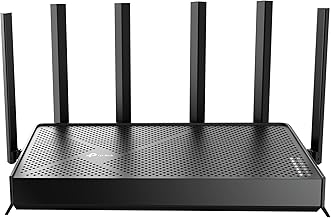
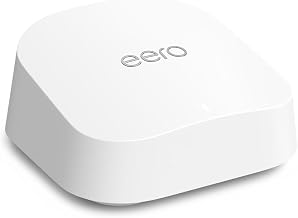
- Plan for a router. The modems below are modem-only. If you’re replacing a rented gateway that also provided Wi-Fi, budget for a separate router as well.
- Keep your account details handy. Activation usually goes through the ISP’s app or website and asks for the modem’s MAC address.
Rental fee payback: when buying pays off
The formula is simple: modem price ÷ monthly rental fee = months to break even. After that point, every month is money saved. Where providers still charge for equipment, the fee usually runs about $10–$15 a month. Some plans bundle equipment at no extra charge, and Spectrum doesn’t charge a separate fee for its modem (only for Wi-Fi), so check your bill first.
| Modem price | Rental fee | Months to break even | Savings over 3 years |
|---|---|---|---|
| $150 | $15/mo | 10 | $390 |
| $180 | $14/mo | about 13 | $324 |
| $230 | $15/mo | about 15 | $310 |
| $230 + $120 router | $15/mo (gateway) | about 23 | $190 |
| $180 | $0 (equipment included) | Never | Buy only for performance or features |
Here’s how it plays out: with a $15 monthly rental, a $180 Surfboard pays for itself in 12 months. Over a typical three to five years of use, that’s $540–$900 in avoided fees, or roughly $360–$720 net of the purchase price. If you also need a new router, the payback roughly doubles but still lands inside two years.
The best cable modems by need
Best overall: Arris Surfboard S34
Who it’s for: gamers on 1–2 Gbps cable plans who want a simple, widely approved DOCSIS 3.1 modem.
The S34 has DOCSIS 3.1 with 32×8 legacy bonding, a 2.5 Gbps Ethernet port for your router plus a second 1 Gbps port, so multi-gig plans aren’t held back by a 1 Gbps link. It also supports the faster mid-split upload tiers some ISPs offer, and it’s approved on Xfinity, Cox and Spectrum. Trade-offs: it’s modem-only, and only the 2.5 Gbps port can carry more than gigabit speeds. Expect around $170–$230.
Best alternative: Motorola MB8611
Who it’s for: buyers who want the same class of hardware as the S34, often for slightly less.
It’s DOCSIS 3.1 with a 2.5 Gbps Ethernet port and remains approved on Xfinity and Cox. Third-party approval trackers report that Spectrum stopped accepting it for new activations in mid-2026, so Spectrum customers should pick the S34 instead. It also isn’t on Xfinity’s list for faster-upload Next Gen tiers. Motorola-branded networking gear is made under license, so check who handles the warranty when you buy. Trade-offs: it’s a large unit with a single port. It usually costs $150–$200.
Best premium pick: Netgear Nighthawk CM3000
Who it’s for: anyone on a multi-gig Xfinity or Cox plan who prefers Netgear’s ecosystem.
It’s DOCSIS 3.1 with a 2.5 Gbps port and a sleek vertical design. Trade-offs: it’s priced above the Surfboard and Motorola equivalents, about $220–$300, for similar real-world speed.
Best budget DOCSIS 3.1: Arris Surfboard SB8200
Who it’s for: gigabit plans where you want AQM latency benefits at the lowest DOCSIS 3.1 price.
It has two 1 Gbps Ethernet ports, which can use link aggregation with compatible routers to exceed 1 Gbps. Without that, throughput tops out a little under 1 Gbps. Trade-offs: no 2.5 Gbps port, and it’s an older design. Usually $130–$180.
Best for gigabit with multiple wired devices: Netgear Nighthawk CM1200
Who it’s for: households with plans up to about 1 Gbps that want extra Ethernet ports on the modem itself.
It’s DOCSIS 3.1 with four 1 Gbps ports that support link aggregation. Trade-offs: most ISPs give you only one public IP, so you’ll still want a router rather than plugging PCs straight into the modem.
For Xfinity Voice customers: Netgear CM2050V
Who it’s for: Xfinity customers who keep their home phone line.
It’s DOCSIS 3.1 with a 2.5 Gbps port and two phone jacks, certified for Xfinity Voice. Trade-offs: it’s Xfinity-only for voice and costs more than data-only modems.
Picking in one minute
| Your plan | Need phone? | Choose |
|---|---|---|
| Up to 1 Gbps, lowest cost | No | Surfboard SB8200 |
| 1–2 Gbps | No | Surfboard S34 (or Motorola MB8611 on Xfinity and Cox) |
| Multi-gig, Netgear preference | No | Nighthawk CM3000 |
| Xfinity with home phone | Yes | Netgear CM2050V |
| Under 300 Mbps on an old 3.0 modem that works | No | Keep it unless ping spikes under load |
FAQ
Do I still need a router?
Yes. A modem-only device gives you one wired connection and no Wi-Fi. For gaming, put the console or PC on Ethernet to the router, and enable the router’s SQM or QoS feature to further control bufferbloat.
Will a DOCSIS 3.1 modem help on a 300 Mbps plan?
It won’t raise your speed, but AQM can reduce lag spikes while others are uploading or streaming, and the modem won’t need replacing when you upgrade your plan.