Key takeaways
- VLAN 10: Gaming PCs and consoles – lowest latency, highest priority
- VLAN 20: Work laptops and phones – standard priority
- VLAN 30: IoT and smart home gear – isolated, blocked from accessing your gaming devices, rate-limited
- VLAN 40: Guest network – isolated with a separate subnet and bandwidth cap
What's inside
- Managed vs. Unmanaged vs. Cloud-Managed: What’s the Difference?
- Core Features That Matter for Gaming and Home Networks
- How Much Bandwidth Do You Actually Need to Reserve?
- Benefits vs. Extra Cost: Is It Worth It?
- Who Needs a Managed Router? Decision Matrix
- How to Set Up QoS for Gaming on a Managed Router
- FAQ
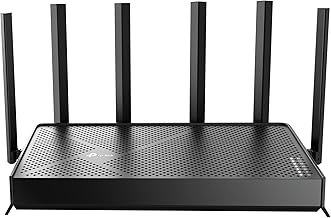
A managed router is a router that gives you full administrative control over routing, traffic prioritization, security policies, and network monitoring through a dedicated interface, unlike a standard ISP-provided router that locks most advanced settings behind a simplified dashboard.
- Managed vs. Unmanaged vs. Cloud-Managed: What’s the Difference?
- Core Features That Matter for Gaming and Home Networks
- How Much Bandwidth Do You Actually Need to Reserve?
- Benefits vs. Extra Cost: Is It Worth It?
- Who Needs a Managed Router? Decision Matrix
- How to Set Up QoS for Gaming on a Managed Router
- FAQ
For gamers and advanced home users, that control is what separates a connection that feels random from one that is predictable. An unmanaged router makes best-effort decisions for you. A managed router lets you decide which device, game, or service gets priority, how traffic is isolated, and what gets blocked before it ever reaches your PC or console.
Managed vs. Unmanaged vs. Cloud-Managed: What’s the Difference?
The term “managed” is often confused with mesh systems or app-controlled routers. They are not the same.
| Feature | Unmanaged / ISP Router | Smart / App-Controlled Router | Fully Managed Router |
|---|---|---|---|
| Configuration Access | Basic web UI, limited options | Mobile app, guided setup | Full CLI + Web UI / Controller (SSH, SNMP, VLAN, QoS, VPN) |
| VLAN Support | No | Rarely, usually 1 guest network | Yes, multiple 802.1Q VLANs with inter-VLAN routing rules |
| QoS / Traffic Shaping | Auto or simple “Gaming Mode” toggle | Device priority list | Granular SQM, FQ_CODEL, DSCP, bandwidth caps per IP/VLAN |
| VPN Capability | None or passthrough only | Client mode for select services | Site-to-site and client/server (WireGuard, OpenVPN, IPsec) |
| Monitoring | Connected devices list | Usage graphs in app | Real-time DPI, NetFlow/sFlow, SNMP, syslog, WAN failover logs |
| Firmware Updates | ISP-pushed, infrequent | Automatic | Manual control, with rollback and long-term support |
| Typical Price Range (2026) | $0-$50 (bundled/rental) | Usually $150-$350 | Usually $180-$500+ depending on throughput and ports |
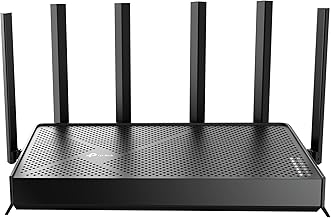
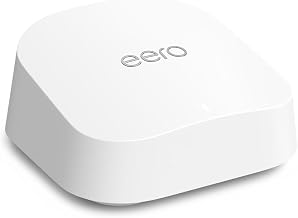
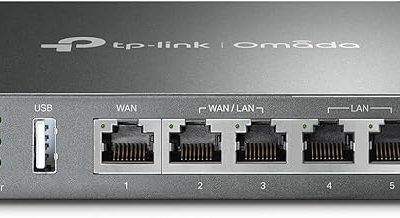
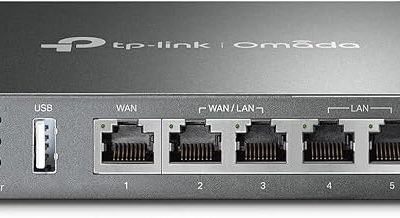
Examples of true managed router classes you will see in 2026 include the UniFi Dream Machine Pro and UniFi Express Gateway, MikroTik RB5009 series, and Peplink Balance models. Consumer mesh systems from the smart router category like TP-Link Deco or ASUS ZenWiFi offer app control but do not offer true VLAN or SNMP management.
Core Features That Matter for Gaming and Home Networks
1. Granular QoS and Traffic Shaping
This is the number one reason gamers switch. Standard QoS might let you drag your PS5 to the top of a list. A managed router lets you guarantee bandwidth and control bufferbloat.
With Smart Queue Management (SQM) using algorithms like FQ_CODEL or CAKE, the router prevents one device from flooding the buffer and spiking ping for everyone. Instead of first-in-first-out queuing, it fairly distributes packets and keeps latency low under load.
Concrete setting: On a managed router, you set your WAN upload/download to 85-90% of your actual provisioned speed. If you pay for 500/20 Mbps and speed tests show 480/18 Mbps, set SQM to 410/16 Mbps. That 10-15% headroom is what gives the shaper authority to schedule packets before your modem’s buffer fills. Without that cap, SQM cannot function.
2. VLANs and Network Segmentation
A VLAN (Virtual LAN) lets you split one physical router into several isolated networks. For a home user, this means:
- VLAN 10: Gaming PCs and consoles – lowest latency, highest priority
- VLAN 20: Work laptops and phones – standard priority
- VLAN 30: IoT and smart home gear – isolated, blocked from accessing your gaming devices, rate-limited
- VLAN 40: Guest network – isolated with a separate subnet and bandwidth cap
If an insecure smart camera is compromised, it cannot scan or attack your gaming PC because inter-VLAN routing is denied by a firewall rule you create. An unmanaged router puts everything on one flat subnet (like 192.168.1.x) with no isolation.
3. Advanced Security and VPN
Managed routers include stateful firewall rules, Deep Packet Inspection (DPI), intrusion detection/prevention (IDS/IPS), DNS filtering, and the ability to run a VPN server at home.
For example, you can create a firewall rule that blocks all outbound traffic from your IoT VLAN to WAN except to specific cloud servers, or route your entire gaming VLAN through a WireGuard VPN with a kill switch, or host your own VPN so you can securely access your home network when traveling without paying for a third-party service.
4. Multi-WAN and Failover
Many managed routers have dual WAN ports or USB/LTE failover. You can set a primary fiber/cable connection and a secondary 5G hotspot. If WAN1 latency exceeds 100ms or packet loss exceeds 5% for 30 seconds, the router automatically fails over to WAN2 without dropping Discord or game sessions that can reconnect. This is impossible on most ISP routers.
5. Monitoring and Control
Instead of guessing why your ping spiked, you get graphs. You can see per-client bandwidth, DPI categories (YouTube, Steam downloads, Windows Update), and WAN latency over time via SNMP or a controller dashboard. This makes it easy to prove that a 2 AM ping spike was a 40GB game update on another PC hogging upload.
How Much Bandwidth Do You Actually Need to Reserve?
QoS only works if you do the math. A managed router forces you to allocate bandwidth intentionally. Here is a worked calculation for a typical gaming household with a 500 Mbps down / 20 Mbps up cable connection.
Scenario: Two simultaneous gamers + 4K streaming + Discord + background downloads.
| Activity | Down Needed | Up Needed | Latency Sensitivity |
|---|---|---|---|
| Competitive FPS (e.g., Valorant, COD) | 1-3 Mbps | 1-2 Mbps | Extreme – requires <40ms and <10ms jitter |
| Discord Voice (Opus) | 0.1 Mbps | 0.1 Mbps | High |
| 4K Streaming (Netflix/YouTube) | 25 Mbps | 0.5 Mbps | Low, but needs consistent throughput |
| Game Download / Cloud Backup | Can saturate full link | Can saturate full link | Low, but destroys latency if unmanaged |
| Total for 2 Gamers + 1x 4K Stream (without downloads) | ~31 Mbps | ~4.5 Mbps | – |
The calculation shows gaming itself uses very little bandwidth. Your 500 Mbps is overkill for gameplay, but without SQM, a single Steam download or Windows Update upload can saturate the 20 Mbps upstream. When upstream hits 100% utilization, latency jumps from 25ms to 200ms+ due to bufferbloat, even though download is mostly idle.
Fix with a managed router: Set a per-device or per-VLAN cap. Limit the “Downloads/IoT” VLAN to 350 Mbps down / 12 Mbps up max, and guarantee the “Gaming” VLAN 10 Mbps down / 5 Mbps up with highest DSCP priority (EF/CS6 for gaming traffic, AF41 for Discord). This guarantees gamers always have their 5 Mbps upstream clean, while bulk traffic is throttled to 60% of total upload, leaving headroom.
Benefits vs. Extra Cost: Is It Worth It?
A managed router is not automatically better for everyone. It trades simplicity for power.
Benefits:
- Stable, low ping under load – the biggest real-world gain for gaming households sharing a connection
- True network isolation for security and performance
- No rental fees and no ISP snooping on DNS; you control firmware and updates
- Longevity – enterprise-class hardware often gets security updates for 5-8 years, vs. 2-3 for ISP units
- Throughput without compromise – many managed routers can route 1 Gbps+ with IDS/IPS off, and 500-850 Mbps with it on, which you can verify on the spec sheet
Costs and Drawbacks:
- Higher upfront cost, usually $180-$500 for a capable wired managed router, plus you still need access points for Wi-Fi
- Learning curve – terms like NAT, DHCP leases, firewall rules, and VLAN tagging require setup time. Misconfigured firewall rules can block internet access entirely
- You are the support – no ISP hotline will troubleshoot your custom VLAN or WireGuard config
- Requires separate Wi-Fi – most powerful managed routers (like the MikroTik RB5009 or UniFi Dream Machine Pro) are wired-only rack/desktop units; you add access points separately for better coverage but at extra cost
Who Needs a Managed Router? Decision Matrix
Use this matrix to map your situation to the right choice:
| Your Situation | Recommendation | Why |
|---|---|---|
| Casual gamer, lives alone, 1-2 devices, ISP router ping is stable | Stick with ISP or smart router | No congestion to manage; added complexity not needed |
| Competitive gamer sharing internet with family/streamers | Managed router with SQM/QoS | Must de-prioritize bulk downloads and streaming to protect latency |
| Streamer / content creator uploading to Twitch/YouTube while gaming | Managed router with SQM + traffic shaping | Needs guaranteed upload (6-8 Mbps for 1080p60) without bufferbloat |
| Smart home with 20+ IoT devices, NAS, home lab | Managed router with VLANs | Security isolation and inter-VLAN firewalling is essential |
| Work-from-home with VoIP/video calls + gaming in evenings | Managed router with DSCP/VLAN + multi-WAN | Prioritize Zoom/Teams (EF) and add LTE failover for calls |
| Large home needing seamless Wi-Fi + wired gaming | Managed router + managed PoE access points | Centralized control beats all-in-one consumer mesh for performance |
How to Set Up QoS for Gaming on a Managed Router
If you decide to switch, this is the practical setup order that gives 90% of the benefit without overcomplicating:
1. Measure your true speed: Run a wired speed test three times at different hours. Take the lowest upload result and multiply by 0.85. Use that value as your SQM upload cap.
2. Enable SQM: In your router’s WAN settings (often under Traffic Control or Smart Queues), enable FQ_CODEL or CAKE, set download/upload to the capped values from step 1, and set queue discipline to “fq_codel” with ECN enabled.
3. Create priority rules: Assign DSCP tags: Gaming console/PC MAC -> CS6/EF (highest), Discord/Teams -> AF41, Streaming -> AF31, Bulk/Downloads -> CS1 (lowest). This tells the shaper which packets to drop last when congested.
4. Isolate bulk traffic: Put PCs that download large files or handle backups on a separate VLAN or limit them with a per-IP cap of, for example, 300 Mbps down / 10 Mbps up on a 500/20 line, so they can never saturate the link.
5. Test under load: Run a ping to 1.1.1.1 -t while starting a large download and an upload speed test on another device. On a correctly tuned managed router, ping should stay within +5-15ms of idle. If it spikes by 80ms+, lower your SQM caps by another 5%.
FAQ
Will a managed router lower my ping by itself?
Not if your line is idle. Your base ping is determined by physical distance and ISP routing. A managed router lowers bufferbloat-induced ping spikes and jitter when your network is under load. If your ping is 60ms idle and 180ms when someone is streaming, a managed router with SQM will keep it near 60-75ms. If your idle ping is already 60ms and you live alone, it will stay 60ms.
Do I need a managed switch too?
Only if you need VLANs to extend beyond the router. If you create VLANs on the router but plug everything into an unmanaged switch, the switch will strip VLAN tags and break isolation. For full VLAN separation to wired devices, pair the router with a managed or smart-managed switch that supports 802.1Q.
Is a “gaming router” the same as a managed router?
No. Most consumer gaming routers are smart routers with gaming branding, Geo-filter, and a flashy UI. They rarely offer VLANs, SNMP, or true FQ_CODEL SQM tuning. A managed router gives you the same traffic control plus enterprise security and monitoring, but without RGB lighting and with a steeper learning curve.