Key takeaways
- Linear: Smooth travel with no tactile bump. Often a good fit for rapid repeated presses, provided the actuation force and sound suit you.
- Tactile: A noticeable bump during the press, without necessarily producing a click. A useful middle ground for gaming and typing.
- Clicky: A tactile event plus a distinct click. The sound can be disruptive in shared rooms or voice chat, so consider where you play.
Best Custom Gaming Keyboards: Choose by Layout, Switch, and Build
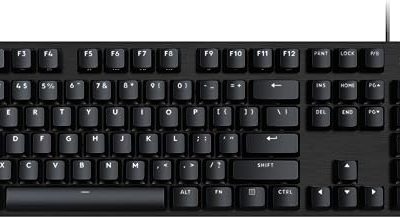
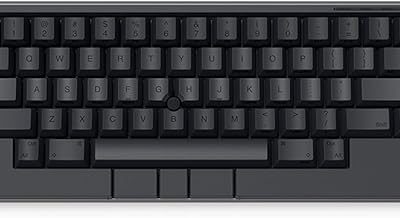
The best custom gaming keyboards are hot-swappable, support the layout you actually use, and offer firmware or software that makes remapping and lighting easy; for most players, a 75% or TKL board with wired USB-C, a sturdy case, and switches chosen for feel is the most practical starting point.
“Custom” can mean replacing switches and keycaps on a ready-to-use keyboard, or assembling a barebones kit from parts. The first route is quicker and less demanding. A full build gives you more control over sound, feel, layout, and appearance, but requires compatibility checks and extra tools.

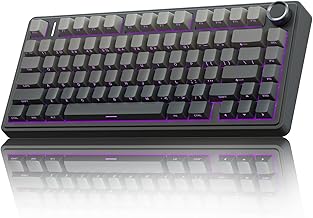
AULA F75 Pro Wireless Mechanical Keyboard,75% Hot Swappable Custom Keyboard with Knob,RGB Backlit,Pre-lubed Reaper Switches,Side Printed PBT Keycaps,2.4GHz/USB-C/BT5.0 Mechanical Gaming Keyboards
Included for 'Best Custom Gaming Keyboards' because the listing specifies 75% Hot Swappable Custom Keyboard with Knob and RGB Backlit, details this guide uses to compare options.
View on Amazon
Womier Wireless Gaming Keyboard 60 Percent with QMK/VIA
Included for 'Best Custom Gaming Keyboards' as a relevant option in this category; details come from the product listing.
View on Amazon
ASUS ROG Azoth Extreme Wireless Mechanical Gaming Keyboard – 75% TKL, ROG NX Snow Linear Switches, PBT Keycaps, Aluminum Chassis, Carbon Fiber, Gasket Mount, Color OLED Screen, PC/Mac Support - Black
Included for 'Best Custom Gaming Keyboards' because the listing specifies 75% TKL and ROG NX Snow Linear Switches, details this guide uses to compare options.
View on Amazon
GravaStar Mercury K1 75% Wireless Mechanical Gaming Keyboard RGB Backlit
Included for 'Best Custom Gaming Keyboards' as a relevant option in this category; details come from the product listing.
View on AmazonStart with the layout you need
Layout determines which keys are physically present and how much desk space the keyboard uses. A smaller board is not automatically better for gaming: players who rely on function keys, navigation keys, or a number pad may lose time reaching for layers or shortcuts.
| Layout | Typical size | What you gain | What you give up |
|---|---|---|---|
| Full-size | 104–108 keys | Dedicated number pad, function row, and navigation cluster | More desk width; can limit mouse space |
| TKL | About 87 keys | Function and navigation keys without the number pad | Number-pad entry |
| 75% | About 80–84 keys | Function row and many navigation keys in a compact footprint | Tighter spacing and fewer dedicated controls |
| 65% | About 66–68 keys | Arrow keys in a small footprint | Usually no function row; some keys require layers |
| 60% | About 61 keys | Maximum mouse room and a minimal desk layout | Arrows, function keys, and navigation usually rely on layers |
Choose based on how you play and work, not just the percentage. A 75% layout is a strong compromise for mixed gaming and everyday use. A TKL board suits players who want familiar spacing and keep a mouse close. A 60% board makes sense when desk width is scarce and you are comfortable holding a function key for arrows and F-keys. Check the exact layout diagram before buying: two boards with the same size label can arrange or omit keys differently.
Decide how much building you want to do
A prebuilt hot-swap keyboard arrives assembled, so you can change compatible switches without soldering. A barebones kit usually includes the case, PCB, plate, and sometimes stabilizers, but leaves you to supply switches and keycaps. A fully DIY kit may also need stabilizers, foam, or a separate assembly process. Read the contents list carefully; “barebones” does not mean the same thing for every manufacturer.
For example, the Keychron Q1 Pro is a real 75% wireless mechanical keyboard with hot-swappable switch support. It is a more convenient starting point than a barebones kit if you want to use the keyboard immediately and customize it gradually. A kit is better if selecting the case, mounting style, and individual components is part of the goal.
For a first build, confirm the PCB’s switch socket type, supported layout, and stabilizer format before ordering parts. Most hot-swap mechanical PCBs use MX-style sockets, but low-profile switches and some proprietary designs are not interchangeable. A PCB designed for a particular layout may not accept a different key arrangement even if both are called 75%.
Pick switches by feel and sound, not by color
Switch colors are not a universal standard. Compare the manufacturer’s force curve and specifications, then consider whether you want a tactile bump, an audible click, or a smooth press.
- Linear: Smooth travel with no tactile bump. Often a good fit for rapid repeated presses, provided the actuation force and sound suit you.
- Tactile: A noticeable bump during the press, without necessarily producing a click. A useful middle ground for gaming and typing.
- Clicky: A tactile event plus a distinct click. The sound can be disruptive in shared rooms or voice chat, so consider where you play.
Actuation force is only one part of feel. Total travel, spring weight, lubrication, plate material, case construction, and keycap profile all affect the result. If the keyboard is hot-swappable, you can try a small set of compatible switches first rather than replacing every switch at once. For soldered PCBs, changing switches later requires desoldering equipment and more skill.
Keycaps, software, and materials: the details that change ownership
Keycap material affects durability and appearance. ABS caps can develop a smooth shine with use; PBT is generally more resistant to that wear. Neither material guarantees a particular sound or quality. Check the legend process and the cap’s profile as well: sculpted profiles have different row heights, while uniform profiles can make rearranging keys easier. For small layouts, verify that the set includes the sizes you need for the bottom row, right Shift, and other nonstandard keys.
Software matters most when you want remapping, macros, layers, or per-key lighting control. Keychron’s launcher-based customization supports many compatible models, while VIA works with supported keyboards and lets users change key assignments and layers through a graphical interface. Support is model-specific: confirm that the exact PCB and firmware are compatible before buying. Firmware options such as QMK can offer deeper control, but may involve more setup than a simple configuration app. Also check whether required features work on your operating system and whether the keyboard can save settings onboard.
Case and plate materials influence weight, rigidity, and acoustics, but no material is automatically best. Aluminum cases tend to feel substantial and stay put; plastic cases are often lighter and can cost less. Steel, aluminum, polycarbonate, and other plate materials can change the typing feel and sound. Mounting style, internal dampening, and switch choice also matter, so case material alone cannot predict whether a board will sound “thocky” or quiet. If you need a portable keyboard, prioritize weight and connection options; if it stays on one desk, a heavier case may be an advantage.
Match the keyboard to your situation
| Your situation | Good starting choice | Why | Check before buying |
|---|---|---|---|
| First custom keyboard; wants minimal setup | Prebuilt hot-swap 75% or TKL | Ready to use, with room to change switches and caps later | Switch socket compatibility and software support |
| Small desk; mouse movement is the priority | 65% or 60% | Leaves more room beside the keyboard | How arrows and function keys are accessed |
| Number entry, spreadsheets, or dedicated macros | Full-size or a board with a separate number pad | Keeps number keys readily available | Desk width and whether the numpad can be repositioned |
| Wants to choose every component | Barebones kit with a compatible hot-swap PCB | Allows control over case, plate, switches, and caps | Included parts, layout, stabilizers, and assembly method |
| Quiet shared room | Linear or tactile switches with suitable dampening | Avoids the pronounced click of clicky switches | Whole-board sound; keycaps and case affect noise too |
Tools and assembly: what the build actually requires
A hot-swap board needs few tools for routine customization: a keycap puller and a switch puller are the basics. A barebones kit may also call for a small screwdriver, depending on the case. For stabilizer work, builders commonly use a switch or keycap puller, tweezers, and an appropriate lubricant; follow the kit maker’s guidance and avoid getting lubricant on electrical contacts. If the PCB is soldered, changing switches requires a soldering iron, solder, a desoldering pump or wick, and safe handling practices. That is a more involved project than a hot-swap build.
For a hot-swap assembly, place the PCB on a stable surface, align each switch’s pins with its socket, and press straight down without forcing it. If a switch does not seat, remove it and check for bent pins rather than pushing harder; bent pins can prevent contact or damage the socket. After installing switches, test every key before fitting all the keycaps. A keyboard testing page or the manufacturer’s configuration tool can reveal dead keys while parts are still easy to access.
What to buy for the best fit
For most people entering the custom-keyboard space, a prebuilt hot-swap 75% or TKL model is the sensible choice: it keeps familiar keys, reduces assembly work, and lets you experiment with switches and keycaps. Choose a 65% or 60% only if the space savings are worth relying on layers. Select a barebones kit when component choice and building are central to the purchase, and verify every compatibility detail before you order.
Set a budget for the whole build, not just the keyboard or kit. A barebones board may still need switches, a complete compatible keycap set, and tools; higher-cost cases or wireless features can raise the total further. Market prices vary widely by layout, materials, and included parts, so compare complete configurations rather than headline prices. The best custom gaming keyboard is the one whose layout, feel, software, and build effort fit the way you actually use it.