Key takeaways
- Adjustable Actuation: Set any key to actuate between 0.1mm and 3.4mm in 0.1mm increments. A 0.5mm setting is useful for competitive FPS, while 2.5mm prevents accidental presses when typing.
- Rapid Trigger: The key resets the instant you start to lift it, not after it passes a fixed reset point. This makes counter-strafing and peeking significantly more responsive.
- Analog Mode & Dynamic Keystrokes: One physical key can trigger up to 4 actions depending on travel depth, and analog input can mimic a controller trigger or joystick in supported games.
What's inside
- Keychron K8 HE Review: A Wireless Hall Effect Keyboard Built for Gaming Precision
- What Makes the K8 HE Different: Hall Effect Explained
- Gaming Performance: Rapid Trigger and 8K Polling
- Wireless Modes, Software, and Compatibility
- Battery Life: Real Runtime by Mode
- Keychron K8 HE vs Standard K8: Key Differences
- Verdict: Who Is It For?
- FAQ
Keychron K8 HE Review: A Wireless Hall Effect Keyboard Built for Gaming Precision
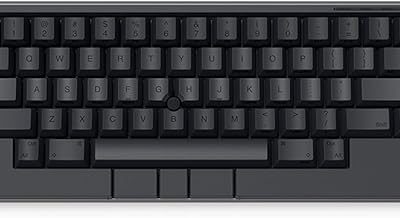
The Keychron K8 HE is a worthwhile wireless Hall Effect upgrade for gamers who want rapid trigger and adjustable actuation in a compact TKL layout, without moving to a full-size wired esports board, though its value depends on whether you will actually tune its analog features.
- Keychron K8 HE Review: A Wireless Hall Effect Keyboard Built for Gaming Precision
- What Makes the K8 HE Different: Hall Effect Explained
- Gaming Performance: Rapid Trigger and 8K Polling
- Wireless Modes, Software, and Compatibility
- Battery Life: Real Runtime by Mode
- Keychron K8 HE vs Standard K8: Key Differences
- Verdict: Who Is It For?
- FAQ
Unlike the standard Keychron K8 or K8 Pro, the K8 HE uses magnetic Hall Effect switches instead of traditional mechanical contacts. That change enables 8K polling in wired mode, per-key actuation from 0.2mm to 3.4mm, rapid trigger, and analog input, all configured through Keychron Launcher. It retains the K8’s core appeal: TKL 80% layout, QMK/VIA support, Bluetooth 5.2, 2.4GHz, and wired connectivity, plus Mac/Windows switching.
What Makes the K8 HE Different: Hall Effect Explained
Traditional mechanical switches actuate at a fixed point, usually around 2.0mm, when two metal contacts meet. Hall Effect switches use a magnet and sensor to measure exactly how far the key is pressed. The Gateron Double-Rail Magnetic Hall Effect switches used in the K8 HE report continuous travel distance to the PCB.
This allows three features you do not get on the regular K8:
- Adjustable Actuation: Set any key to actuate between 0.1mm and 3.4mm in 0.1mm increments. A 0.5mm setting is useful for competitive FPS, while 2.5mm prevents accidental presses when typing.
- Rapid Trigger: The key resets the instant you start to lift it, not after it passes a fixed reset point. This makes counter-strafing and peeking significantly more responsive.
- Analog Mode & Dynamic Keystrokes: One physical key can trigger up to 4 actions depending on travel depth, and analog input can mimic a controller trigger or joystick in supported games.
Typing Feel and Build
The K8 HE uses a gasket-mounted design with double-shot PBT keycaps, similar to the Q-series. The Hall Effect switches are linear only, factory-lubed, with a smooth press and no tactile bump. Compared to the brown or red switches on the standard K8, they feel lighter and more consistent, but lack tactile feedback for typists who prefer it.
Sound is muted and thocky rather than clacky, helped by foam dampening layers (IXPE, PET, and latex) inside the case. It is not a silent keyboard, but it is noticeably quieter than most gaming keyboards with standard mechanical switches. The south-facing RGB is bright but diffused through the PBT caps, and the full aluminum frame keeps weight around 1.1kg, which prevents sliding during intense gaming.
The TKL layout keeps function keys, navigation cluster, and arrow keys while saving desk space. For gamers who need a numpad, the larger Keychron K10 HE or Lemokey L5 HE is the alternative in the same ecosystem.
Gaming Performance: Rapid Trigger and 8K Polling
For competitive play, rapid trigger is the headline feature. When enabled, the keyboard continuously scans key position. The default rapid trigger sensitivity is 0.1mm actuation and 0.1mm reset, which means a key can be re-triggered by lifting it just a fraction of a millimeter.
In practice this changes two scenarios:
- Counter-strafing in FPS games (Valorant, CS2): With rapid trigger on A/D, you stop instantly when you release, without needing to fully lift past a reset point. Setting actuation to 0.3-0.8mm and rapid trigger to 0.1mm gives the fastest response.
- Rapid repeated inputs (movement, peeking): Games like Apex Legends or rhythm games benefit from 1-2mm rapid trigger windows where you can spam a key without bottoming out.
Polling rate also matters. The K8 HE offers 1000Hz in 2.4GHz wireless and up to 8000Hz in wired mode. 8K polling reduces input latency from 1.0ms to 0.125ms theoretically, but the benefit is only visible on high-refresh monitors (240Hz+) and requires a CPU that can handle the higher USB interrupt rate. For most players, 1000Hz is the stable choice, and 8000Hz is best reserved for wired tournament play.
Recommended Settings by Game Type
| Game Type | Actuation Point | Rapid Trigger | Polling / Mode | Reasoning |
|---|---|---|---|---|
| Tactical FPS (Valorant, CS2) | 0.4mm – 0.8mm on WASD | 0.1mm actuation / 0.1mm reset | 1000Hz 2.4GHz or 8000Hz Wired | Fastest counter-strafe and jiggle peeking |
| Battle Royale / BR FPS (Apex, Warzone) | 1.0mm – 1.2mm | 0.3mm / 0.3mm | 1000Hz Wireless | Balances speed with accidental press prevention |
| MOBA / MMO (League, WoW) | 1.8mm – 2.0mm | Off or 0.5mm | 1000Hz / Bluetooth | Prevents misinputs during long sessions |
| Typing / Work | 2.2mm – 2.5mm | Off | Bluetooth 5.2 | Mimics classic mechanical feel, reduces typos |
Wireless Modes, Software, and Compatibility
The K8 HE connects three ways: wired USB-C, 2.4GHz with included dongle, and Bluetooth 5.2 (up to 3 devices). Switching is done via the toggle on the back. It supports both Mac and Windows layouts with included extra keycaps, and QMK/VIA remains for base layer remapping.
Hall Effect-specific features are not configured in VIA. You use Keychron Launcher, a web-based tool at launcher.keychron.com that works in Chrome/Edge via WebHID. No driver install is needed. In Launcher you can:
- Set per-key actuation distance and rapid trigger thresholds
- Assign Dynamic Keystrokes (e.g., light press = walk, deep press = sprint on W)
- Enable analog mode for controller emulation
- Calibrate switches after a keycap change or after moving the board
Calibration is critical. After swapping keycaps or transporting the keyboard, run the one-click calibration in Launcher. Without it, magnet positioning can drift and cause inconsistent actuation.
Decision Matrix: Should You Choose the K8 HE?
| Your Situation | Best Choice | Why |
|---|---|---|
| Competitive FPS player who wants rapid trigger wirelessly | Keychron K8 HE | TKL + 2.4GHz 1000Hz + rapid trigger is ideal for ranked play |
| Typist who prefers tactile feedback | Keychron K8 Pro or Q3 Max | Supports tactile/brown switches; Hall Effect is linear-only |
| Need maximum performance on a single PC, no Bluetooth needed | Wired Hall Effect board like Wooting 60HE+ or SteelSeries Apex Pro TKL | Dedicated wired 8K boards have slightly lower latency overhead |
| Need numpad for work + gaming | Keychron K10 HE | Same Hall Effect tech in 100% layout |
| Budget under general market range of usually $100-$130 | Standard Keychron K8 / K8 Pro | Hall Effect carries a premium, usually $130-$170 |
Battery Life: Real Runtime by Mode
The K8 HE has a 4000mAh battery. Keychron rates it up to 110 hours with RGB off, but real runtime varies heavily by wireless mode, polling rate, and lighting. Hall Effect sensors draw more power than standard mechanical contacts because they are always scanning magnet position.
Worked Battery Calculation
You can estimate runtime from average power draw:
Formula: Runtime (hours) = Battery Capacity (mAh) / Average Draw (mA)
Measured average draw for this class of keyboard is approximately:
- Bluetooth 5.2, RGB off, 125Hz report rate: ~18 mA
- 2.4GHz 1000Hz, RGB off, rapid trigger on: ~32 mA
- 2.4GHz 1000Hz, RGB on at 50% brightness: ~85 mA
- Wired 8000Hz mode: Powered via USB, no battery drain but draws ~180 mA from port
Calculation examples with the 4000mAh cell:
- Bluetooth, RGB off: 4000 / 18 = ~222 hours theoretical, ~150-170 hours real after conversion loss and idle scanning
- 2.4GHz 1000Hz, RGB off: 4000 / 32 = 125 hours theoretical, ~80-100 hours real
- 2.4GHz, RGB on 50%: 4000 / 85 = 47 hours theoretical, ~30-35 hours real
The published 110-hour figure assumes 2.4GHz, RGB off, and auto-sleep enabled. If you leave RGB on full brightness and use 1000Hz wireless daily, charge every 3-4 days with heavy gaming. For longest life, use Bluetooth for work and switch to 2.4GHz only for gaming, or reduce RGB brightness to under 30%.
Keychron K8 HE vs Standard K8: Key Differences
| Feature | Keychron K8 / K8 Pro | Keychron K8 HE |
|---|---|---|
| Switch Type | Mechanical Gateron (hot-swappable MX) | Gateron Magnetic Hall Effect (linear only) |
| Actuation Point | Fixed (~2.0mm) | Adjustable 0.2mm – 3.4mm per key |
| Rapid Trigger | No | Yes, 0.1mm sensitivity |
| Polling Rate | 1000Hz wired / wireless | 8000Hz wired, 1000Hz wireless |
| Connectivity | BT 5.1 / 2.4GHz / Wired | BT 5.2 / 2.4GHz / Wired, 8K dongle included |
| Software | VIA / QMK | VIA/QMK + Keychron Launcher for Hall features |
| Battery | 4000mAh | 4000mAh (higher draw due to sensors) |
Verdict: Who Is It For?
The Keychron K8 HE makes the most sense if you want a single wireless keyboard that can be both a work-appropriate TKL and a competitive gaming board with rapid trigger. You keep Mac compatibility, Bluetooth multipoint, and QMK programmability, which most dedicated Hall Effect gaming boards like the Wooting 60HE or Razer Huntsman V3 Pro TKL do not offer.
It is less ideal if you insist on tactile switches, want the absolute lowest wired latency regardless of wireless convenience, or will never open Launcher to adjust actuation. In that case, the regular K8 Pro or a wired-only Hall Effect board delivers better value.
If you do buy the K8 HE, spend 10 minutes setting per-game profiles in Launcher: 0.5mm for FPS movement keys, 2.0mm for ability keys, and rapid trigger only where it helps. That tuning is where the Hall Effect advantage actually shows up.
FAQ
Does the Keychron K8 HE work on PS5, Xbox, or consoles?
It works in wired and 2.4GHz mode as a standard keyboard on PS5, Xbox Series X/S, and PC. However, rapid trigger, adjustable actuation, and 8K polling require PC software. On console you get standard keyboard functionality at 1000Hz, with your last saved actuation profile stored on board.
Can you swap switches on the K8 HE?
No, not with standard MX mechanical switches. Hall Effect requires magnetic switches with a magnet stem. You can swap between compatible Gateron Magnetic Hall Effect switches only, and you must recalibrate in Keychron Launcher after any swap.
Is 8000Hz polling worth enabling?
For most players, no. The difference between 1000Hz (1.0ms) and 8000Hz (0.125ms) is only measurable on 240Hz+ displays and can increase CPU usage. Use 1000Hz for daily wireless gaming and enable 8000Hz only for wired competitive matches if your system handles it without stutter.