Key takeaways
- CPU: 16 cores / 32 threads, Zen 5 architecture, up to 5.1 GHz boost, 80MB total cache (64MB L3 + 16MB L2)
- GPU: Radeon 8060S, 40 Compute Units RDNA 3.5, up to 2.9 GHz
- Memory Interface: 256-bit LPDDR5X-8000, up to 128GB unified memory (up to 96GB assignable as VRAM)
- TDP: Configurable 45W to 120W cTDP
- Process: TSMC 4nm
What's inside
- What Makes the Ryzen AI Max+ 395 Different for Gaming
- Gaming Performance: Integrated Graphics vs. Discrete GPUs
- Power Efficiency and Thermal Reality: A Worked Calculation
- How It Compares to Desktop Gaming CPUs
- Decision Matrix: Should You Choose the Ryzen AI Max+ 395?
- Settings to Get the Most Out of the Radeon 8060S
- Bottom Line for Gamers in 2026
- FAQ
Yes, the Ryzen AI Max+ 395 is one of the best chips for gaming if you want desktop-class performance without a discrete GPU, but it is not the best value if you are building a traditional desktop gaming PC with a dedicated graphics card.
- What Makes the Ryzen AI Max+ 395 Different for Gaming
- Gaming Performance: Integrated Graphics vs. Discrete GPUs
- Power Efficiency and Thermal Reality: A Worked Calculation
- How It Compares to Desktop Gaming CPUs
- Decision Matrix: Should You Choose the Ryzen AI Max+ 395?
- Settings to Get the Most Out of the Radeon 8060S
- Bottom Line for Gamers in 2026
- FAQ
Built on AMD’s Strix Halo platform, the Ryzen AI Max+ 395 combines 16 Zen 5 CPU cores and a massive Radeon 8060S integrated GPU with 40 RDNA 3.5 compute units on a single package. That design makes it uniquely powerful for mini-PCs, high-end gaming tablets, and thin workstation-style laptops, while its positioning against desktop CPUs like the Ryzen 7 9800X3D is more nuanced.
What Makes the Ryzen AI Max+ 395 Different for Gaming
Unlike typical APUs or mobile CPUs, the Ryzen AI Max+ 395 is not just a CPU with basic integrated graphics. It is a chiplet-based APU designed to replace a mid-range discrete GPU entirely.
- CPU: 16 cores / 32 threads, Zen 5 architecture, up to 5.1 GHz boost, 80MB total cache (64MB L3 + 16MB L2)
- GPU: Radeon 8060S, 40 Compute Units RDNA 3.5, up to 2.9 GHz
- Memory Interface: 256-bit LPDDR5X-8000, up to 128GB unified memory (up to 96GB assignable as VRAM)
- TDP: Configurable 45W to 120W cTDP
- Process: TSMC 4nm
The critical difference is memory bandwidth. Most integrated graphics are starved by a 128-bit memory bus with DDR5-5600. The 256-bit LPDDR5X-8000 bus on Strix Halo delivers around 256 GB/s of bandwidth, which is closer to a discrete Radeon RX 7600 (288 GB/s) than to a typical thin-and-light laptop. That bandwidth is what allows the 8060S to actually feed its 40 CUs at 1080p and 1440p.
Gaming Performance: Integrated Graphics vs. Discrete GPUs
For a chip with no dedicated graphics card, gaming performance is exceptional. Aggregated independent benchmarks from 2026 reviews show the Radeon 8060S performs in the range of a desktop NVIDIA GeForce RTX 4060 or RTX 4060 Ti in many titles when running at 1080p, and trades blows with a laptop RTX 4070 at 45-70W power settings.
That puts it far ahead of any other integrated solution, including AMD’s own Ryzen 7 8840U / 7840U (Radeon 780M, 12 CUs) and Intel Core Ultra 9 285HX with Arc graphics.
How It Scales Across Resolutions
Because the GPU shares system memory, performance scales differently than a discrete card with dedicated GDDR6 VRAM. Here is how aggregated 1080p/1440p results typically look using native rasterization without upscaling, on a 70W-90W configuration with LPDDR5X-8000:
| Game (High / Ultra Preset) | 1080p Avg FPS (Radeon 8060S) | 1440p Avg FPS (Radeon 8060S) | Reference: Desktop RTX 4060 1080p |
|---|---|---|---|
| Cyberpunk 2077 (Ultra, no RT) | 95 – 110 | 65 – 75 | 100 – 115 |
| Baldur’s Gate 3 (Ultra) | 105 – 125 | 75 – 90 | 110 – 130 |
| Call of Duty: Modern Warfare III (High) | 130 – 150 | 85 – 100 | 140 – 160 |
| Helldivers 2 (High) | 90 – 105 | 60 – 70 | 95 – 110 |
| Forza Horizon 5 (Extreme) | 110 – 125 | 80 – 95 | 120 – 135 |
With ray tracing enabled, the gap widens in favor of NVIDIA due to more mature RT cores and DLSS, but with FSR 3 enabled the 8060S remains playable at 1080p High RT in most titles at 55-75 fps.
Power Efficiency and Thermal Reality: A Worked Calculation
The Ryzen AI Max+ 395’s efficiency is its biggest advantage over a desktop CPU + discrete GPU combo. Instead of a 120W CPU plus a 150-200W GPU, you have one package sharing power.
Consider a compact mini-PC with a 120W power adapter and the chip set to a 75W cTDP for sustained gaming:
- Total system power under gaming load: ~90-105W (75W APU + 15-30W for memory, SSD, fans, board losses)
- Estimated performance per watt: ~1.2 to 1.4 fps per watt at 1080p Ultra in AAA games (e.g., 100 fps / 80W effective APU power)
- Vs. desktop equivalent: A Ryzen 7 7700 (65W) + RTX 4060 (115W) system draws ~190-240W under the same load for similar fps, or roughly 0.5 fps per watt
This is why the chip excels in small form factors. You can cool 75W with a single large heatsink and two fans, while a 250W desktop requires a full tower cooler and multiple case fans. However, in a thin laptop chassis limited to 45-55W, performance drops by 15-25% compared to the 80-120W desktop-replacement mode. Always check the manufacturer’s configured TDP before buying; a 45W implementation is not the same product as a 90W one for gaming.
VRAM and Memory Allocation
Gaming at 1080p generally needs 8-12GB of VRAM for modern AAA titles with high textures, while 1440p high/ultra often wants 12-16GB. Because the Ryzen AI Max+ 395 uses unified memory, you can allocate VRAM in BIOS. For a system with 32GB total, a 16GB VRAM allocation is ideal for 1440p, leaving 16GB for the system. With 64GB or 96GB systems, a 24GB or 32GB allocation removes VRAM limitations entirely, which is an advantage no 8GB RTX 4060 has.
How It Compares to Desktop Gaming CPUs
If you already plan to buy a powerful discrete GPU like a Radeon RX 7800 XT, GeForce RTX 4070 Super or higher, a traditional desktop CPU will give you more fps per dollar.
| Chip | Best Use Case | Gaming Strength | Weakness for Gaming |
|---|---|---|---|
| Ryzen AI Max+ 395 (Radeon 8060S) | Mini-PC, SFF, premium thin laptop without dGPU | Best iGPU on the market, 1080p/1440p without discrete card, excellent efficiency | Usually $700-$900 for the chip alone inside systems that cost $1500-$2200; slower than X3D CPUs when paired with a high-end dGPU |
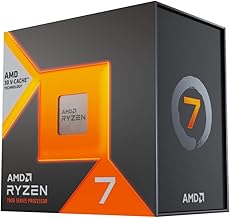
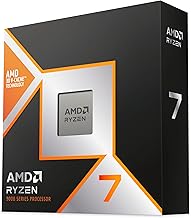
| Ryzen 7 9800X3D | High-refresh desktop gaming with discrete GPU | Fastest gaming CPU in 2026 for 1080p/1440p high-refresh, 96MB 3D V-Cache | Requires discrete GPU, higher total system power and size |
| Ryzen 7 7800X3D | Value high-end desktop gaming | Within 5-10% of 9800X3D in most games, lower platform cost | Also requires discrete GPU |
| Intel Core i7-14700K / Core Ultra 7 265K | Desktop gaming + productivity | Strong all-core performance, good DDR5 platform | Higher power draw, gaming performance behind X3D chips at same GPU |
In CPU-bound scenarios like 1080p esports with a discrete RTX 4080 Super, the Ryzen AI Max+ 395’s Zen 5 cores are fast but cannot overcome the large L3 cache advantage of the 9800X3D. Expect the 9800X3D to be 15-25% faster in those specific CPU-limited cases. When you are limited by the integrated GPU, which is the intended use for the Max+ 395, that comparison is irrelevant because the desktop CPUs have no meaningful gaming graphics on their own.
Decision Matrix: Should You Choose the Ryzen AI Max+ 395?
Use your form factor and GPU plan to decide:
| Your Situation | Best Choice | Why |
|---|---|---|
| You want the smallest possible gaming PC or laptop and don’t want a discrete GPU | Ryzen AI Max+ 395 | Unmatched iGPU performance, low noise and power, simple cooling |
| You play mostly at a desk, want 1440p 144Hz+ or 4K with a high-end GPU | Desktop Ryzen 7 9800X3D or 7800X3D + discrete GPU | More raw gaming fps, better upgrade path, lower cost for that performance tier |
| You need both gaming and heavy AI/creative work on the go (LLMs, video editing) | Ryzen AI Max+ 395 with 64GB+ RAM | Large unified memory (up to 96GB VRAM) and 50 TOPS NPU accelerate local AI and editing |
| Your budget for the entire system is under $1000 | Desktop AM5 build (Ryzen 5 7600 + RX 7600 / RTX 4060) | Strix Halo systems are premium-priced and rarely fall into budget ranges |
Settings to Get the Most Out of the Radeon 8060S
To keep frame rates consistent without a discrete GPU, tune settings around memory bandwidth and VRAM, not just GPU cores:
- Set VRAM allocation to 16GB if you have 32GB RAM. This prevents texture streaming stutter at 1440p. With 64GB, set it to 24GB. Do this in BIOS under UMA Frame Buffer.
- Prioritize LPDDR5X-8000 memory. Systems with LPDDR5X-7500 or lower lose 6-10% fps due to bandwidth starvation. This is not configurable after purchase, so verify the spec before buying.
- Use FSR 3 Quality at 1440p. The 8060S benefits more from FSR Quality than from dropping presets to Medium. Keep Textures at High/Ultra and lower Shadows and Ambient Occlusion first, as they are bandwidth-heavy for minimal visual gain.
- Cap TDP to 70-80W for sustained performance. Above 90W, many compact coolers thermally throttle and add fan noise for only 3-5% more fps. Below 55W, you lose significant performance. 70W is the efficiency sweet spot.
- Enable Variable Graphics Memory in AMD Adrenalin. This allows the driver to dynamically allocate more than the BIOS reservation when needed, smoothing 1% lows.
Bottom Line for Gamers in 2026
The Ryzen AI Max+ 395 earns its place as one of the best chips for gaming in a specific but growing category: powerful, efficient gaming without a graphics card. For mini-PCs, living-room PCs, and thin laptops, it delivers a true 1080p ultra / 1440p high experience that no other single chip can match.
For a traditional tower where size and power are not constraints and you will buy a discrete GPU anyway, desktop X3D chips like the Ryzen 7 9800X3D remain the better gaming value and the faster absolute gaming CPUs. Choose the Max+ 395 for integration and efficiency, choose a desktop CPU + dGPU for maximum fps per dollar.
FAQ
Does the Ryzen AI Max+ 395 need a graphics card?
No. Its integrated Radeon 8060S is designed to replace a mid-range discrete GPU. You would only add a discrete GPU in a desktop workstation build, which defeats its efficiency advantage for gaming.
Can it run games at 4K?
It can run lighter competitive titles and older games at 4K 60Hz, but for modern AAA games at 4K ultra you will need to use FSR Performance and lower settings, or accept 30-45 fps. It is best viewed as a 1080p to 1440p solution.
How much RAM do you need with the Ryzen AI Max+ 395 for gaming?
32GB is the practical minimum because part of it is shared as VRAM. 64GB is ideal if you plan to game at 1440p and keep many background apps open, as it lets you allocate 16-24GB to VRAM without starving the system.