Key takeaways
- USB Mode (with DSP): Enables DTS Headphone:X Spatial Audio, EQ customisation, and a slightly louder, cleaner output. This is the recommended mode for PC and PS5.
- 3.5mm Analog Mode: Flatter and slightly quieter, dependent on your controller or motherboard’s onboard audio. No virtual surround or EQ without third-party software.
What's inside
- HyperX Cloud III Wired: At a Glance
- Sound Quality: Retuned for Clarity Over Bass
- Microphone Quality: The Biggest Upgrade
- Comfort and Build for Long Sessions
- Hot-Weather and Extended Wear Performance
- Worked Calculation: Why USB Power Matters for Volume and Clarity
- Decision Matrix: Is the Cloud III Wired Right For You?
- Setup and EQ Tips to Get the Best Result
- Final Verdict
- Frequently Asked Questions
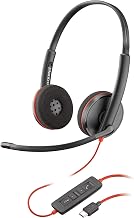
The HyperX Cloud III Wired is a durable, comfort-focused wired headset that improves on the Cloud II with a retuned 53mm driver, a clearer 10mm condenser microphone, and lighter long-session comfort, making it a strong choice for PC and console gamers who play for 3+ hours and want reliable comms without charging or wireless latency.
- HyperX Cloud III Wired: At a Glance
- Sound Quality: Retuned for Clarity Over Bass
- Microphone Quality: The Biggest Upgrade
- Comfort and Build for Long Sessions
- Hot-Weather and Extended Wear Performance
- Worked Calculation: Why USB Power Matters for Volume and Clarity
- Decision Matrix: Is the Cloud III Wired Right For You?
- Setup and EQ Tips to Get the Best Result
- Final Verdict
- Frequently Asked Questions
HyperX Cloud III Wired: At a Glance
Positioned as the direct successor to the HyperX Cloud II, the Cloud III Wired keeps the signature steel-and-aluminum frame and memory foam design but updates the core components for 2026 standards. It operates via 3.5mm, USB-C, and USB-A (with included adapter/DAC dongle), and is compatible with PC, PS5, PS4, Xbox Series X|S, Xbox One, Nintendo Switch, and mobile devices with a 3.5mm jack or USB-C port.
| Specification | HyperX Cloud III Wired | HyperX Cloud II |
|---|---|---|
| Driver | 53mm, angled, neodymium | 53mm, neodymium |
| Frequency Response | 10Hz – 21kHz | 15Hz – 25kHz |
| Impedance | 64 Ohm | 60 Ohm |
| Microphone | 10mm electret condenser, uni-directional, detachable with LED mute indicator | Electret condenser, uni-directional, detachable |
| Microphone Frequency Response | 50Hz – 18kHz | 50Hz – 18kHz |
| Connection | 3.5mm (4-pole), USB-C, USB-A via dongle with built-in DSP | 3.5mm + USB sound card |
| Weight | Approximately 320g | Approximately 320g |
| Software | HyperX NGENUITY (PC) for EQ, mic monitoring, and DTS Headphone:X Spatial Audio | HyperX NGENUITY (limited) |
In the current market, the HyperX Cloud III Wired typically sits in the mid-range wired category, usually $90-$110, which puts it between budget stereo headsets and premium wireless models like the HyperX Cloud Alpha Wireless or SteelSeries Arctis Nova 7.
Sound Quality: Retuned for Clarity Over Bass
The Cloud III Wired does not try to reinvent the Cloud sound, but it retunes it. The 53mm angled drivers are tilted to fire more directly into the ear canal, which improves stereo imaging and positional cues compared to flat-mounted drivers.
Out of the box via the USB dongle, the tuning is relatively balanced with a slight lift in the upper-mids (2-4kHz) for footstep and dialogue clarity, rather than the heavier bass emphasis of the older Cloud II. This makes it better for competitive shooters like Valorant, Counter-Strike 2, and Call of Duty where directional audio matters, while still providing enough low-end impact for single-player games.
How It Sounds by Connection
- USB Mode (with DSP): Enables DTS Headphone:X Spatial Audio, EQ customisation, and a slightly louder, cleaner output. This is the recommended mode for PC and PS5.
- 3.5mm Analog Mode: Flatter and slightly quieter, dependent on your controller or motherboard’s onboard audio. No virtual surround or EQ without third-party software.
For most users, DTS Headphone:X should be left off for competitive FPS and turned on for immersive, story-driven games. The virtual surround widens the soundstage but can make exact enemy positioning less precise.
Microphone Quality: The Biggest Upgrade
The microphone is where the Cloud III Wired shows the most measurable improvement. It uses a larger 10mm capsule with a tighter uni-directional pickup pattern and includes a built-in mesh pop filter and an LED mute indicator on the mic arm itself.
Compared to the Cloud II, voice capture is noticeably cleaner with less background hiss and better handling of plosives (p and b sounds). It is not broadcast-grade, but it is well above the typical detachable boom mic standard. In Discord, TeamSpeak, and in-game chat, speech remains intelligible even when the sensitivity is lowered to cut out keyboard and mouse clicks.
Recommended Microphone Settings for Clear Comms
These settings, applied in HyperX NGENUITY or Discord, balance clarity and noise rejection without requiring aggressive noise gates:
- NGENUITY Mic Monitoring: On, at 20-30% volume to prevent shouting during long sessions.
- Discord Input Sensitivity: Turn off automatic sensitivity. Set manual threshold to around -45dB to -40dB, then enable Noise Suppression (Krisp) and Echo Cancellation.
- Discord Advanced Voice Activity: Set delay to 100ms to avoid cutting off the start of sentences.
- Positioning: Place the mic tip about 2-3cm off the corner of your mouth, not directly in front, with the flat side facing your mouth. This reduces breath noise while keeping volume consistent.
If your teammates report muffled audio, check that the mic is fully seated in the 3.5mm jack on the earcup. A common issue is a partially inserted mic that causes low volume and static.
Comfort and Build for Long Sessions
The Cloud III Wired retains the HyperX formula for comfort: a lightweight aluminum frame, adjustable steel sliders, and ample memory foam padding. The headband has slightly more plush padding than the Cloud II and the clamp force is marginally reduced, which helps during sessions longer than two hours.
The ear cushions use memory foam wrapped in leatherette (protein leather) with a softer, more breathable foam density than previous generations. Earcups are large enough to fully enclose most ears without pressing on the helix, and the headset distributes its approximately 320g weight evenly, so hot spots on the top of the head are uncommon.
Build quality remains a strength. The frame can be twisted and flexed without creaking, and the detachable cable and microphone reduce failure points. The inline controls have been moved to the earcup (volume wheel and mic mute button), which is more durable and easier to reach than an inline dongle.
Hot-Weather and Extended Wear Performance
For marathon gaming in warm rooms, leatherette is the main limiting factor for any closed-back headset. The Cloud III Wired manages heat better than many competitors due to its lower clamp force and slower heat retention in the foam, but it will still cause sweating after 90-120 minutes in rooms above 26-27C without airflow.
To improve long-session performance in summer:
- Take a 5-10 minute break every 90 minutes to let the earpads cool and dry. Wiping the leatherette with a dry microfiber cloth prevents sweat from softening the covering.
- Keep a small desk fan or air circulation in the room. Even low airflow across the earcups reduces perceived temperature significantly more than lowering room temperature alone.
- Do not use alcohol or harsh cleaners on the leatherette. They accelerate flaking. If you regularly play in hot conditions, consider aftermarket breathable fabric covers that fit Cloud-series earcups, though they will slightly change the sound signature by reducing bass seal.
If you consistently play 4+ hours in hot environments and heat buildup is your primary concern, a headset with fabric ear cushions by default, such as the HyperX Cloud Alpha or a mesh-fabric model in the SteelSeries Arctis line, will stay cooler, though it will leak more sound.
Worked Calculation: Why USB Power Matters for Volume and Clarity
A common question is whether to use the 3.5mm jack on a controller or the USB dongle on PC/PS5. The difference is not just software, it is power.
The Cloud III Wired has an impedance of 64 Ohm. A typical controller headphone output delivers about 30-50mW at 32 Ohm, which translates to roughly 15-25mW at 64 Ohm. The included USB DAC dongle delivers a regulated output of approximately 60-70mW at 64 Ohm.
Calculation of headroom:
- Required power for 110dB peak (loud explosion) with a 98dB/mW sensitivity driver: Power = 10^((110-98)/10) = 10^1.2 = ~15.8mW.
- Controller at ~20mW provides only ~1.2dB of headroom above that peak, so loud passages can clip or sound compressed, and you must run volume at 85-95%.
- USB dongle at ~65mW provides ~6.1dB of headroom (65 / 15.8 = 4.11x power, 10*log10(4.11) = 6.1dB), allowing the same peak at 60-70% system volume with lower distortion and room for EQ boosts.
Practically, this means if you game on PC or PS5 and find the Cloud III quiet or flat via 3.5mm, switching to USB is not just louder, it gives the driver cleaner power to reproduce dynamics without pushing your source device to its limit.
Decision Matrix: Is the Cloud III Wired Right For You?
| Your Situation | Recommendation | Why |
|---|---|---|
| You play 3-6 hours daily on PC/PS5 and use voice chat | HyperX Cloud III Wired is ideal | Best comfort-to-price ratio, excellent mic with mute LED, USB DSP adds value |
| You need wireless freedom and hate cables | Choose HyperX Cloud Alpha Wireless or Cloud III Wireless instead | Wired model will feel restrictive; wireless models offer 200+ hour battery class |
| You play in a very hot room without AC and prioritize coolness | Consider fabric-cushion alternative | Leatherette traps heat after ~90 minutes regardless of foam quality |
| You are on Xbox Series X|S and want full software EQ | Cloud III Wired works, but EQ limited to PC | On Xbox via 3.5mm/USB, you get stereo audio but NGENUITY EQ only applies on PC |
| You want the absolute best competitive audio imaging under $150 | Cloud III Wired is strong, also consider open-back class (e.g., Sennheiser HD 560S + separate mic) | Open-back gives wider stage but leaks sound and needs a separate microphone |
Setup and EQ Tips to Get the Best Result
For a balanced profile that keeps footsteps clear without harshness, apply this 10-band EQ in HyperX NGENUITY while in USB mode:
- 32Hz: +2dB, 64Hz: +1dB, 125Hz: 0dB, 250Hz: -1dB, 500Hz: 0dB, 1kHz: +1dB, 2kHz: +2dB, 4kHz: +1dB, 8kHz: -1dB, 16kHz: 0dB. This gently lifts sub-bass and presence while reducing muddiness at 250Hz and sibilance at 8kHz.
- Enable DTS Headphone:X only for single-player immersion. For competitive shooters, keep it off and set Windows Spatial Sound to Off to avoid double processing.
- On PS5, set 3D Audio to the appropriate Headphones profile and adjust the 3D Audio level to 80-90% if using USB. The PS5 system EQ does not affect USB headsets, so do your tuning on PC first if you switch between platforms.
Final Verdict
The HyperX Cloud III Wired does not chase trends. It refines a proven design with a genuinely better microphone, more accurate tuning for competitive play, and quality-of-life improvements like earcup controls and USB-C support. For gamers who value all-day comfort, clear team communication, and zero battery anxiety over wireless features, it remains one of the safest wired choices in its price class in 2026. If you need cooler fabric earcups for extreme heat or want to cut the cord entirely, look to its siblings in the Cloud family instead.
Frequently Asked Questions
Is the HyperX Cloud III Wired compatible with Xbox?
Yes. It works with Xbox Series X|S and Xbox One via the 3.5mm connection to the controller. You get stereo audio and mic functionality, but HyperX NGENUITY software features like custom EQ and DTS Headphone:X are only available when connected via USB to a PC.
Does the Cloud III Wired need HyperX NGENUITY to sound good?
No. It sounds balanced via 3.5mm without software. NGENUITY via USB simply adds louder, cleaner output, EQ presets, mic monitoring, and DTS spatial audio if you want it.
Is the microphone detachable and does it mute reliably?
Yes, the boom mic is fully detachable and flexible. It has a mute button on the earcup and a red LED at the tip of the mic that lights when muted, so you can see mute status without checking software.