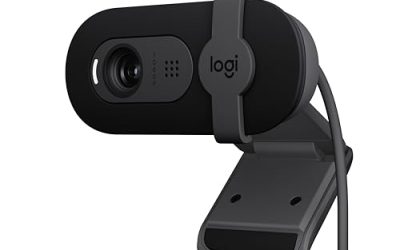
Key takeaways
- Confusing diagonal FOV with horizontal FOV. A listed 90° diagonal angle is not the same as a 90° horizontal angle. Diagonal figures include the image’s corner-to-corner view and usually produce a narrower horizontal span.
- Buying the widest lens available. A 110° or 120° webcam can show unwanted walls, ceiling, and desk clutter. Wider angles may also make faces near the edge look stretched.
- Ignoring the mount. The camera body may fit, while the clip, hinge, or tripod does not. Measure the complete installed unit, not only the lens housing.
- Placing the lens too close. Even a high-quality wide-angle webcam can produce an unflattering perspective at 12 to 18 inches. Move the camera back before choosing an extreme FOV.
- Measuring only width. Check height, depth, cable clearance, monitor thickness, and the camera’s tilt range. A lens that cannot tilt downward may be unusable on a tall display.
- Assuming resolution determines coverage. 1080p and 4K describe image detail, not viewing angle. Check the FOV specification separately.
The Short Answer
For most streaming, video calls, and desk setups, a webcam with a 70° to 90° diagonal field of view (FOV) is the most practical choice. A 70° to 78° lens keeps a single person prominent in the frame, while a 90° lens shows more of a room, a second person, or a wider desk area. Ultra-wide models measuring 100° or more are useful for groups and demonstrations, but they can make faces and nearby objects appear smaller.
Field of view is an angle, not a physical size. A webcam described as having a 90° diagonal angle does not necessarily have a 90-inch viewing width. The visible area depends on the lens angle, the distance from the camera to the subject, and the camera’s aspect ratio. As a simple estimate, a 90° diagonal lens captures a width of roughly 1.3 times the camera-to-subject distance on a typical 16:9 image. At 24 inches away, that is approximately 31 inches of horizontal coverage; at 36 inches away, it is about 47 inches.
Our top picks
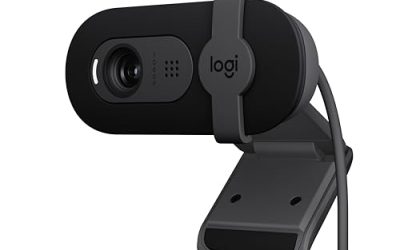
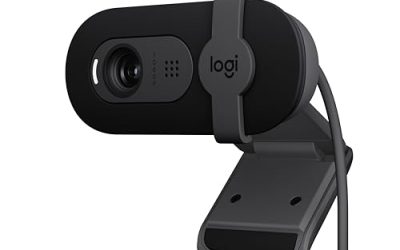
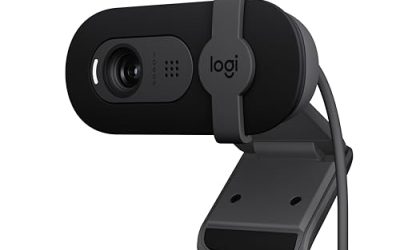
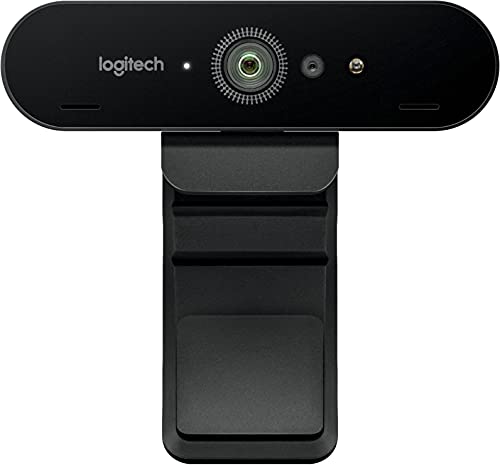 Logitech 4K Pro Webcam
- Height: 1.06 in (27 mm)
- Width: 4.01 in (102 mm)
- Depth: 1.06 in (27 mm)
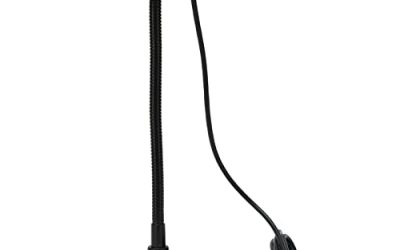
 MEE Audio 201W 1080p HD Webcam with
- WIDE ANGLE FULL HD 1080p VIDEO: The MEE…
- Use with the included extendable tripod for a…
- AUTOFOCUS + AUTOMATIC LOW LIGHT CORRECTION: Real-time autofocus…
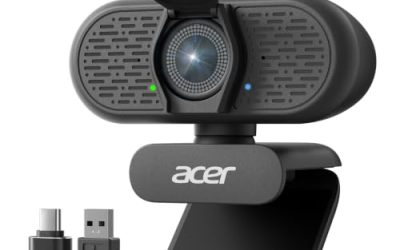
 CRESTRON CCS-CAM-USB-F-100 0.95 in Depth
- 0.95 IN DEPTH
- 1.14 IN HEIGHT
- 1080 HD
As an Amazon Associate we earn from qualifying purchases at no extra cost to you.
Most compact webcams measure about 2 to 4 inches wide, 1 to 2.5 inches tall, and 1 to 2 inches deep. They usually weigh between 2 and 8 ounces and draw approximately 1.5 to 5 watts through USB. A practical buying budget is about $30 to $80 for a basic 1080p model, $80 to $160 for a sharper 4K webcam, and $140 to $300 or more for conference-room cameras with advanced mounting, zoom, or control features.
Standard Sizes
Use the table below as a planning guide. The measurements describe common webcam body sizes, not the width of the image captured on screen. Allow additional clearance for a privacy shutter, cable bend, tripod screw, or monitor clip.
| Webcam type | Typical body dimensions (inches) | Typical body dimensions (cm) | Typical weight | Common diagonal FOV | Typical price |
|---|---|---|---|---|---|
| Compact laptop webcam | 2.0–2.8 W × 0.8–1.5 H × 0.7–1.3 D | 5.1–7.1 W × 2.0–3.8 H × 1.8–3.3 D | 1.5–4 oz | 65°–78° | $25–$60 |
| Standard 1080p desk webcam | 2.5–3.8 W × 1.0–2.0 H × 1.0–1.8 D | 6.4–9.7 W × 2.5–5.1 H × 2.5–4.6 D | 2–7 oz | 70°–90° | $30–$90 |
| 4K streaming webcam | 2.5–4.5 W × 1.0–2.2 H × 1.0–2.0 D | 6.4–11.4 W × 2.5–5.6 H × 2.5–5.1 D | 3–10 oz | 78°–90° | $80–$180 |
| Wide-angle group webcam | 3.0–5.5 W × 1.2–3.0 H × 1.2–3.0 D | 7.6–14.0 W × 3.0–7.6 H × 3.0–7.6 D | 5 oz–2 lb | 90°–120° | $100–$300+ |
| Conference or USB room camera | 3.7–8.0 W × 1.1–5.0 H × 1.0–5.0 D | 9.4–20.3 W × 2.8–12.7 H × 2.5–12.7 D | 8 oz–4 lb | 90°–120° | $140–$500+ |
For reference, one 90° diagonal conference-style webcam listing gives dimensions of 3.70 inches wide, 1.14 inches high, and 0.95 inch deep, or approximately 9.40 × 2.90 × 2.41 cm. That slim shape is easy to place above a monitor. A Logitech 4K Pro-style webcam with a 90° diagonal FOV is also a compact monitor-mounted option, although the exact body dimensions can vary by model and package. A small 1080p webcam such as the MEE Audio 201W is designed for a desk or mini-tripod setup, so include the tripod’s footprint when measuring the available surface.
How to Measure Your Space
- Measure the mounting surface. For a monitor, measure the bezel width and the thickness of the screen at the top edge. Most webcam clips need roughly 0.25 to 1 inch of usable top depth, but curved or very thin displays may require a tripod or monitor arm.
- Record the camera-to-subject distance. Measure from the planned lens position to the place where your face or product will be. A typical desk setup is 24 to 36 inches. Sitting closer than 20 inches can make a wide lens feel distorted.
- Estimate horizontal coverage. For a 16:9 webcam, use these approximate width factors: 70° diagonal FOV captures about 0.85 times the distance, 80° captures about 1.05 times the distance, and 90° captures about 1.3 times the distance. These are planning estimates rather than lens-calibration measurements.
- Check vertical coverage. A 90° diagonal lens generally captures enough height for a head-and-shoulders frame at normal desk distance. If you want to stand, show a whiteboard, or demonstrate a full desk, verify the camera’s vertical angle or use a camera with electronic pan and tilt.
- Reserve cable space. Add at least 2 inches behind or beside the webcam for the USB cable’s bend radius. A camera that technically fits may still be awkward if the cable presses against a wall or monitor arm.
- Test the background. Look at the full area that will enter the frame. A wider lens may reveal clutter, a doorway, or a bright window that a narrower model would exclude.
By Room or Use Case
Home office and video calls
A 70° to 80° diagonal FOV is usually the best size for one person at a desk. Position the lens at eye level, about 24 to 36 inches away, and aim for a head-and-shoulders composition. A 1080p webcam is generally sufficient for ordinary meetings. Choose autofocus if you regularly move toward documents or products, and look for a privacy shutter if the camera remains connected between calls.
Streaming and content creation
For a face-focused stream, choose 78° to 90°. The wider option gives room for hand gestures and a microphone arm without requiring the camera to sit far away. A 4K webcam can provide extra cropping flexibility, but resolution does not automatically improve lighting or audio. Plan for approximately 3 to 8 watts of USB power and confirm that your computer can handle the selected resolution and frame rate.
Small rooms and bedrooms
A 90° lens can be useful when the desk is close to a wall, because it shows more of the surrounding area without moving the camera far back. However, use a narrower 70° to 78° model if the background is visually busy. Measure the gap between the monitor and wall; a webcam body 1 to 2 inches deep may need an angled clip or small tripod to avoid touching the wall.
Group calls and shared desks
Two people generally need at least an 85° to 100° diagonal FOV, depending on seating distance. For three or more people, consider 100° to 120° and place the camera farther back. A 90° conference camera measuring about 3.7 inches wide can work well on a display, but confirm that the mounting clip supports the screen thickness and total camera weight.
Product demonstrations and crafts
Choose 90° or wider if you need to show your face and a work surface at the same time. Autofocus is especially useful for switching between a presenter and a close-up object. A mini tripod gives more placement flexibility than a monitor clip, but measure its leg spread; a compact tripod may occupy 5 to 8 inches of desk width when opened.
Common Sizing Mistakes
- Confusing diagonal FOV with horizontal FOV. A listed 90° diagonal angle is not the same as a 90° horizontal angle. Diagonal figures include the image’s corner-to-corner view and usually produce a narrower horizontal span.
- Buying the widest lens available. A 110° or 120° webcam can show unwanted walls, ceiling, and desk clutter. Wider angles may also make faces near the edge look stretched.
- Ignoring the mount. The camera body may fit, while the clip, hinge, or tripod does not. Measure the complete installed unit, not only the lens housing.
- Placing the lens too close. Even a high-quality wide-angle webcam can produce an unflattering perspective at 12 to 18 inches. Move the camera back before choosing an extreme FOV.
- Measuring only width. Check height, depth, cable clearance, monitor thickness, and the camera’s tilt range. A lens that cannot tilt downward may be unusable on a tall display.
- Assuming resolution determines coverage. 1080p and 4K describe image detail, not viewing angle. Check the FOV specification separately.
FAQ
What field of view is best for streaming?
For one streamer, 78° to 90° diagonal FOV is a versatile range. Choose closer to 78° for a tight face shot and closer to 90° if you use hand gestures, a microphone, or a wider backdrop.
How wide is a 90-degree webcam view?
At a typical 16:9 image, a 90° diagonal webcam captures approximately 1.3 times the camera-to-subject distance horizontally. At 24 inches, plan for about 31 inches of width; at 36 inches, plan for about 47 inches.
Is a 1080p webcam large enough for a desk setup?
Yes. Most 1080p desk webcams are approximately 2.5 to 3.8 inches wide and cost about $30 to $90. Their physical dimensions are usually less important than the clip design, cable clearance, FOV, and low-light performance.
Should I choose a 90-degree or 120-degree webcam?
Choose 90° for one or two people and most home offices. Choose 120° only when you need to cover a group, a broad demonstration area, or a camera placed unusually close to the subjects. For 2026 buying decisions, prioritize the actual coverage you need over the widest number listed on the box.