Key takeaways
- Raw performance: The RTX 5070 is typically 25–35% faster than a 5060 Ti at 1440p, with the gap widening as resolution and ray-tracing load increase.
- Memory configuration: The 5070 uses 12GB of GDDR7 on a 192-bit bus; the 5060 Ti uses 8GB or 16GB on a narrower 128-bit bus. Capacity favours the 16GB 5060 Ti, but bandwidth strongly favours the 5070.
- Power and PSU: The 5060 Ti draws roughly 180W and is happy on a quality 550–600W supply. The 5070 sits near 250W and Nvidia recommends 650W or more.
- PCIe lanes: The 5060 Ti is a PCIe 5.0 x8 part, which can lose a few percent of performance in older PCIe 3.0 motherboards. The 5070 runs a full x16 link.
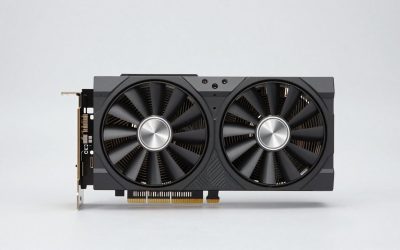
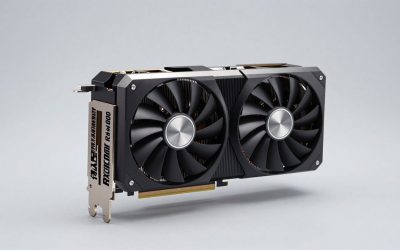
- Physical size: 5060 Ti cards are shorter, cooler and easier to fit — the ASUS SFF-Ready Prime and PNY Epic-X RGB are explicitly small-form-factor friendly. Most 5070 designs are larger and thicker.
- Price per frame: The 5060 Ti 16GB generally wins on cost efficiency; the 5070 wins on absolute capability and resale longevity.
Nvidia’s Blackwell mid-range has settled into a familiar shape: the GeForce RTX 5060 Ti anchors the entry point of serious 1440p gaming, and the RTX 5070 sits one clear tier above it. On paper the comparison looks straightforward — the 5070 brings more cores, a wider memory bus and substantially more bandwidth. In practice the decision is messier, because the 5060 Ti ships in both 8GB and 16GB configurations, and the 16GB version actually carries more video memory than the 5070’s 12GB.
That quirk matters more in 2026 than it did at launch. Unreal Engine 5 titles, ray-traced global illumination and high-resolution texture packs have pushed VRAM demands past the point where 8GB is comfortable at 1440p, while DLSS 4 upscaling and Multi Frame Generation have made raw rasterisation performance less decisive than it used to be. The result is a genuine three-way choice — 8GB 5060 Ti, 16GB 5060 Ti, or 5070 — and picking wrong costs you either money or longevity.
Our top picks
 ASUS Dual NVIDIA GeForce RTX 5060 Ti
- AI Performance: 767 AI TOPS
- OC mode: 2632 MHz (OC mode)/ 2602 MHz…
- Powered by the NVIDIA Blackwell architecture and DLSS…
 ASUS SFF-Ready Prime NVIDIA GeForce RTX 5060
- AI Performance: 772 AI TOPS
- OC Edition: 2647 MHz OC mode, 2617 MHz…
- Powered by the NVIDIA Blackwell architecture and DLSS…
 PNY NVIDIA GeForce RTX™ 5060 Ti 8GB
- Dual-Fan Cooling in a Compact Design - Two…
- Masterfully Crafted Cooling - A dense heatsink pulls…
- Overclocked Out of the Box - A factory-tuned…
| Product | Key specs | |
|---|---|---|
| ASUS Dual NVIDIA GeForce RTX 5060 Ti | AI Performance: 767 AI TOPS OC mode: 2632 MHz (OC mode)/ 2602 MHz… Powered by the NVIDIA Blackwell architecture and DLSS… | Check price |
| ASUS SFF-Ready Prime NVIDIA GeForce RTX 5060 | AI Performance: 772 AI TOPS OC Edition: 2647 MHz OC mode, 2617 MHz… Powered by the NVIDIA Blackwell architecture and DLSS… | Check price |
| PNY NVIDIA GeForce RTX™ 5060 Ti 8GB | Dual-Fan Cooling in a Compact Design - Two… Masterfully Crafted Cooling - A dense heatsink pulls… Overclocked Out of the Box - A factory-tuned… | Check price |
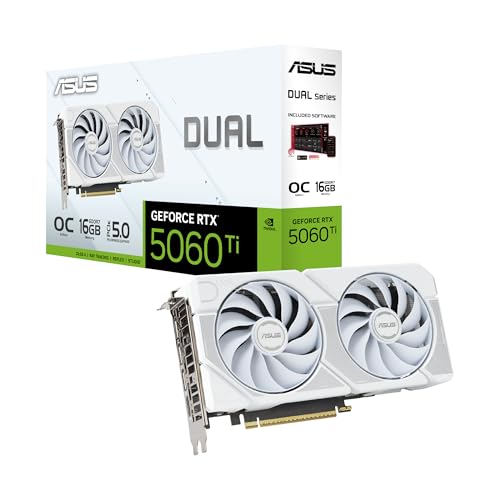 ASUS Dual NVIDIA GeForce RTX™ 5060 Ti ASUS Dual NVIDIA GeForce RTX™ 5060 Ti | OC mode: 2632 MHz (OC mode)/ 2602 MHz… Powered by the NVIDIA Blackwell architecture and DLSS… Axial-tech fan design features a smaller fan hub… | Check price |
 GIGABYTE AORUS RTX 5060 Ti AI Box GIGABYTE AORUS RTX 5060 Ti AI Box | Check price | |
 GIGABYTE GeForce RTX 5060 WINDFORCE OC 8G GIGABYTE GeForce RTX 5060 WINDFORCE OC 8G | Powered by the NVIDIA Blackwell architecture and DLSS… Powered by GeForce RTX 5060 Integrated with 8GB GDDR7 128bit memory interface | Check price |
As an Amazon Associate we earn from qualifying purchases at no extra cost to you.
⚡ Save on Your Next PC — Amazon Prime
Prime members get fast free shipping on the systems above, plus early access to Prime Day & Black Friday PC deals. New members get a 30-day free trial.
Watch: RTX 5060 Ti vs 5070: Which Wins in 2026? — Video Review
Quick Verdict
Buy the RTX 5070 if you game at 1440p high refresh, want ray tracing enabled without compromise, and have the power headroom and budget to support it — it is comfortably the faster card and the better long-term 1440p performer. Buy the RTX 5060 Ti 16GB, such as the ASUS Dual OC Edition, if you want the best value per pound spent, play at 1080p or moderate 1440p settings, or run local AI workloads where memory capacity beats memory speed. The 8GB 5060 Ti models are strictly for 1080p builds on a tight budget.
Key Differences
- Raw performance: The RTX 5070 is typically 25–35% faster than a 5060 Ti at 1440p, with the gap widening as resolution and ray-tracing load increase.
- Memory configuration: The 5070 uses 12GB of GDDR7 on a 192-bit bus; the 5060 Ti uses 8GB or 16GB on a narrower 128-bit bus. Capacity favours the 16GB 5060 Ti, but bandwidth strongly favours the 5070.
- Power and PSU: The 5060 Ti draws roughly 180W and is happy on a quality 550–600W supply. The 5070 sits near 250W and Nvidia recommends 650W or more.
- PCIe lanes: The 5060 Ti is a PCIe 5.0 x8 part, which can lose a few percent of performance in older PCIe 3.0 motherboards. The 5070 runs a full x16 link.
- Physical size: 5060 Ti cards are shorter, cooler and easier to fit — the ASUS SFF-Ready Prime and PNY Epic-X RGB are explicitly small-form-factor friendly. Most 5070 designs are larger and thicker.
- Price per frame: The 5060 Ti 16GB generally wins on cost efficiency; the 5070 wins on absolute capability and resale longevity.
RTX 5060 Ti: The Value and Capacity Play
The 5060 Ti’s appeal is efficiency. At around 180W it runs cool and quiet, fits in cases the 5070 cannot, and rarely requires a power supply upgrade. Board partners have leaned into that: the ASUS Dual 16GB OC Edition uses a 2.5-slot Axial-tech cooler with 0dB idle, the ASUS Dual White OC offers the same hardware for light-themed builds, and the ASUS SFF-Ready Prime adds dual BIOS for compact chassis. The GIGABYTE Gaming OC 8G and PNY Dual-Fan sit at the cheaper 8GB end, with the PNY Epic-X RGB triple-fan offering a two-slot SFF-ready option with RGB.
The critical decision here is capacity, not cooler. In 2026, 8GB is a 1080p buffer — playable, but forcing texture compromises in newer titles and struggling when frame generation and ray tracing are stacked together. The 16GB models cost meaningfully more but avoid that cliff entirely, and they open the door to local LLM inference, Stable Diffusion and video work where 16GB is transformative. If your budget stretches to the 16GB card, take it; if it does not, treat the 8GB versions as 1080p hardware and plan accordingly.
RTX 5070: The 1440p Workhorse
The 5070 is the card most 1440p gamers should target. Its wider 192-bit bus and higher bandwidth mean it holds frame rates far better at high settings, and it has the ray-tracing headroom to run path-traced titles at playable rates with DLSS 4 assistance rather than desperate reliance on it. Where the 5060 Ti needs Performance-mode upscaling to hit 100fps in demanding games, the 5070 usually manages the same with Quality mode and better image stability.
The trade-offs are real, though. It costs noticeably more, draws around 70W extra, needs a beefier PSU and generally a bigger case, and its 12GB buffer is adequate rather than generous — 4K texture packs and heavy modding can push against it. It is the right buy if 1440p high-refresh gaming is your primary use, but if your workloads are memory-h