Every online match begins with a conversation your PC has before the action even starts: it asks a DNS server to translate the game’s web address into a numeric IP it can connect to. That lookup happens constantly in the background, and a slow or unreliable DNS resolver can add hidden delay, cause matchmaking hiccups and even leave you stuck on servers farther away than necessary. Choosing the right DNS is one of the cheapest, fastest tweaks you can make to a gaming setup.
The good news is that switching DNS is free, reversible and takes only a few minutes. This guide explains how DNS affects your gaming experience, which public resolvers are worth trying, and how to set everything up on your PC, console or router so the whole household benefits. We will also look at how a capable router turns these settings into a lasting, network-wide improvement.
Our top picks
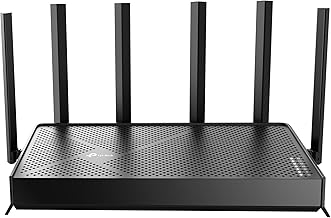
 GL.iNet GL-MT6000 Flint 2 Wi-Fi 6 Gaming
- ***Please update the firmware upon initial setup of…
- 【High Speed Gaming Router】Dominate with uninterrupted performance with…
- 【Rapid OpenVPN & Wireguard speed】Wireguard VPN and OpenVPN…
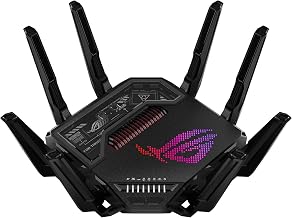
 ASUS RT-BE88U WiFi 7 Router
- Blazing-fast WiFi 7 tech boosts throughput up to…
- Bolster your wired network capacity up to 34G…
- Establish always-on internet through AI WAN detection, versatile…
 HYPEREV AX3000 Gaming Router WiFi Booster for
- Instant Gaming Acceleration Without Replacing Your Router
- Lower Ping & Packet Loss with GearUP VIP…
- Gaming Router + 90-Day GearUP VIP Core Plan
| Product | Key specs | |
|---|---|---|
| GL.iNet GL-MT6000 Flint 2 Wi-Fi 6 Gaming | ***Please update the firmware upon initial setup of… 【High Speed Gaming Router】Dominate with uninterrupted performance with… 【Rapid OpenVPN & Wireguard speed】Wireguard VPN and OpenVPN… | Check price |
| ASUS RT-BE88U WiFi 7 Router | Blazing-fast WiFi 7 tech boosts throughput up to… Bolster your wired network capacity up to 34G… Establish always-on internet through AI WAN detection, versatile… | Check price |
| HYPEREV AX3000 Gaming Router WiFi Booster for | Instant Gaming Acceleration Without Replacing Your Router Lower Ping & Packet Loss with GearUP VIP… Gaming Router + 90-Day GearUP VIP Core Plan | Check price |
 ASUS TUF Gaming BE6500 WiFi 7 Router ASUS TUF Gaming BE6500 WiFi 7 Router | WiFi 7 Gaming Router - WiFi 7 (802.11be)… Game Tough with Stability & Low Latency -… Quad 2.5G Port - Traffic via 2.5G ports… | Check price |
 GL.iNet GL-BE9300 Flint 3 Tri-Band Wi-Fi 7 GL.iNet GL-BE9300 Flint 3 Tri-Band Wi-Fi 7 | 【Rapid OpenVPN & Wireguard speed】Wireguard VPN and OpenVPN… 【AdGuard Home Supported】Enabling the use of a DNS… 【Mass device connectivity】Experience enhanced online connectivity with our… | Check price |
 Privacy Tools in the Age of AI: Privacy Tools in the Age of AI: | Check price | |
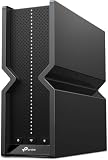
 TP-Link Tri-Band BE11000 Wi-Fi 7 Gaming Router TP-Link Tri-Band BE11000 Wi-Fi 7 Gaming Router | 𝐁𝐥𝐚𝐳𝐢𝐧𝐠-𝐅𝐚𝐬𝐭 𝐁𝐄𝟏𝟏𝟎𝟎𝟎 𝐓𝐫𝐢-𝐁𝐚𝐧𝐝 𝐖𝐢-𝐅𝐢 𝟕 - Achieve up… 𝐇𝐢𝐠𝐡𝐞𝐫 𝐒𝐩𝐞𝐞𝐝𝐬 𝐭𝐨 𝐏𝐨𝐰𝐞𝐫 𝐘𝐨𝐮𝐫 𝐃𝐞𝐯𝐢𝐜𝐞𝐬 - Experience… 𝟔 𝐆𝐇𝐳 𝐁𝐚𝐧𝐝 𝐅𝐮𝐧𝐜𝐭𝐢𝐨𝐧𝐚𝐥𝐢𝐭𝐲 - The innovative 6… | Check price |
 Managing Mission Managing Mission | Check price |
As an Amazon Associate we earn from qualifying purchases at no extra cost to you.
⚡ Save on Your Next PC — Amazon Prime
Prime members get fast free shipping on the systems above, plus early access to Prime Day & Black Friday PC deals. New members get a 30-day free trial.
Watch: Best DNS For Gaming 2026 — Video Review
What DNS Actually Does for Gamers
DNS, the Domain Name System, is the internet’s address book. When you launch a game or open a store page, your device queries a DNS resolver to find the correct server IP. While a single lookup takes milliseconds, games and launchers make many of them, and a sluggish or overloaded resolver introduces stutter before you even load in. A fast, nearby resolver shortens that handshake and can make menus, downloads and matchmaking feel snappier.
It is worth clearing up a common myth, though: DNS does not change your in-game ping to the match server once you are connected. That latency is governed by your route to the game server, your connection quality and your hardware. What DNS improves is the speed and reliability of the lookups around gameplay, which is still a meaningful, tangible upgrade.
Choosing the Best DNS Servers
The most popular public resolvers are prized for speed, security and privacy. When picking one, weigh a few factors:
- Response speed: A resolver with servers physically near you returns lookups faster; tools that benchmark DNS latency can reveal the quickest option for your location.
- Reliability and uptime: Established public resolvers rarely go down, sparing you the connection errors a flaky ISP resolver can cause.
- Security features: Some resolvers block malicious domains automatically, adding a layer of protection against phishing and malware links.
- Privacy policy: Look for providers that promise not to log or sell your browsing data if privacy matters to you.
- Encryption support: DNS over HTTPS or TLS hides your lookups from prying eyes on the network, a worthwhile bonus on shared connections.
How to Change Your DNS Settings
On Windows, open Network settings, choose your active adapter, edit the IP or DNS assignment, and enter your preferred primary and secondary resolver addresses. On PlayStation and Xbox, dive into the network configuration, choose a manual or custom DNS option, and input the same addresses. The change is instant and easily undone if you want to revert to your ISP defaults.
Setting DNS per device works, but it is tedious across a household of PCs, phones and consoles. The smarter approach is to configure it once at the router, so every device automatically inherits your chosen resolver. This is where a capable gaming router earns its keep, applying your DNS choice, quality-of-service rules and other optimisations network-wide.
Why Your Router Matters for DNS and Latency
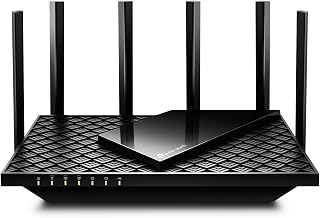
A modern gaming router does far more than change DNS. Models like the GL.iNet Flint 2 ship with OpenWrt and let you set custom DNS, encrypted lookups and VPN tunnels at the network level, while mainstream picks such as the TP-Link Archer AXE75 and ASUS TUF Gaming BE6500 add quality-of-service prioritisation that keeps game traffic ahead of downloads and streaming. Flexible firmware and multi-gig ports mean your DNS tweaks sit alongside genuine hardware advantages, from lower buffer-bloat to smarter traffic shaping.
If you are serious about a lag-free experience, pairing a good public DNS with a router that supports custom resolvers and traffic prioritisation gives you the best of both worlds. The router applies your preferences to every device, upgrades your Wi-Fi standard, and turns a one-off software tweak into a permanent, whole-home improvement.
Frequently Asked Questions
Does changing DNS actually lower my ping?
Not the in-game ping to the match server, which depends on your route and connection. DNS changes speed up the address lookups around gaming, such as loading launchers and matchmaking, which can make the overall experience feel faster and more reliable.
Is it safe to use a third-party DNS resolver?
Reputable public resolvers are safe and often more secure than ISP defaults, with some actively blocking malicious domains. Stick to well-known providers, and if privacy is a priority, choose one with a clear no-logging policy and encrypted lookup support.
Should I set DNS on each device or on my router?
Setting it on the router is the most efficient choice because every connected device inherits the setting automatically. Per-device configuration is useful when you want a specific machine to use a different resolver than the rest of the network.
Will a gaming router improve my connection beyond DNS?
Yes. Gaming routers add quality-of-service prioritisation, reduced buffer-bloat, newer Wi-Fi standards and often custom firmware, all of which can lower latency and improve stability well beyond what a DNS change alone provides.
Conclusion
Optimising your DNS is a quick, free tweak that smooths the lookups surrounding every gaming session, and it pairs perfectly with the deeper latency improvements a quality router delivers. Start by testing a fast public resolver on your PC or console, then, if you want a lasting upgrade, configure DNS and quality-of-service at the router level so your whole network plays faster. Small changes like these add up to a noticeably more responsive setup.