Key takeaways
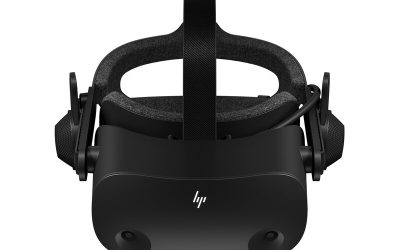
- Headsets: The VR Edition launched for the HTC Vive and Oculus Rift in July 2018 and runs through SteamVR. It had no PlayStation VR version.
- Controllers: Motion controllers are not supported. You play with a keyboard or gamepad, and Senua stays on screen in third person.
- Ownership: The VR Edition was offered free to people who already owned the PC game on Steam, and GOG owners were covered as well.
- Playing without a headset: A Steam community thread describes editing SteamVR’s settings file to run the game with no headset attached. It is an unofficial workaround and some players report getting stuck on a headset prompt, so the standard Hellblade release is the simpler route for flat-screen play.
- Steam Deck and laptops: No official Steam Deck statement or laptop guidance was found for this edition, so there is nothing reliable to report. Laptop GPUs with the same model number as a desktop card are usually slower, so leave extra margin.
Hellblade: Senua’s Sacrifice VR Edition lists a single set of requirements rather than a minimum and recommended pair, and the headline number is a GeForce GTX 1080 or Radeon RX 580 class graphics card with 8 GB of RAM and 30 GB of free space. If your PC meets that line and you own a supported PC VR headset, the game should start; if you want smooth, comfortable motion, aim above it. Here is how the published numbers translate into a real build, what the game does and does not support, and the mistakes that trip people up.
Published requirements at a glance
Steam-based requirement aggregators agree on the following list for the VR Edition. The publisher page does not split it into minimum and recommended tiers, so treat it as the floor for a working VR session.
| Component | Listed requirement | What it means in practice |
|---|---|---|
| Operating system | 64-bit Windows 7, 8 or 10 | Windows 10 or 11 64-bit is the realistic choice today |
| CPU | Intel Core i5-3570K or AMD FX-8350 | Any modern quad-core or better exceeds this comfortably |
| Memory | 8 GB RAM | 16 GB gives headroom for SteamVR and background apps |
| Graphics | NVIDIA GTX 1080 or AMD Radeon RX 580 | The demanding line, driven by VR frame-rate targets |
| DirectX | Version 11 | Supported by every recent card |
| Storage | 30 GB available | An SSD is sensible for load times, though a separate SSD requirement is not stated |
| Input | Keyboard or gamepad | The game does not use motion controllers |
One listing site shows a much lower graphics line, a GTX 770 or Radeon R9 280X. That appears to belong to the flat-screen game, so ignore it when planning a VR setup.
A recommended tier is not published, and the studio has not released official frame-rate figures for particular cards. Anything beyond the list above is general guidance, not an official number.
Why a GTX 1080 for a game that looks modest on a monitor
The graphics line looks steep for a game of its age because VR is more demanding than a flat screen. A headset renders two views at once and needs a steady refresh rate, with 90 frames per second a common target on Rift and Vive class hardware. Reports at launch said Ninja Theory spent a long stretch of development getting the game to hold that target on well-equipped PCs, which explains why the requirement sits higher than the age of the game suggests.
Players on Steam have pushed back on the figure. Some report the game running smoothly on a GTX 1060, while another owner with a GTX 1070 saw the frame rate dip in later sections at default settings and fixed it by lowering shadow quality to Medium. Those are individual reports, not benchmarks, but they point to the same practical rule: the listed card is a safe target, and a step below it can work if you are willing to trim settings.
Which GPU tier that means today
GPUs have moved on a lot since the GTX 1080 and RX 580, so almost any current graphics card clears the published line. The table below maps the requirement to modern classes. It is general guidance based on relative performance class, not measured results for this game.
| Tier | Example current cards | Fit for this game |
|---|---|---|
| Entry | GeForce RTX 3050 or RTX 4060, Radeon RX 7600 | Newer than the listed cards and in the same general class or above |
| Mid-range | GeForce RTX 5060 Ti, RTX 5070, Radeon RX 9060 XT, RX 9070 | Comfortable margin for higher headset resolutions and supersampling |
| High-end | GeForce RTX 5080 or RTX 5090, Radeon RX 9070 XT | More than this game needs unless you push headset resolution very high |
If your card is older than the GTX 1080 or RX 580, the headset maker’s own minimum is the next place to look, because both Rift and Vive era headsets publish their own graphics baselines.
What the game does and does not support
- Headsets: The VR Edition launched for the HTC Vive and Oculus Rift in July 2018 and runs through SteamVR. It had no PlayStation VR version.
- Controllers: Motion controllers are not supported. You play with a keyboard or gamepad, and Senua stays on screen in third person.
- Ownership: The VR Edition was offered free to people who already owned the PC game on Steam, and GOG owners were covered as well.
- Playing without a headset: A Steam community thread describes editing SteamVR’s settings file to run the game with no headset attached. It is an unofficial workaround and some players report getting stuck on a headset prompt, so the standard Hellblade release is the simpler route for flat-screen play.
- Steam Deck and laptops: No official Steam Deck statement or laptop guidance was found for this edition, so there is nothing reliable to report. Laptop GPUs with the same model number as a desktop card are usually slower, so leave extra margin.
Storage and RAM in practice
The 30 GB figure is the install size to plan around. An SSD is not listed as mandatory, but loading from a solid-state drive shortens waits and avoids hitches in a headset, where a freeze feels worse than on a monitor. For memory, 8 GB meets the listing, yet SteamVR, the headset software and a browser can crowd a small pool, so 16 GB is the sensible target for a modern build.
The processor line is generous to current hardware. A Core i5-3570K and an FX-8350 are far behind any recent mid-range chip, so the CPU is rarely the bottleneck. The exception is a headset running at a high refresh rate or with heavy supersampling, where the whole system is under more pressure.
Common mistakes when checking whether your PC can run it
| Mistake | Why it causes trouble | Better approach |
|---|---|---|
| Reading the lowest listed GPU | The GTX 770 line belongs to the flat game, not the VR build | Use the GTX 1080 or RX 580 line for VR |
| Ignoring the headset’s own needs | The headset software has its own baseline and USB or display connection needs | Check the headset maker’s requirements as well |
| Expecting motion controllers | The game plays with a pad or keyboard | Keep a gamepad ready |
| Raising supersampling first | It multiplies GPU load and can break a steady frame rate | Start at default, then raise slowly |
| Trusting a laptop GPU name | Mobile versions of a model often run slower than desktop versions | Treat laptops as one tier lower |
Settings that help if you sit near the line
If your card sits close to the published requirement, a few adjustments are the usual first moves. Lower shadow quality was the fix one Steam owner reported for dips on a GTX 1070. Reducing render resolution or supersampling in SteamVR is the second lever, since VR cost scales with how many pixels each eye draws. Finally, close background software and update the graphics driver, because VR is sensitive to stutter from other processes.
The headset’s performance overlay, such as the Oculus debug tool mentioned by a Steam reviewer, shows dropped frames in real time. Use it to see whether you are holding the refresh rate rather than guessing from how the scene feels.
Frequently Asked Questions
What are the Hellblade VR Edition system requirements?
The listing shows a 64-bit Windows system, an Intel Core i5-3570K or AMD FX-8350, 8 GB of RAM, a GTX 1080 or RX 580 class graphics card, DirectX 11 and 30 GB of storage. A separate recommended tier has not been published. A supported PC VR headset is also needed.
Can a GTX 1060 run the VR Edition?
It sits below the listed card, so it is not guaranteed. Some Steam owners report smooth play on a GTX 1060, while others needed lower settings on a GTX 1070. Expect to trim shadows and render resolution if you go below the listed GPU.
Does the game support motion controllers?
No. The VR Edition is played with a keyboard or gamepad, and Vive controllers are not supported. Senua is seen in third person while you look around with the headset.
Do I need an SSD?
The listing gives 30 GB of free space but does not state that an SSD is required. An SSD is still the better choice for shorter loads and fewer stutters. A hard drive can work if the rest of the system meets the line.
Can I play it without a VR headset?
Not officially. A Steam community thread describes a workaround that edits SteamVR’s settings, but it is unsupported and some players report problems. The standard flat-screen release is the simpler way to play without a headset.
Is there an official Steam Deck or laptop rating for this edition?
No official statement for this edition was found, so none is made here. If you are on a laptop, compare the exact GPU model with the listed card and allow extra margin for lower power limits.
FAQ
What are the Hellblade VR Edition system requirements?
Can a GTX 1060 run the VR Edition?
Does the game support motion controllers?
Do I need an SSD?
Can I play it without a VR headset?
Is there an official Steam Deck or laptop rating for this edition?
More from Amazon
Programs that pair well with the guide above. Offers and eligibility are set by Amazon and may change.
Free shipping on eligible items, Prime Video and more. Eligible new members can start with a free trial.
Start a Prime free trialAd-free music streaming. Eligible new subscribers can start with a free trial.
Try Music Unlimited freeA Prime membership for ages 18-24 with a trial period. Eligibility is set by Amazon.
See Prime for Young AdultsAudiobooks and podcasts to listen to on the go. Eligible new members can start with a free trial.
Try Audible freeAs an Amazon Associate we earn from qualifying purchases.