Key takeaways
- Table of Contents 7 sections 8 min read 1 What “fold monitor” actually means 2 Panel types matter more on portable folds 3 Refresh rate: 60Hz is fine for most buyers 4 The three formats compared 5 What to check…
What's inside
A fold monitor is not one product. It is three different ideas sold under the same name: a single portable panel with a folding cover/stand, a tri-fold with two panels that open like a book for laptop use, and a true foldable OLED panel that bends in the middle. They solve different problems, and most buying mistakes come from mixing them up.
I have used all three types for travel and remote work. The single folding portable is the only one most people should buy. The tri-fold makes sense for a narrow group who need two extra screens in airports and client offices. The true foldable OLED is still expensive, dimmer than you expect, and fragile for the price.
What “fold monitor” actually means
When sellers say fold monitor, check the photos carefully. A single-panel portable monitor usually ships with a magnetic origami cover that folds into a stand. The panel itself does not fold. You get a 15.6-inch or 16-inch screen, one USB-C cable to your laptop, and a thin case. Setup takes 20 seconds.
A tri-fold or dual portable monitor is different. It has two 13- to 15-inch panels hinged together, or a bracket that clamps to the back of your laptop. You unfold it, plug in one or two USB-C cables, and you have left and right extensions. Total width is huge, which is the point, but it weighs 2 to 3.5 lbs and needs more power.
A true foldable monitor uses a flexible OLED that folds shut like a laptop. LG and a few portable brands have shown 17-inch versions that fold down to 13-inch size. Image quality is excellent, with perfect blacks and fast response, but you pay early-adopter pricing and you have to live with a visible crease, low full-screen brightness, and careful handling.
Panel types matter more on portable folds
Most affordable folding portables use IPS. That is good. IPS holds color when you look slightly off-angle on a wobbly hotel desk stand, and text stays clean. The downside is typical portable IPS contrast around 800:1 to 1000:1, so blacks look gray in a dark room. For office work, coding, and browsing, that does not matter.
Some cheap no-name folding screens use VA or unspecified TN-type panels. VA gives better contrast but often has smearing when you scroll, and narrow sweet spot on small cheap panels. If a listing does not say IPS or OLED, assume it cut corners on the panel and the stand.
OLED foldables look dramatically better for video and HDR games: true blacks, instant response, wide gamut. But portable OLEDs usually run 350-400 nits full-screen to control heat, with higher peaks only in small windows. In a bright office or by a window, a matte IPS at 400 nits is easier to read all day. OLED also needs more care against burn-in if you park taskbars and spreadsheets at full brightness for 10 hours.
For touch work, most IPS folding portables offer an optional touchscreen version for $30 to $60 more. It is useful for Windows tablet use, but it adds glare and fingerprints. Do not pay for touch if you will use mouse and keyboard 95 percent of the time.
Refresh rate: 60Hz is fine for most buyers
Almost every fold monitor is 60Hz. That is fine for work, and honest sellers leave it at 60Hz to save battery and keep USB-C compatibility simple. Text motion at 60Hz is not as smooth as a desktop 144Hz display, but you will not notice it in Word, Excel, Figma, or VS Code.
You will find 120Hz and 144Hz portable IPS panels now, usually 15.6-inch 1089p. They do feel smoother when you drag windows and scroll, and they help if this is also your travel gaming screen for a handheld or laptop. The trade-off is higher power draw, more heat, and sometimes worse color out of the box because the panel is binned for speed. If you play shooters on the road, it is worth it. If you buy mainly for spreadsheets, save the money.
True foldable OLEDs often run 90Hz or higher and have near-instant pixel response, so motion looks cleaner than the number suggests. Do not buy a foldable OLED for refresh rate alone, though. You are paying for portability and contrast, not for esports-grade motion.
The three formats compared
Pick by how you travel, not by spec sheet. A solo 15.6-inch screen fits in most laptop sleeves. A tri-fold needs its own padded bag and a laptop that can power it.
| Format | Typical size | Weight | Best for | Main drawback |
|---|---|---|---|---|
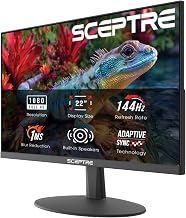
| Single folding portable, IPS | 15.6-16 in, 1080p, 60Hz | 1.5-2.0 lbs | Second screen for work travel | Flimsy origami stand, average speakers |
| Tri-fold dual portable, IPS | 2x 13.3-15.6 in, 1080p, 60Hz | 2.5-3.5 lbs | Traders, support, coders who need 3 screens | Needs 2 cables / more power, wide footprint |
| True foldable OLED | 17 in folding to ~13 in | 2.0-2.8 lbs | Video, HDR, compact premium kit | Price, crease, brightness, fragility |
| High-refresh portable, IPS | 15.6-16 in, 1080p, 120-144Hz | 1.7-2.2 lbs | Laptop / handheld gaming on road | Shorter battery life, fan noise on some units |
If you just want more space in hotels, start with a basic portable folding monitor in 15.6-inch IPS. It is the cheapest, lightest, and least likely to have cable or driver headaches. Only step up to a tri-fold dual portable monitor for laptop if you have tried one screen and know you need two.
What to check before you buy
Power and ports cause most returns. Your laptop USB-C port must support DisplayPort Alt Mode or Thunderbolt to drive the screen over one cable. Many office laptops do, but some USB-C ports are power-only. Check the manual. If you have only HDMI, you will need HDMI for video plus USB-C or USB-A for power, which means carrying a wall charger.
Brightness and coating matter more than resolution on the road. Look for 300 nits minimum, 400 nits preferred, and matte coating if you work near windows. A glossy 4K portable looks sharp in photos but washes out fast under overhead lights, and 4K on 15.6 inches drains battery for little visible gain in text apps.
Hinges and stands fail first. Origami covers tip over on uneven tables and wear out at the folds. Tri-fold hinges loosen and allow wobble. Clamp-style laptop attachments can stress thin laptop lids if overtightened. If you commute daily, budget for a simple aluminum tablet stand and a short 1-foot USB-C video cable to reduce strain.
For true foldables, inspect crease policy and warranty. A slight center line is normal on flexible OLED when viewed at an angle on white backgrounds. What is not normal is a bright line, dead touch strip, or hinge that does not hold angle. These panels do not like pressure, heat, or being folded with a pen inside. If you toss gear in a backpack, a rigid IPS portable with a hard cover will survive longer than a foldable OLED portable monitor.
Who each option suits
Buy the single 15.6-inch 1080p IPS portable if you work from cafes, hotels, or a small desk and want dual-screen without fuss. It is also the best second screen for a Steam Deck, ROG Ally, or MacBook where one cable is enough. The cheaper 60Hz version is fine here. Do not pay $100 extra for aluminum housing unless you travel weekly.
Buy the tri-fold if you live in spreadsheets, trading views, ticketing queues, or code review and cannot work without three panes. It suits consultants who set up in different offices daily. Skip it if your laptop has weak battery or only one full-featured USB-C port, because you will end up carrying a 65W GaN charger and a hub anyway.
Buy the true foldable OLED only if portability plus image quality is worth $700 to $1,000+ to you, and you accept careful handling. Video editors reviewing HDR on location and executives who present directly from the panel get the most value. For everyone else, a good IPS portable plus a decent hotel TV via HDMI gives you 90 percent of the benefit for a third of the cost.
FAQ
Will a fold monitor work with my laptop over one USB-C cable?
Usually yes if your USB-C port supports DisplayPort Alt Mode or Thunderbolt and can output 7-15W. Check your laptop specs for DP Alt Mode. If not, use HDMI for video plus USB for power from a wall charger.
Is 1080p enough on a 15.6-inch folding monitor?
Yes for work at normal viewing distance. Text is sharp enough at 100 percent scaling, and battery life is better than 4K. Only choose 1440p or 4K if you do detailed photo work and do not mind extra power draw.
Do folding screens develop a crease?
Single and tri-fold IPS units do not crease because the panels themselves do not bend, only the cover or hinge folds. True foldable OLEDs have a faint center crease that is most visible on white screens at an angle. It usually does not affect video.
Can I use a fold monitor with a phone or handheld console?
Many Samsung, Motorola, and USB-C phones with desktop mode work with one cable, and handheld PCs work well at 1080p 60Hz. iPhones need USB-C models with DisplayPort support and often need external power to the monitor for stable brightness.