Key takeaways
- Processor: “Intel i5 quad-core” is a generic description. Any modern four-core or better chip from Intel or AMD, including recent Ryzen and Core processors, is comfortably above that class. Dual-core budget chips from the same period are the ones to be careful with.
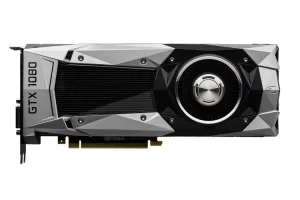
- Graphics: Intel HD 4000 is an integrated GPU from the Ivy Bridge generation. Current integrated graphics, such as those in Ryzen APUs and recent Intel Core Ultra chips, are well ahead of it, and any discrete card from the GeForce GTX 10 series, Radeon RX 400 series or newer is far beyond it.
- Memory: 4 GB is the stated floor. Windows itself and a browser can take most of that, so 8 GB is a more comfortable working amount for anyone who keeps other programs open.
- Storage: 8 GB of free space is listed. The publisher does not say whether an SSD is required, so a hard drive technically satisfies the page, though an SSD generally shortens load times in any game.
Night in the Woods asks for very little: the publisher lists a quad-core Intel i5, 4 GB of RAM, an Intel HD 4000 graphics chip and 8 GB of free storage, and no separate “recommended” tier is published on the Steam page. Almost any desktop or laptop made in the last decade clears that bar, which means the real question for most people is not “can it run” but “what do I gain from better hardware”.
Short answer: can my PC run Night in the Woods?
If your machine has integrated graphics from roughly the Intel HD 4000 era or newer, four CPU cores, 4 GB of memory and 8 GB of spare disk space, it meets the published minimum. The game from Infinite Fall and Finji launched in February 2017 on a 2D-styled, hand-drawn look, so its demands sit far below modern 3D titles. Any current entry-level graphics card, and even the integrated graphics in recent Intel and AMD processors, exceeds what the page lists.
Published system requirements at a glance
The Steam store page lists one set of requirements per operating system and no recommended column. The Windows entry is the one most readers need.
| Component | Windows minimum (as published) | macOS minimum | SteamOS / Linux minimum |
|---|---|---|---|
| Operating system | Windows 7 | Mac OS X 10.8 | Ubuntu 12.04 or SteamOS 2.0 |
| Processor | Intel i5 quad-core | Intel i5 quad-core | Intel i5 quad-core |
| Memory | 4 GB RAM | 4 GB RAM | 4 GB RAM |
| Graphics | Intel HD 4000 | Intel HD 4000 | Intel HD 4000 |
| Storage | 8 GB available | 8 GB available | 8 GB available |
| Recommended tier | Not published | Not published | Not published |
The page adds one note: 32-bit systems must use virtual memory to get past 2 GB. In practice that only matters if you are on an old 32-bit operating system, because any 64-bit Windows install avoids the limit.
What the minimum means in real hardware
Spec sheets from 2017 name parts that few people shop for today, so here is a plain translation by class.
- Processor: “Intel i5 quad-core” is a generic description. Any modern four-core or better chip from Intel or AMD, including recent Ryzen and Core processors, is comfortably above that class. Dual-core budget chips from the same period are the ones to be careful with.
- Graphics: Intel HD 4000 is an integrated GPU from the Ivy Bridge generation. Current integrated graphics, such as those in Ryzen APUs and recent Intel Core Ultra chips, are well ahead of it, and any discrete card from the GeForce GTX 10 series, Radeon RX 400 series or newer is far beyond it.
- Memory: 4 GB is the stated floor. Windows itself and a browser can take most of that, so 8 GB is a more comfortable working amount for anyone who keeps other programs open.
- Storage: 8 GB of free space is listed. The publisher does not say whether an SSD is required, so a hard drive technically satisfies the page, though an SSD generally shortens load times in any game.
Minimum versus “what I would actually want”
Because there is no official recommended tier, any “recommended” advice here is a reading of the minimum, not a publisher figure. The sensible way to think about it is by headroom.
| Goal | Practical hardware class | Notes |
|---|---|---|
| Just get it running | Quad-core CPU, 4 GB RAM, integrated graphics | Matches the published minimum |
| Smooth play at 1080p | Any recent integrated GPU or entry-level discrete card, 8 GB RAM | Comfortable headroom, a judgment based on the low listed baseline, not a measured result |
| Play at 1440p or 4K on a large display | Entry-level discrete card or modern integrated graphics | The publisher gives no resolution guidance, so treat this as a general rule |
| Laptop on battery | Modern ultrabook or handheld | Light workloads tend to be gentle on battery life, though the publisher gives no figure |
No frame-rate figures, resolution targets or benchmark numbers have been published by the developer or publisher for this game, so none are quoted here.
Best GPU class for Night in the Woods
You do not need to buy anything. The listed graphics requirement is an integrated chip from over a decade ago. If you are building or upgrading a PC for other games and want to know whether Night in the Woods will be a limiting factor, it will not be. Spend the graphics budget on the heaviest game you plan to play and let this one come along for free.
If you are choosing between a card that has 8 GB of video memory and one with more, the publisher lists no VRAM requirement. Nothing on the Steam page suggests a memory-hungry texture set. Reviewers of the game generally focus on its writing, art direction and music, not on technical demands.
Steam Deck, Linux and Mac notes
The Steam page lists macOS and SteamOS plus Linux builds, so the game is not Windows-only. For handhelds, community resources such as SteamDB and ProtonDB list the game as Steam Deck Verified, meaning Valve’s checks found the default controller layout, text legibility and default graphics settings acceptable. The same sources note that the game may not default to an external Bluetooth or USB controller on the Deck, so you may need to switch the active controller in the quick access menu. Treat Deck status as something Valve and the community report, because the Steam page text itself does not state it.
On Linux, ProtonDB shows a native build exists. User reports there are mostly positive, with an occasional controller quirk on the native version. If a controller misbehaves, trying the Proton compatibility layer is a common community workaround, though results vary.
Common mistakes when checking requirements
- Assuming no recommended tier means it needs more. It means the developer published one baseline. The absence of a second column is not a hidden warning.
- Ignoring free disk space. Eight gigabytes is small today, but small laptops with nearly full drives can still fall short. Check free space, not total drive size.
- Running a 32-bit system. The virtual memory note on the page exists for that case. Moving to 64-bit Windows removes the concern.
- Judging by the age of the graphics name. Intel HD 4000 sounds ancient because it is, yet that is exactly why current hardware passes without effort.
- Buying a new graphics card just for this game. The published baseline does not justify it.
- Forgetting drivers. Old integrated-graphics drivers can cause display glitches in any game, so install the latest driver from Intel, AMD or Nvidia before troubleshooting anything else.
If the game runs poorly anyway
When a game this light stutters or crashes, the usual causes are outside the spec sheet. A common cause is a laptop that is switching to its weakest graphics chip, so open the operating system’s graphics settings and assign the game to the stronger GPU if one exists. Another is overlay software or capture tools competing for resources; closing them is a quick test. Corrupted installs can be checked from the Steam library by using the file integrity option in the game’s properties. Low free storage and heavy background downloads can also cause hitches. If none of that helps, the Steam community hub for the game is the best place to compare notes with players on similar hardware.
Quick decision table
| Your situation | Verdict |
|---|---|
| Desktop or laptop with a quad-core CPU and 4 GB or more RAM | Meets the published minimum |
| Dual-core CPU or 2 GB RAM | Below the published baseline; results are unpredictable |
| Steam Deck | Listed as Verified by community trackers that report Valve’s rating |
| Older Mac | Needs Mac OS X 10.8 or later per the page; confirm your model is Intel-based or can run the build |
| Thinking of upgrading the GPU for this game | Not needed based on published requirements |
Frequently Asked Questions
What are the minimum system requirements for Night in the Woods?
The Steam page lists Windows 7, an Intel i5 quad-core processor, 4 GB of RAM, an Intel HD 4000 graphics chip and 8 GB of available storage. The macOS and Linux entries use the same processor, memory, graphics and storage figures with their own operating system versions.
Is there a recommended spec for Night in the Woods?
No recommended tier appears on the Steam store page. Only one baseline is published, so any advice beyond it is a general judgment about headroom and not a statement from the developer.
Do I need a dedicated graphics card?
The listed graphics requirement is an integrated Intel chip, so a dedicated card is not required by the publisher. Modern integrated graphics are well ahead of that old part. A discrete card only makes sense if you are buying one for other games.
Does it need an SSD?
The publisher states the amount of free space, 8 GB, and does not mention drive type. A hard drive meets the listing, and an SSD is a general benefit for load times rather than a stated requirement.
Can I play it on a Steam Deck?
Community trackers including SteamDB and ProtonDB show it as Steam Deck Verified. They also mention that an external controller may need to be selected manually in the quick access menu. Valve’s own Deck page is the final word on the current status.
Will it run on an old laptop?
Probably, if the laptop has a quad-core processor, 4 GB of RAM and at least 8 GB of free space. Two-core laptops fall below the published baseline. Updating the graphics driver and plugging in power are the two simplest steps if performance feels uneven.
FAQ
Short answer: can my PC run Night in the Woods?
What are the minimum system requirements for Night in the Woods?
Is there a recommended spec for Night in the Woods?
Do I need a dedicated graphics card?
Does it need an SSD?
Can I play it on a Steam Deck?
Will it run on an old laptop?
More from Amazon
Programs that pair well with the guide above. Offers and eligibility are set by Amazon and may change.
Free shipping on eligible items, Prime Video and more. Eligible new members can start with a free trial.
Start a Prime free trialAd-free music streaming. Eligible new subscribers can start with a free trial.
Try Music Unlimited freeA Prime membership for ages 18-24 with a trial period. Eligibility is set by Amazon.
See Prime for Young AdultsAudiobooks and podcasts to listen to on the go. Eligible new members can start with a free trial.
Try Audible freeAs an Amazon Associate we earn from qualifying purchases.