Key takeaways
- For most streamers, a cardioid microphone is the better choice, because it focuses on your voice and rejects much of the sound coming from behind and.
For most streamers, a cardioid microphone is the better choice, because it focuses on your voice and rejects much of the sound coming from behind and beside it, including keyboard clatter, fans and a noisy room. An omnidirectional microphone is the better pick only when it sits very close to your mouth, as a clip-on lavalier does, or when several people share one mic in a quiet space.
The difference sounds like a technicality until you hit the live button. A pickup pattern decides how much of your room ends up in the stream, which matters more than most spec-sheet numbers. This guide explains how each pattern behaves, which streaming setups suit which, and what to check before you commit, so the choice is based on your room and your habits rather than on marketing language. It reflects general audio principles as understood in 2026.
How the Two Patterns Differ
A cardioid pattern is heart-shaped: it is most sensitive directly in front of the capsule, less sensitive to the sides and least sensitive at the rear. That shape is why a cardioid mic can ignore a loud computer sitting behind it, provided you point it correctly. An omnidirectional pattern picks up sound equally from every direction, so it hears your voice, your room and anything else making noise around it.
Omnidirectional capsules have their own advantages. They tend to be less affected by plosives and by the bass boost that cardioid mics show when you speak very close to them, a trait known as the proximity effect. They can also sound more natural in a quiet, treated space. The price of that openness is that a hard-surfaced room adds echo and every background sound becomes part of your broadcast.
Which Pattern Fits Which Streaming Setup
Solo Desk Streamer in an Ordinary Room
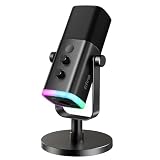
This is the most common situation and the clearest win for cardioid. A bedroom or office usually has a computer fan, a mechanical keyboard, a mouse and maybe a window facing the street. A cardioid mic aimed at your mouth and placed close favors your voice over everything else. Even then it cannot erase noise, so lower gain and closer placement still matter.
Couch Co-Op or Several Voices at Once
If two or three people want to be heard on one microphone, omnidirectional is attractive because it does not punish anyone for sitting off to the side. This works best in a quiet, soft room where a fan and a television are not competing. In a lively living room, however, an omnidirectional mic will pick up the game audio from the speakers as well, which you will have to manage in software.
Walk-and-Talk or IRL Streaming
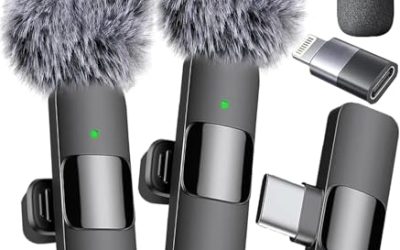
A clip-on lavalier is usually omnidirectional, and that works because the capsule sits a few inches below your chin. Distance, not pattern, is doing the job here. Wind and clothing rustle become the main enemies, so a foam cover and careful clip placement count for more than the pattern label.
Voice and Commentary Over Loud Game Audio
If your game audio plays through speakers instead of headphones, a cardioid mic still hears some of it, but a tight cardioid placed close to your mouth reduces the bleed compared with an omnidirectional one. Headphones remain the more reliable fix, whatever pattern you choose.
Side-by-Side Comparison
| Factor | Cardioid | Omnidirectional |
|---|---|---|
| Pickup shape | Front-focused, rejects rear | Equal from all directions |
| Room noise | Reduces side and rear noise | Hears the whole room |
| Positioning | Must face your mouth | Forgiving about angle |
| Plosives and proximity bass | More noticeable up close | Generally less pronounced |
| Best placement | Desk stand or boom arm | Clip-on near the chest |
| Typical streaming use | Solo gaming and commentary | Lavalier, interviews, group chat |
| Quiet-room performance | Excellent | Excellent and natural |
| Noisy-room performance | Good with careful aim | Poor without close placement |
Before You Buy Checklist
- Note what is loudest in your room: computer fans, keyboard, traffic or other people.
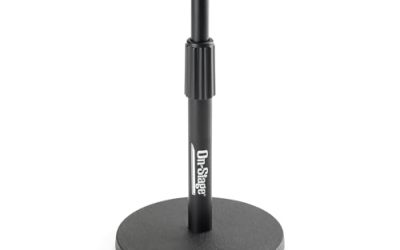
- Decide whether the mic will sit on a stand in front of you or clip to your clothing.
- Check whether the listing names a pickup pattern, because some entry-level mics do not.
- Look for a mute button and a gain control that you can reach mid-stream.
- Confirm the connection type: USB, XLR or a 3.5 mm plug for your device.
- Plan for a pop filter or windscreen, which matters most with cardioid mics at close range.
Setup Tips That Matter More Than the Pattern
Whichever pattern you choose, placement decides most of your sound quality. Keep a cardioid mic a hand’s width or so from your mouth, slightly off-axis so that breath does not blast the capsule. Aim the back of it, which is its quietest zone, toward your loudest noise source, usually the computer or a keyboard. Lower the gain until you can speak at a normal level without clipping, and use headphones so game audio stays out of the mic.
With an omnidirectional lavalier, clip it near the center of your chest or collar, keep the cable from rubbing against clothing and avoid sitting next to a speaker. In both cases, take a short recording and listen back on headphones before going live. Fix the problems you can hear, such as echo, hum or hiss, with room changes first and software filters second.
Improving Your Room Before Changing Your Mic
Pickup pattern is only one lever. A bare room with hard walls and a glass desk will add reflections to either type of microphone, so a few cheap changes can matter as much as a new purchase. Soft furnishings absorb echo: a rug, curtains, a bookshelf behind you and a fabric wall panel behind the mic all reduce the hollow sound that viewers describe as being in a bathroom.
Moving the microphone is the next fix. Put it on a boom arm or a stand so it is not sitting on the desk, where it would pick up every mouse click and keyboard tap through the surface. A shock mount, if the mic supports one, reduces those bumps further. Keep the computer’s fans pointed away from the capsule, and if you can, put the computer on the floor or beside the desk rather than behind the microphone.
Reading Specs and Listings Without Being Misled
Product listings often mention a pickup pattern, but vague phrases like noise cancelling or studio quality tell you little. Look for the pattern by name, such as cardioid or omnidirectional, and check whether the mic offers more than one setting. A multi-pattern microphone can switch between modes, which is handy if you stream solo most days and host a guest occasionally.
Also note the capsule type. Dynamic capsules are generally less sensitive and tend to ignore distant sound, while condensers capture more detail and more of the room. Pattern and capsule type work together: a cardioid dynamic mic is a common choice for noisy rooms, while a cardioid condenser rewards a quiet, treated space.
Common Mistakes
- Pointing the side or back of a cardioid mic toward the mouth, which weakens the voice and lets in more room noise.
- Assuming an omnidirectional mic will cancel noise because the listing mentions noise reduction.
- Raising the gain to compensate for distance instead of moving the mic closer.
- Skipping a pop filter on a cardioid mic used very close to the mouth.
Related guides
- Hall Effect Vs Potentiometer Controller Sticks Explained
- Low Profile Cpu Coolers For Small Form Factor Pcs
- How To Transfer Nintendo Switch Data To A New Console
Frequently Asked Questions
Is cardioid always better for gaming streams?
Usually, yes, because gaming rooms tend to be noisy and a cardioid pattern favors the voice in front of it. The exception is a clip-on lavalier, which relies on being close to your mouth.
Can I use an omnidirectional mic at a desk?
You can, but it will hear fans, keyboards and room echo. It works best in a quiet, softly furnished room with the mic very close to your mouth.
Does the pickup pattern matter if I use software noise suppression?
Software can reduce steady noise like hum, but it struggles with sudden sounds and can make your voice sound processed. A well-chosen pattern gives the software less to fix.
What about other patterns such as bidirectional or supercardioid?
Bidirectional suits two people facing each other, and supercardioid is a tighter version of cardioid. Both are less common on entry-level streaming mics, so most buyers choose between the two patterns above.
FAQ
Is cardioid always better for gaming streams?
Can I use an omnidirectional mic at a desk?
Does the pickup pattern matter if I use software noise suppression?
What about other patterns such as bidirectional or supercardioid?
More from Amazon
Programs that pair well with the guide above. Offers and eligibility are set by Amazon and may change.
Free shipping on eligible items, Prime Video and more. Eligible new members can start with a free trial.
Start a Prime free trialAd-free music streaming. Eligible new subscribers can start with a free trial.
Try Music Unlimited freeA Prime membership for ages 18-24 with a trial period. Eligibility is set by Amazon.
See Prime for Young AdultsAudiobooks and podcasts to listen to on the go. Eligible new members can start with a free trial.
Try Audible freeAs an Amazon Associate we earn from qualifying purchases.