Key takeaways
- To remap buttons on a gaming controller, open the settings in the place that controls the input: the console's accessibility menu.
To remap buttons on a gaming controller, open the settings in the place that controls the input: the console’s accessibility menu, the controller’s companion app, the in-game controls screen, or a PC launcher’s controller configuration. Pick one layer, make the swap there, and test it before changing anything else.
People remap for many reasons: a comfort preference, a one-handed setup, a physical limitation, or a competitive edge such as moving a jump input to a rear paddle. The trick is knowing which settings layer to use, because stacking changes in more than one place is how buttons end up doing the wrong thing.
Understanding the Four Remapping Layers
Input passes through several stages before a game responds. Changes at any stage can affect the result, so identify where you want to work.
| Layer | Where you find it | Scope | Best for |
|---|---|---|---|
| Console or system | Accessibility or controller settings menu | Every game on that device | Permanent comfort or accessibility changes |
| Controller companion app | Maker’s app or on-pad profile button | Per profile, travels with the pad | Rear paddles, trigger stops, profiles |
| In-game controls menu | Options inside a specific game | One game only | Game-specific layouts |
| PC launcher or input tool | Store client controller settings | Per game or global | Translating a pad for games that expect another layout |
Remapping on a Console
Use the system controller or accessibility menu
Both major console families include a menu where you can reassign buttons for every game. Open settings, look for accessibility or controller options, and choose a custom button assignment. Select the physical button you want to change, then choose the new function.
Check whether the game overrides it
Some games read the raw input and ignore system remaps in certain menus, or apply them in odd ways. If the layout feels strange, open the game’s control options and compare. When in doubt, reset to defaults and change only one layer.
Save a profile if the system allows it
Profiles let you switch between a standard layout and a customized one, which is useful when several people share one console.
Remapping on PC
Launcher-based configuration
Most store clients include a controller configuration screen where you can bind any button to any function, adjust dead zones, and save layouts per game. Choose the game, open its controller settings, and select a template or create your own. Community templates are often available, and they save time for complex games.
In-game bindings first when available
Many PC games offer a full in-game remap screen. Use it first when it exists, because the game can then display the correct button prompts. Launcher remapping is better for games that lack options.
Avoid conflicting tools
Running a launcher translation layer plus another input utility can cause double presses or ghost inputs. Turn off all but one tool when testing.
Using Controller Hardware Features
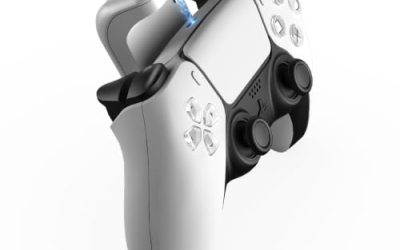
Some pads have extra buttons, such as rear paddles or back buttons, that can duplicate a face button. Assign a duplicate action to a paddle so your thumb stays on the stick while you jump or dodge. Many controllers store the mapping in onboard memory, so it follows the pad to other devices.
Trigger stops and sensitivity switches help competitive players by shortening travel. These are physical settings, so adjust them when the controller is idle rather than mid-game. If your pad has multiple profile slots, give each profile a clear purpose, such as shooter, racing, or fighting.
Planning a Good Layout
Start with the problem
Decide what feels wrong: a stretch to reach a button, an accidental press, or a need for faster input. A specific problem produces a better layout than a random shuffle.
Change one button at a time
Swap a single input, play for a session, and keep it only if it feels natural. Muscle memory takes days to adapt, and rapid-fire changes make it hard to tell what helps.
Keep a record
Write down your custom layout or take a screenshot of the settings. If a game update resets controls, you can restore the setup in minutes.
Think about accessibility
Remapping is one of the most effective accessibility tools in gaming. One-handed layouts, simplified trigger usage, and moved shoulder buttons can make a game playable for people with limited mobility. In 2026, many major games include dedicated accessibility menus that go beyond simple swaps, so look there first.
Before You Start: Checklist
- Update the controller firmware and companion software if the maker provides them.
- Note your current layout so you can restore it.
- Decide whether the change should be global or specific to one game.
- Close other input utilities.
- Plan a short test session in a low-stakes mode.
Common Mistakes
- Remapping at several layers at once, so inputs double-swap and cancel out.
- Assigning two functions to the same button, which leaves one action unreachable.
- Forgetting that on-screen prompts may still show the original button.
- Testing only in menus rather than during real play.
- Making many changes before giving muscle memory time to adjust.
Troubleshooting
The remap does not take effect
Restart the game and confirm which layer you changed. Another layer may be overriding it. Resetting each layer to default and reapplying the change usually fixes it.
Buttons feel doubled
This points to two tools sending input. Disable translation tools one by one until the doubling stops.
The layout resets after a game update
Game updates sometimes reset controls. Reapply your saved layout and keep a note of it for next time.
Example Layouts Worth Trying
Jump on the shoulder
Many shooters use the bottom face button for jump, which forces your thumb off the right stick. Moving jump to a bumper or rear paddle keeps aim steady while you move. Try it for a week before deciding.
Southpaw sticks
A swapped-stick layout puts movement on the right stick and aiming on the left. It suits left-handed players and anyone who finds the default awkward. Many menus offer it as a single toggle.
Trigger and bumper swaps
If triggers cause fatigue in long sessions, swap them with bumpers for actions that do not need pressure sensitivity. Racing games usually need analog triggers, so leave those alone there.
One-handed or reduced-input setups
Gather the most-used actions onto one side of the pad, and assign less common functions to buttons that are easy to hold. Some players add a second controller to split inputs between hands. Accessibility menus often include presets that can be a faster starting point than building from scratch.
Testing and Fine-Tuning After the Swap
Once a remap is saved, spend a few minutes in a practice mode, training room, or free-roam area. Run through every action you use in a normal session: moving, aiming, jumping, reloading, using items, and opening menus. If any action requires a thumb to leave a stick at a bad moment, adjust it right away rather than hoping you will adapt.
Pay attention to fatigue as well. A layout that feels clever for ten minutes can strain a finger after an hour. Take notes for a few sessions, and revisit the settings once you know which inputs feel natural and which still feel forced. Small adjustments usually beat sweeping overhauls.
Related guides
- Hall Effect Vs Potentiometer Controller Sticks Explained
- How To Fix Stick Drift On Xbox And Ps5 Controllers
- Mirrorless Cameras For Landscape Photography
Frequently Asked Questions
Can I remap buttons on any controller?
Most modern systems allow it through the console, PC launcher, or game menus, even if the pad itself has no software. Controllers with companion apps and rear paddles offer extra options.
Will remapping affect every game?
Only if you change it at the system level. Game menus and launcher profiles apply to a single game, which is often safer if you are experimenting.
Is remapping considered cheating in online games?
Basic button reassignment is a widely accepted comfort and accessibility feature. Tools that automate inputs or add timing advantages are different and may violate a game’s rules, so read the terms before using them.
How long does it take to get used to a new layout?
Most players need several sessions before a changed layout feels automatic. Make small changes and give each one a fair trial.
FAQ
Can I remap buttons on any controller?
Will remapping affect every game?
Is remapping considered cheating in online games?
How long does it take to get used to a new layout?
More from Amazon
Programs that pair well with the guide above. Offers and eligibility are set by Amazon and may change.
Free shipping on eligible items, Prime Video and more. Eligible new members can start with a free trial.
Start a Prime free trialAd-free music streaming. Eligible new subscribers can start with a free trial.
Try Music Unlimited freeA Prime membership for ages 18-24 with a trial period. Eligibility is set by Amazon.
See Prime for Young AdultsAudiobooks and podcasts to listen to on the go. Eligible new members can start with a free trial.
Try Audible freeAs an Amazon Associate we earn from qualifying purchases.