Key takeaways
- RTX 5080 (gaming load): 340–360W
- CPU (Ryzen 7 9800X3D / Core Ultra 7 265K gaming load): 80–120W (peak 150–170W in heavy all-core tasks)
- Motherboard, RAM, NVMe, fans, AIO pump: 45–65W
- Subtotal under gaming load: ~465–545W continuous
- Add 20% headroom for efficiency and capacitor aging: 545W x 1.2 = ~654W
- Add transient buffer for GPU spikes: +120–150W = ~775–805W peak requirement
What's inside
- Complete RTX 5080 Balanced Build for 2026
- Worked Calculation: Power Budget and Why 850W Is the Right Target
- Compatibility and Decision Matrix: Match Parts to Your Situation
- Step-by-Step: Assembly and First-Boot Settings With Reasoning
- 2026 Price Checklist and What Not to Overspend On
- FAQ: Common RTX 5080 Build Questions in 2026
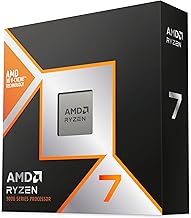
The best gaming PC parts build for an RTX 5080 in 2026 pairs the card with a Ryzen 7 9800X3D or Core Ultra 7 265K, 32GB DDR5-6000, a PCIe 4.0 NVMe SSD, and an 850W ATX 3.1 PSU, for a total system price usually $1,800–$2,400 depending on case, cooling, and storage choices.
- Complete RTX 5080 Balanced Build for 2026
- Worked Calculation: Power Budget and Why 850W Is the Right Target
- Compatibility and Decision Matrix: Match Parts to Your Situation
- Step-by-Step: Assembly and First-Boot Settings With Reasoning
- 2026 Price Checklist and What Not to Overspend On
- FAQ: Common RTX 5080 Build Questions in 2026
This guide assembles a balanced, bottleneck-free RTX 5080 build for 1440p 240Hz and 4K 144Hz gaming, with exact power and cooling math, a compatibility checklist, and a 2026 price breakdown so you buy once and avoid overspending on parts you do not need.
Complete RTX 5080 Balanced Build for 2026
This parts list targets high-refresh gaming without creating a CPU or power bottleneck. All components are widely available in 2026 and chosen for compatibility, thermals, and value.
| Component | Recommended Spec / Model Class | Why This Choice for RTX 5080 | Typical 2026 Price Range |
|---|---|---|---|
| GPU | NVIDIA GeForce RTX 5080 16GB GDDR7 | Anchor component; 16GB VRAM ideal for 4K ultra textures | usually $1,000–$1,300 |
| CPU | AMD Ryzen 7 9800X3D or Intel Core Ultra 7 265K | Top gaming IPC to keep up with RTX 5080 at 1440p/4K; avoids CPU-limited frame drops | usually $380–$480 |
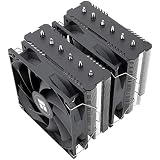
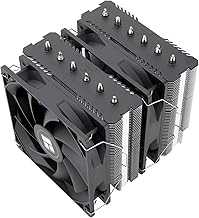
| CPU Cooler | 240mm or 360mm AIO, or dual-tower air cooler (e.g., Noctua NH-D15 class) | Handles 120-170W peak CPU heat without thermal throttling | usually $90–$150 |
| Motherboard | B650 / X670 for AMD, Z790 / Z890 for Intel (ATX with PCIe 4.0/5.0 x16) | Full x16 bandwidth for GPU, DDR5 support, and Gen4/Gen5 M.2 slots | usually $160–$260 |
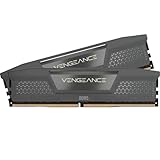
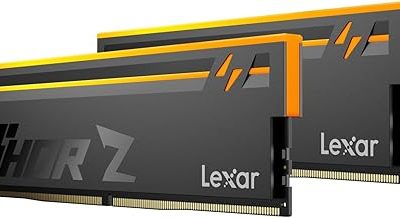
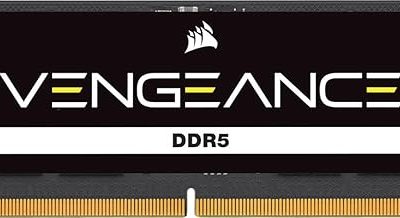
| RAM | 32GB (2x16GB) DDR5-6000 CL30 | Sweet spot for gaming in 2026; dual-channel and EXPO/XMP stable | usually $85–$130 |
| Storage | 1TB or 2TB PCIe 4.0 NVMe SSD (7000 MB/s class) | Fast load times; PCIe 5.0 not needed for gaming gains | usually $75–$160 |
| Power Supply | 850W ATX 3.1 Gold with native 12V-2×6 connector | Headroom for transient spikes, single-cable GPU power | usually $120–$180 |
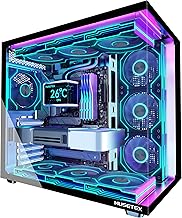
| Case | ATX mid-tower with mesh front and 3+ fans, 360mm radiator + 330mm+ GPU clearance | Ensures RTX 5080 airflow; many cards are 310-340mm long | usually $90–$160 |
Total build cost typically lands between $1,800 and $2,400 with the RTX 5080 included. Going with 64GB RAM or a 2TB PCIe 5.0 drive pushes the upper end, while choosing a Ryzen 7 7700 or Core i5-14600K class CPU can save $80–$120 if you mainly play at 4K where the GPU is the limiter.
Worked Calculation: Power Budget and Why 850W Is the Right Target
Do not size a PSU by TDP alone. The RTX 5080 has a Total Graphics Power around 360W, but transient peaks can briefly hit 450-500W. You need sustained capacity plus headroom.
Here is a realistic continuous power budget for this build:
- RTX 5080 (gaming load): 340–360W
- CPU (Ryzen 7 9800X3D / Core Ultra 7 265K gaming load): 80–120W (peak 150–170W in heavy all-core tasks)
- Motherboard, RAM, NVMe, fans, AIO pump: 45–65W
- Subtotal under gaming load: ~465–545W continuous
- Add 20% headroom for efficiency and capacitor aging: 545W x 1.2 = ~654W
- Add transient buffer for GPU spikes: +120–150W = ~775–805W peak requirement
An 850W ATX 3.1 Gold PSU covers sustained gaming load at 55-65% utilization where efficiency is highest, and handles transient excursions without tripping over-current protection. A 750W unit can work with an undervolted CPU and a power-limited 5080, but it leaves no margin for overclocking or future CPU upgrades. A 1000W PSU is only needed if you plan to move to an RTX 5090 class card or a 200W+ CPU.
Cooling translates directly from power: 545W of system heat must be exhausted. At a typical 20C room temperature, a mesh case with 2x 140mm intake + 1x 140mm exhaust + AIO exhaust maintains GPU temps usually 65–75C and CPU temps 70–85C under load. A solid-front or single-fan case will raise those by 8–12C and cause throttling.
Compatibility and Decision Matrix: Match Parts to Your Situation
Use this matrix before you buy. It prevents the most common RTX 5080 build errors: wrong PSU cable, RAM instability, and case fit issues.
| Your Situation | Recommended Choice | Reasoning |
|---|---|---|
| Play at 1440p 240Hz competitive (Valorant, COD, Apex) | Ryzen 7 9800X3D + DDR5-6000 CL30 | At 1440p, CPU limits frame rate more than at 4K. 3D V-Cache adds 10-15% in CPU-bound titles. |
| Play at 4K 144Hz (Cyberpunk 2077, Alan Wake 2, Black Myth: Wukong) | Ryzen 7 7700 / Core Ultra 7 265K is enough | GPU is the limiter at 4K; save budget for better SSD or 4K 144Hz monitor. |
| Small room or warm climate (above 26C ambient) | 360mm AIO + mesh case, avoid compact mATX case | High ambient temps reduce cooling delta; you need airflow volume, not just fan speed. |
| Existing PSU without 12V-2×6 port | Replace with ATX 3.1 850W, or use included 3x 8-pin to 12V-2×6 adapter | Three dedicated 8-pin PCIe cables are required for the adapter; daisy-chained cables risk melting under load. |
| Want to keep build for 4+ years without upgrade | 32GB RAM + 2TB NVMe + 850W Gold or better | 16GB RAM already limits some 2026 ports with ultra textures; 2TB avoids constant reinstalls. |
Resolution, Refresh, and VRAM Reality Check for RTX 5080
The RTX 5080’s 16GB VRAM is correctly sized for its performance tier. For reference:
- 1440p Ultra with ray tracing: usually 9–12GB used
- 4K Ultra with ray tracing: usually 12–15GB used
- 4K Ultra + path tracing mods or 8K textures: can exceed 16GB and cause stutter
Bandwidth needed from the GPU to the monitor is also worth checking so you buy the right cable. For 4K 144Hz 10-bit HDR, bandwidth = 3840 x 2160 x 144 x 30 bits per pixel (10-bit RGB) = ~35.8 Gbps before compression. That exceeds HDMI 2.0 and DisplayPort 1.4 without DSC. Use DisplayPort 1.4 with DSC or HDMI 2.1, both of which the RTX 5080 supports, to run 4K 144Hz at full color. For 1440p 240Hz, the same math is 2560 x 1440 x 240 x 30 = ~26.5 Gbps, also requiring DSC or HDMI 2.1.
Step-by-Step: Assembly and First-Boot Settings With Reasoning
Follow this order to avoid rework and POST issues:
- 1. Install CPU, RAM, and NVMe on the motherboard before it goes in the case. Reason: You can verify the RAM clicks fully into slots A2/B2 for dual-channel and that the NVMe is in the top CPU-connected M.2 slot for full Gen4 speed.
- 2. Mount the motherboard, then route the 24-pin, EPS 8-pin CPU, and 12V-2×6 GPU cables before installing the GPU. Reason: The RTX 5080 often blocks cable headers on compact boards.
- 3. Seat the RTX 5080 until the PCIe latch clicks and secure with two case screws plus the support bracket included with most cards. Reason: 1.5–2kg cards will sag and crack the PCIe slot without support.
- 4. Connect the display to the GPU, not the motherboard. Connect a single 12V-2×6 cable from PSU to GPU, seated until you hear a click and see no gap. Reason: Partial insertion causes high-resistance heat.
- 5. First boot: Enter BIOS, enable EXPO or XMP for DDR5-6000, set PCIe to Auto, and enable Resizable BAR. Reason: EXPO/XMP is required to reach advertised RAM speed; Resizable BAR adds 3-8% in supported games at no cost.
- 6. In Windows, install NVIDIA drivers clean, set Power Management to Prefer Maximum Performance, and set refresh rate to 144Hz/240Hz in Display Settings. Reason: Windows defaults to 60Hz even on high-refresh monitors.
- 7. Set a custom fan curve: 30% at 40C, 60% at 70C, 90% at 85C. Undervolt the RTX 5080 slightly if noise matters: try 2700 MHz at 950mV as a starting point. Reason: A small undervolt cuts 30-40W and 3-5C with less than 2% performance loss.
Concrete In-Game Settings for RTX 5080 at 4K and 1440p
To hit high refresh without guessing:
- 4K 100–144Hz target: DLSS Quality + Frame Generation On + Ray Tracing High (not Ultra) + Textures Ultra. DLSS Quality at 4K renders at 2560×1440 internally and reconstructs to 4K, saving ~35% GPU load versus native.
- 1440p 165–240Hz target: DLSS Balanced or Native + Frame Generation Off for competitive games to reduce latency, Reflex On + Boost enabled. Cap frame rate 3 fps below monitor max to keep G-Sync engaged.
- If VRAM hits 15.5GB+ and you see hitching: Drop texture pool from Ultra to High first, not DLSS. Texture memory is allocated even when not streaming.
2026 Price Checklist and What Not to Overspend On
Check these before checkout:
- RAM: Do not pay extra for DDR5-7200+ for gaming. At 7200 MT/s you gain 2-4% in some titles but risk instability unless you buy a verified high-end board. DDR5-6000 CL30 is the value plateau.
- SSD: PCIe 5.0 drives usually cost $40–$70 more than PCIe 4.0 for no measurable gaming FPS gain. Buy PCIe 4.0 and put the difference into 2TB capacity.
- Motherboard: You do not need X670E or Z890 Hero class for an RTX 5080. A mid-range ATX board with robust VRM heatsinks, BIOS Flashback, and 2x M.2 heatsinks is sufficient.
- PSU: Prioritize ATX 3.1 with native 12V-2×6 and 10-year warranty over higher wattage or Platinum efficiency. An 850W Gold from a Tier A OEM is better than a 1000W Bronze.
- Monitor pairing: Budget usually $350–$550 for a 27″ 1440p 240Hz OLED or $600–$900 for a 32″ 4K 144Hz display. Pairing a $1,200 GPU with a 1080p 60Hz monitor wastes the card.
FAQ: Common RTX 5080 Build Questions in 2026
Will a Ryzen 5 7600 bottleneck an RTX 5080?
At 4K, rarely. At 1440p 240Hz in CPU-heavy games like CS2 or Starfield towns, a Ryzen 5 7600 class CPU can limit you by 10-20% versus a 9800X3D. If you already own a 7600, test first before upgrading; if buying new, the 9800X3D is the safer match for high-refresh.
Do I need DDR5-6400 or 32GB vs 64GB?
32GB is the standard for 2026 gaming. 64GB helps only for simultaneous gaming + heavy content creation, modded Cities: Skylines 2, or large Chrome workloads. Faster than 6000 MT/s shows diminishing returns for most builds.
Is PCIe 5.0 x16 needed for RTX 5080?
No. The RTX 5080 is a PCIe 5.0 card but loses less than 2% on PCIe 4.0 x16. Any B650, X670, Z790 or Z890 board with a full-length x16 slot is fine. Avoid boards that split the x16 into x8 when a second M.2 is populated — check the manual block diagram.