Key takeaways
- Peak thermal capacity: A 360mm AIO has far more radiator surface than any air tower and pulls ahead under sustained all-core loads; in gaming workloads the gap frequently shrinks to a handful of degrees.
- Noise profile: Air coolers produce one sound — fan noise. AIOs add pump whine, and cheaper units can develop gurgling as air migrates through the loop.
- Longevity: A heatsink has no wear items and will outlive several builds. An AIO’s pump is rated in hours, and coolant permeates slowly through the tubing over the years.
- Clearance: AIOs free up space around the socket for tall RAM and top-mounted M.2 heatsinks. Air towers can overhang the first DIMM slot and need cases with generous CPU cooler height limits.
- Installation: Air coolers are one bracket and one heatsink. AIOs require radiator mounting, fan orientation planning and correct tube positioning to avoid pump air pockets.
- Cost per degree: This is where air wins decisively — a dual-tower cooler routinely delivers 90% of a 360mm AIO’s real-world gaming performance for well under half the price.
Few decisions divide PC builders as reliably as the cooler question. On one side sits the all-in-one liquid cooler — a sealed pump block, flexible tubing and a 240mm, 280mm or 360mm radiator bolted to your case. On the other sits the modern dual-tower air cooler, a slab of nickel-plated fins and heat pipes that has quietly closed most of the performance gap over the past few generations. Both will keep a current gaming CPU alive and boosting; the difference is in how, how quietly, and for how long.
That choice matters more in 2026 than it did five years ago. Today’s mid-range gaming chips draw far less sustained power than the flagship parts they sit beneath, which means a well-designed air tower is often thermally sufficient — while high-end desktop CPUs and heavily loaded workstation parts still reward the extra radiator surface an AIO provides. Add rising GPU heat output, small-form-factor cases with tight clearances, and the fact that a pump is a moving part with a finite life, and the “best” answer depends almost entirely on your CPU, your case and your tolerance for noise.
Our top picks
 Thermalright Peerless Assassin 120 SE CPU Cooler
- [Brand Overview] Thermalright is a Taiwan brand with…
- [Product specification] Thermalright PA120 SE
- 【2 PWM Fans】TL-C12C
 Thermalright Peerless Assassin 120 SE ARGB CPU
- [Brand Overview] Thermalright is a Taiwan brand with…
- [Product specification] Thermalright PA120 SE ARGB
- 【2 PWM Fans】Model:TL-C12C-S
 be quiet! Pure Rock Pro 3 Black
- Pure Rock Pro 3 features 6 black high-performance…
- Pure Wings 3 120mm PWM and Pure Rock…
- Despite being a double-tower air cooler, Pure Rock…
| Product | Key specs | |
|---|---|---|
| Thermalright Peerless Assassin 120 SE CPU Cooler | [Brand Overview] Thermalright is a Taiwan brand with… [Product specification] Thermalright PA120 SE 【2 PWM Fans】TL-C12C | Check price |
| Thermalright Peerless Assassin 120 SE ARGB CPU | [Brand Overview] Thermalright is a Taiwan brand with… [Product specification] Thermalright PA120 SE ARGB 【2 PWM Fans】Model:TL-C12C-S | Check price |
| be quiet! Pure Rock Pro 3 Black | Pure Rock Pro 3 features 6 black high-performance… Pure Wings 3 120mm PWM and Pure Rock… Despite being a double-tower air cooler, Pure Rock… | Check price |
 Thermalright Peerless Assassin 120 Vision MAX ARGB Thermalright Peerless Assassin 120 Vision MAX ARGB | [5-inch IPS LCD Screen] The radiator features a… [Excellent Cooling Performance] The CPU cooler is primarily… [Heatsink Specifications] Overall dimensions of the CPU cooler:… | Check price |
 Thermalright Phantom Spirit 120SE CPU Air Cooler Thermalright Phantom Spirit 120SE CPU Air Cooler | [Brand Overview]Thermalright is a Taiwanese brand with more… [AGHP technique]7x6mm heatpipe with AGHP upgraded 4th generation… [Product specification] PS120SE | Check price |
 Thermalright Peerless Assassin 120 Vision MAX ARGB Thermalright Peerless Assassin 120 Vision MAX ARGB | [5-inch IPS LCD Screen] The radiator features a… [Excellent Cooling Performance] The CPU cooler is primarily… [Heatsink Specifications] Overall dimensions of the CPU cooler:… | Check price |
 ID-COOLING SE-903-XT V2 Black CPU Air Cooler ID-COOLING SE-903-XT V2 Black CPU Air Cooler | Compact CPU Air Cooler 【Enhanced Fin Locking & Secure Fan Clip Design】Upgraded… 【Enhanced Cooling with Larger Fan Upgrade】The upgraded 100mm… | Check price |
 ARCTIC Liquid Freezer III Pro 360 ARCTIC Liquid Freezer III Pro 360 | CONTACT FRAME FOR INTEL LGA1851 | LGA1700: Optimized… ARCTIC's P12 PRO FAN: More power at any… Shifting the cold plate center towards the CPU… | Check price |
As an Amazon Associate we earn from qualifying purchases at no extra cost to you.
⚡ Save on Your Next PC — Amazon Prime
Prime members get fast free shipping on the systems above, plus early access to Prime Day & Black Friday PC deals. New members get a 30-day free trial.
Watch: AIO vs Air Cooler: Which Is Best in 2026? — Video Review
Quick Verdict
Buy an AIO if you own a genuinely power-hungry CPU, want the cleanest look around the socket, or need to route heat straight out of the case through a front or top radiator. Buy a premium air cooler — something like the Thermalright Phantom Spirit 120 SE or Peerless Assassin 120 SE — if you want near-identical gaming temperatures for a fraction of the money, with no pump to fail and no coolant to degrade. For the large majority of gaming builds in 2026, air is the smarter default and an AIO is the considered upgrade.
Key Differences
- Peak thermal capacity: A 360mm AIO has far more radiator surface than any air tower and pulls ahead under sustained all-core loads; in gaming workloads the gap frequently shrinks to a handful of degrees.
- Noise profile: Air coolers produce one sound — fan noise. AIOs add pump whine, and cheaper units can develop gurgling as air migrates through the loop.
- Longevity: A heatsink has no wear items and will outlive several builds. An AIO’s pump is rated in hours, and coolant permeates slowly through the tubing over the years.
- Clearance: AIOs free up space around the socket for tall RAM and top-mounted M.2 heatsinks. Air towers can overhang the first DIMM slot and need cases with generous CPU cooler height limits.
- Installation: Air coolers are one bracket and one heatsink. AIOs require radiator mounting, fan orientation planning and correct tube positioning to avoid pump air pockets.
- Cost per degree: This is where air wins decisively — a dual-tower cooler routinely delivers 90% of a 360mm AIO’s real-world gaming performance for well under half the price.
AIO Liquid Coolers
An AIO’s advantage is displacement. Moving heat from the die into a liquid loop and radiating it across a 240–360mm surface gives you thermal headroom that no 120mm-wide tower can match. If you run a flagship CPU that pushes past 200W sustained, do long renders or compiles, or overclock aggressively, that headroom translates directly into higher sustained boost clocks and lower fan speeds at any given temperature. AIOs also transport heat directly to an exhaust point, which keeps hot air off your VRMs and GPU rather than recirculating it inside the chassis.
The trade-offs are real, though. You are adding a pump, a reservoir and two joints to your system, and every one of those is a potential failure point in year five or six. Pump noise is subjective but persistent — it doesn’t ramp down when the workload ends the way a fan does. And you pay a substantial premium for that capability, money that in most gaming builds buys more frames if spent on the GPU instead.
Air Coolers
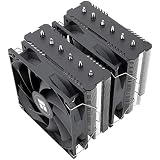
Modern air cooling is the quiet success story of the last few years. The Thermalright Peerless Assassin 120 SE established the template: six heat pipes, twin 120mm PWM fans, a dual-tower layout, and thermal results that embarrassed coolers costing three times as much. The Phantom Spirit 120 SE refines it with seven heat pipes and AGHP 4.0 pipe technology, making it comfortable on mainstream and upper-mid-range CPUs alike. If you value acoustics above all, the be quiet! Pure Rock Pro 3 Black pairs HDT-contact heat pipes with a single, deliberately low-noise 120mm fan.
Aesthetics are no longer a compromise either. The Peerless Assassin 120 SE ARGB adds addressable lighting and an aluminium heatsink cover, while the Peerless Assassin 120 Vision MAX ARGB — available in white or black — mounts a 5-inch IPS display on the tower for temperatures, clocks or custom animations. The practical caveats remain height and width: check your case’s cooler clearance and your RAM height before committing, and expect a heavier assembly hanging off the motherboard.
Which Should You Buy?
- For a mainstream gaming build: pick an air cooler — the Peerless Assassin 120 SE or Phantom Spirit 120 SE covers almost every gaming CPU with headroom left over.
- For a flagship or overclocked CPU: pick a 360mm AIO for the sustained all-core headroom.
- For the quietest possible system: pick air — the be quiet! Pure Rock Pro 3 Black removes pump noise from the equation entirely.
- For a show build behind glass: pick the Peerless Assassin 120 Vision MAX ARGB in white or black, or an AIO if you want a clear socket area.
- For maximum reliability over 5+ years: pick air, every time.
Frequently Asked Questions
Do AIOs actually cool better than high-end air coolers?
Under heavy sustained multi-core loads, yes — a 360mm unit typically leads by a meaningful margin. In gaming, where the CPU rarely loads all cores continuously, the difference often falls within a few degrees.
How long does an AIO last?
Most quality units are rated for roughly six to eight years of pump life, though coolant loss and pump degradation can appear sooner. An air cooler has no equivalent wear limit.
Will a dual-tower air cooler fit my case and RAM?
Check two numbers: your case’s maximum CPU cooler height and your memory’s height. Most dual-tower coolers allow the front fan to be raised slightly to clear taller DIMMs, at a small cost to clearance.
Is thermal paste included?
Thermalright and be quiet! coolers ship with paste and mounting hardware for current AMD AM4/AM5 and Intel LGA 1851/1700/115x/1200 sockets, so no separate purchase is needed.
Final Verdict
For 2026 gaming builds, a premium dual-tower air cooler is the rational default: the Phantom Spirit 120 SE and Peerless Assassin 120 SE deliver flagship-adjacent temperatures with zero moving-part risk and money left for a better GPU, while the Vision MAX ARGB and Pure Rock Pro 3 Black cover the style and silence niches. Reserve the AIO for genuinely high-wattage CPUs, heavy productivity workloads, or builds where a clear socket area is worth the premium and the maintenance clock.