Key takeaways
- Buying to the exact maximum: A 2.48-inch clamp is not a comfortable choice for a desk that measures 2.48 inches at its thickest point.
- Ignoring underside hardware: Drawers, rails, and cable trays can reduce the opening by more than the desktop thickness suggests.
- Measuring the desk pad: Include only permanent material when comparing the desktop with the clamp rating, but confirm that the pad will not prevent secure contact.
- Confusing base width with opening height: A wider clamp is not necessarily a clamp with greater maximum thickness.
- Assuming all threaded posts match: Check the boom arm’s post diameter, thread standard, and adapter requirements.
- Overlooking surface protection: Bare metal contact can mark wood, veneer, or glass. Use the supplied pad or a suitable protective layer without making the clamp unstable.
- Using weight as an afterthought: A microphone, shock mount, pop filter, and extended arm create leverage. Follow the manufacturer’s load guidance rather than judging capacity by clamp size alone.
Finding the right clamp is less about the boom arm’s length and more about the space beneath your desk. A clamp that fits a 2-inch desktop may not fit a 2.5-inch top once you account for the clamp’s throat, tightening screw, cable tray, or an underside edge. This boom arm desk clamp maximum thickness dimensions guide explains the measurements to check before buying, how much clearance to leave, and which sizes work best for different rooms and equipment.
The Short Answer
Most microphone boom arm desk clamps fit desktops approximately 0.4 to 2.0 inches thick (1 to 5 cm). Heavy-duty models commonly accommodate about 2.48 to 2.56 inches (6.2 to 6.5 cm), which is useful for thick butcher-block desks, workbenches, and studio tables.
Our top picks
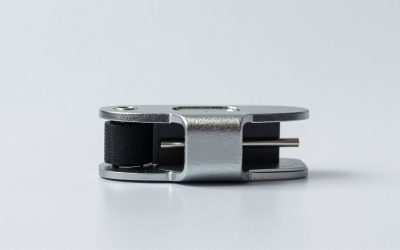
 Metal Desk Clamp For Microphone Suspension Boom
- 【Professional】- Aluminum alloy adjustable table mounting clamp is…
- 【Applicable desktop thickness】- With an adjustable positioning screw,…
- 【Protective】- Soft foam padding protection at the contact…
 Heavy Duty Table Clamp Mount for Microphone
- Durable & Sturdy Construction:Made of reinforced engineering plastic,…
- 2-in-1 Versatile C-Clamp Design:Features dual tube holes (0.47…
- Non-Slip Rubber Protection:Thick rubber pads on both clamp…
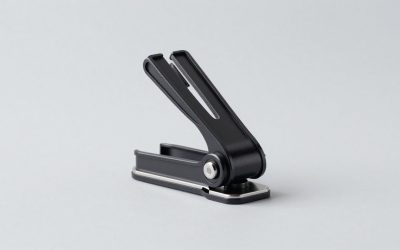
 Heavy-Duty Metal Table Mount Clamp
- [Better Construction] Upgraded Desk Mount Clamp has 4…
- [Upgraded Desk Clamp] Table C clamp is made…
- [Screw-in Design] The screw-in design allows the stand…
| Product | Key specs | |
|---|---|---|
| Metal Desk Clamp For Microphone Suspension Boom | 【Professional】- Aluminum alloy adjustable table mounting clamp is… 【Applicable desktop thickness】- With an adjustable positioning screw,… 【Protective】- Soft foam padding protection at the contact… | Check price |
| Heavy Duty Table Clamp Mount for Microphone | Durable & Sturdy Construction:Made of reinforced engineering plastic,… 2-in-1 Versatile C-Clamp Design:Features dual tube holes (0.47… Non-Slip Rubber Protection:Thick rubber pads on both clamp… | Check price |
| Heavy-Duty Metal Table Mount Clamp | [Better Construction] Upgraded Desk Mount Clamp has 4… [Upgraded Desk Clamp] Table C clamp is made… [Screw-in Design] The screw-in design allows the stand… | Check price |
 NEEWER Metal Table Mounting Clamp for Microphone NEEWER Metal Table Mounting Clamp for Microphone | Adjustable table mounting clamp is designed to securely… It can easily clip to any desktop up… Heavy-duty metal clip base provides a sturdy and… | Check price |
As an Amazon Associate we earn from qualifying purchases at no extra cost to you.
For a dependable fit, measure the desktop thickness at the exact mounting point, then compare it with the manufacturer’s maximum opening. Leave at least 0.12 inch (3 mm) of extra capacity for rounded edges, desk pads, paint, or an underside obstruction. For example, a 2.40-inch desktop should use a clamp rated for at least 2.52 inches, not one listed at exactly 2.40 inches.
Basic metal microphone clamps typically cost about $8.99 to $13.99. The example products in this category include compact clamps around $8.99, heavy-duty C-clamp designs rated for 2.48 or 2.56 inches, and a NEEWER metal mounting clamp priced around $13.99. Price does not automatically indicate a larger opening, so always check the stated maximum thickness.
Standard Sizes
The table below shows common desk thicknesses and the clamp capacity that gives you a practical fit. These are buying benchmarks, not a substitute for the dimensions supplied with a particular boom arm.
| Desk or clamp measurement | Inches | Centimeters | Typical use |
|---|---|---|---|
| Thin desktop | 0.50–0.75 in | 1.3–1.9 cm | Small writing desks, folding tables, shelving panels |
| Standard desktop | 0.75–1.25 in | 1.9–3.2 cm | Most office desks and laminate worktops |
| Thick desktop | 1.25–1.75 in | 3.2–4.4 cm | Solid-wood desks and large computer workstations |
| Extra-thick desktop | 1.75–2.00 in | 4.4–5.1 cm | Butcher-block tops and heavy office furniture |
| Heavy-duty clamp range | Up to 2.48 in | Up to 6.2 cm | Thick tables and workbenches |
| Large heavy-duty clamp range | Up to 2.56 in | Up to 6.5 cm | Extra-thick tables, studio benches, camera-arm bases |
| Common clamp base width | Approximately 2–3 in | Approximately 5.1–7.6 cm | Space needed along the rear or side edge |
A clamp’s maximum thickness describes the distance between its upper and lower jaws when fully opened. It does not describe the overall size of the base or the amount of desk edge needed for installation. A rear cable tray, drawer rail, modesty panel, or beveled underside can reduce the usable opening.
How to Measure Your Space
- Choose the mounting location. Do not measure only at the center of the desktop. Check the rear or side edge where the clamp will actually sit.
- Measure the desktop thickness. Use a ruler or tape measure from the top surface to the lowest point of the underside. Record the result in inches and centimeters if possible.
- Inspect the underside. Look for cable channels, support bars, drawers, lips, crosspieces, and rounded or sloping edges. The clamp needs a reasonably flat upper and lower contact area.
- Measure the available edge depth. A clamp may need several inches of unobstructed space from the edge inward. Confirm that the lower jaw can swing into position without hitting a panel.
- Check the maximum opening. Compare your measurement with the listed capacity. Choose a clamp with at least 0.12 inch (3 mm) of extra room; 0.25 inch (6 mm) is more comfortable for irregular surfaces.
- Measure base clearance. Confirm that the clamp’s upper plate will not cover a desk grommet, interfere with a monitor stand, or block a keyboard tray.
- Review the arm connection. Many microphone clamps accept a threaded boom-arm post, but thread size and included adapters vary. A clamp can fit the desk and still be incompatible with the arm.
For a desk measuring 1.18 inches (3 cm), a clamp rated to 2 inches is generally more convenient than a narrowly sized model. For a 2.50-inch (6.35 cm) desktop, choose a clamp explicitly rated for at least 2.56 inches (6.5 cm). Do not rely on a product photo to estimate the opening.
By Room or Use Case
Home office
Most home-office desks are between 0.75 and 1.25 inches thick. A compact metal clamp is usually adequate for a microphone boom arm, provided the desk has a clear rear edge. Check for a rear cable trough, since these can prevent the lower screw pad from sitting flat. A clamp with a protective rubber pad is preferable on laminate, veneer, or painted surfaces.
Gaming desk
Gaming desks often have a broad rear lip, steel frame, or cable-management tray. Measure below the decorative edge rather than at the front of the desk. If the top is around 1 inch thick but the frame sits immediately underneath, the practical mounting location may be unusable. Allow room for the microphone arm to rotate without striking a monitor or wall.
Studio or podcast setup
For a desk carrying a microphone, pop filter, headphones, and other accessories, prioritize a rigid mounting point. A heavy-duty C-clamp rated for up to 2.48 inches (6.2 cm) or 2.56 inches (6.5 cm) can suit thick studio furniture, but the desk itself must also resist flexing. A large clamp does not make a lightweight folding table more stable.
Standing desk
Standing desks frequently use thick tops, metal frames, and rear cable trays. Measure the top and the frame separately. If the clamp must reach over a frame rail, its maximum thickness may not represent the true usable opening. Also check that the boom arm and microphone will not hit the monitor when the desk moves between sitting and standing heights.
Workbench or craft table
Workbenches may be 1.5 to 2.5 inches thick and can require the largest clamp size. A 2.48-inch capacity leaves very little margin on a 2.45-inch top, particularly if the surface has a rounded edge. For a thick workbench, a 2.56-inch model or a purpose-built mounting plate may be the safer choice.
Common Sizing Mistakes
- Buying to the exact maximum: A 2.48-inch clamp is not a comfortable choice for a desk that measures 2.48 inches at its thickest point.
- Ignoring underside hardware: Drawers, rails, and cable trays can reduce the opening by more than the desktop thickness suggests.
- Measuring the desk pad: Include only permanent material when comparing the desktop with the clamp rating, but confirm that the pad will not prevent secure contact.
- Confusing base width with opening height: A wider clamp is not necessarily a clamp with greater maximum thickness.
- Assuming all threaded posts match: Check the boom arm’s post diameter, thread standard, and adapter requirements.
- Overlooking surface protection: Bare metal contact can mark wood, veneer, or glass. Use the supplied pad or a suitable protective layer without making the clamp unstable.
- Using weight as an afterthought: A microphone, shock mount, pop filter, and extended arm create leverage. Follow the manufacturer’s load guidance rather than judging capacity by clamp size alone.
FAQ
What is the most common maximum thickness for a microphone desk clamp?
Many compact clamps accommodate approximately 2 inches (5.1 cm) or less. Heavy-duty models commonly list capacities of 2.48 inches (6.2 cm) or 2.56 inches (6.5 cm). Always compare the listed opening with the measured desktop and underside clearance.
Will a clamp rated for 2.56 inches fit a 2.5-inch desk?
It may, because the nominal clearance is about 0.06 inch (1.5 mm). That is a very small margin. It can work on a flat, square-edged surface, but a rounded edge, paint, desk mat, or underside obstruction may prevent a secure fit. A mounting point with more practical clearance is preferable.
How much space should I leave around the clamp?
Leave at least 3 inches (7.6 cm) of clear edge space for a typical clamp, and more if the base is wide or the tightening screw has a long handle. Also leave enough room for the boom arm to swing without hitting a monitor, wall, shelf, or desk accessory.
Are inexpensive clamps suitable for a boom arm?
They can be suitable for a lightweight microphone and a rigid desk. Example metal clamps in this category range from about $8.99 to $13.99. Before choosing one, verify maximum desktop thickness, jaw shape, protective pads, thread compatibility, and the manufacturer’s stated load guidance. A higher price alone does not guarantee a stronger or larger clamp.