Key takeaways
- Desk thickness capacity: 0.75 to 2.5 inches (1.9 to 6.4 cm)
- Recommended jaw depth: 2.5 to 3.5 inches (6.4 to 8.9 cm)
- Load rating: at least 6 pounds (2.7 kg), preferably with a safety margin
- Construction: steel or thick aluminum, with a broad padded contact surface
- Mounting plate: approximately 3 to 5 inches wide (7.6 to 12.7 cm)
The Short Answer
For a heavy microphone arm, choose a desk clamp with a gripping depth of at least 2.5 inches (6.4 cm). A 3-inch (7.6 cm) clamp is the safest general-purpose choice, while a 4-inch (10.2 cm) clamp is better for thick desktops, beveled edges, or arms carrying a large microphone such as the Shure SM7B.
“Clamp depth” can mean two different measurements. The clamping range is the maximum desk thickness the clamp can fit over. The jaw depth is how far the clamp reaches underneath the desktop. For stability, both measurements matter. A clamp may open wide enough for a 3-inch desk but still have a shallow lower jaw that grips only a narrow section of the underside.
Our top picks
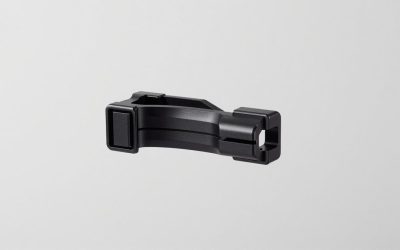
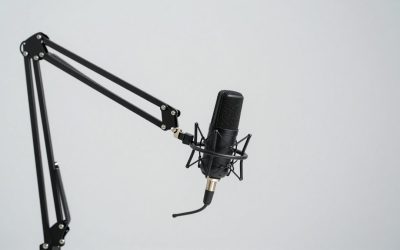
 Metal Desk Clamp For Microphone Suspension Boom
- 【Professional】- Aluminum alloy adjustable table mounting clamp is…
- 【Applicable desktop thickness】- With an adjustable positioning screw,…
- 【Protective】- Soft foam padding protection at the contact…
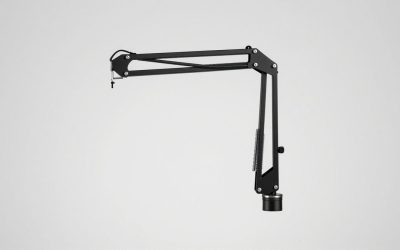
 AA AUDIO ACCESSORY Mic Arm Desk Mount
- [Heavy-Duty Material] Aluminum alloy & glass-fiber nylon composite,…
- [Max Load Capacity] 6.6 lbs (3 kg), built…
- [Locking Mechanism] Gear-lock design, more stable and durable…
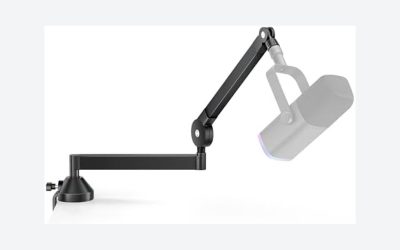
 FIFINE BM88 Low Profile Microphone Boom Arm
- [Sturdy Metal] The all metal microphone arm stand…
- [Low Profile] The arm stand for gaming can…
- [Cable Management] The low profile microphone boom stand…
| Product | Key specs | |
|---|---|---|
| Metal Desk Clamp For Microphone Suspension Boom | 【Professional】- Aluminum alloy adjustable table mounting clamp is… 【Applicable desktop thickness】- With an adjustable positioning screw,… 【Protective】- Soft foam padding protection at the contact… | Check price |
| AA AUDIO ACCESSORY Mic Arm Desk Mount | [Heavy-Duty Material] Aluminum alloy & glass-fiber nylon composite,… [Max Load Capacity] 6.6 lbs (3 kg), built… [Locking Mechanism] Gear-lock design, more stable and durable… | Check price |
| FIFINE BM88 Low Profile Microphone Boom Arm | [Sturdy Metal] The all metal microphone arm stand… [Low Profile] The arm stand for gaming can… [Cable Management] The low profile microphone boom stand… | Check price |
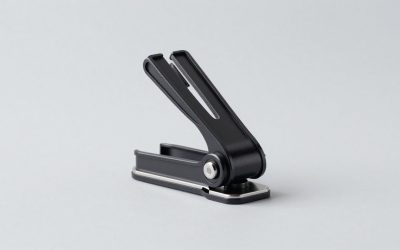
 NEEWER Metal Table Mounting Clamp for Microphone NEEWER Metal Table Mounting Clamp for Microphone | Adjustable table mounting clamp is designed to securely… It can easily clip to any desktop up… Heavy-duty metal clip base provides a sturdy and… | Check price |
As an Amazon Associate we earn from qualifying purchases at no extra cost to you.
For most heavy mic-arm setups, look for these specifications:
- Desk thickness capacity: 0.75 to 2.5 inches (1.9 to 6.4 cm)
- Recommended jaw depth: 2.5 to 3.5 inches (6.4 to 8.9 cm)
- Load rating: at least 6 pounds (2.7 kg), preferably with a safety margin
- Construction: steel or thick aluminum, with a broad padded contact surface
- Mounting plate: approximately 3 to 5 inches wide (7.6 to 12.7 cm)
If your microphone, shock mount, cable, and arm together weigh 4 pounds, do not buy a clamp rated for exactly 4 pounds. Aim for a rating of 6 pounds or more, especially when the arm is extended. A longer arm creates more leverage and can make a supposedly adequate clamp tilt, loosen, or sag.
Standard Sizes
Desk clamps for microphone boom arms generally fall into three useful size categories. Dimensions vary by manufacturer, so confirm the product drawing before ordering, particularly when your desk has a thick apron, drawer, or cable tray beneath the edge.
| Clamp size | Typical desk thickness | Jaw depth | Best use | Typical load range |
|---|---|---|---|---|
| Compact | 0.4–1.6 in (1.0–4.1 cm) | 1.5–2.25 in (3.8–5.7 cm) | Light microphones, thin desktops, small spaces | 2–4 lb (0.9–1.8 kg) |
| Standard | 0.6–2.4 in (1.5–6.1 cm) | 2.25–3 in (5.7–7.6 cm) | Most podcasting, streaming, and voice-over setups | 4–7 lb (1.8–3.2 kg) |
| Heavy-duty | 0.75–3.25 in (1.9–8.3 cm) | 3–4 in (7.6–10.2 cm) | Large broadcast microphones and long boom arms | 6–10 lb (2.7–4.5 kg) |
A standard 2.5- to 3-inch clamp depth is enough for a normal 1-inch desktop, provided the underside is clear. Choose the heavy-duty category if your desktop is 2 inches or thicker, the arm extends more than 30 inches, or the microphone is mounted far from the base.
Budget replacement clamps commonly cost about $9 to $18. Examples include simple metal replacement mounts from SUNMON, around $8.99, and NEEWER metal table clamps, around $13.99. These can work well when the arm’s attachment fitting matches the clamp, but check the thread size and load rating rather than choosing by appearance.
Complete, reinforced mounts typically cost about $40 to $60. The AA AUDIO ACCESSORY heavy-mic mount is listed around $44.99 and advertises a 6.6-pound capacity. The FIFINE BM88 low-profile boom arm is around $56.99. These higher-priced options may provide a wider base, better gearing, or a more rigid arm, but price alone does not guarantee that the clamp will fit your desk.
How to Measure Your Space
- Measure desktop thickness. Use a ruler or tape measure at the exact edge where the clamp will sit. Measure from the top surface to the bottom surface, excluding a raised lip or edge trim.
- Inspect the underside. Look for a modesty panel, drawer, metal frame, keyboard tray, cable-management tray, or crossbar. Measure the clear vertical space below the edge, not just the overall desk thickness.
- Measure the available flat area. Most clamps need roughly 3 to 5 inches of clear width along the back or side edge. A curved, rounded, or tapered edge may prevent the pad from sitting flat.
- Check the clamp’s opening range. Your desk thickness should fall comfortably inside the stated range. If your desk is 1.75 inches thick and the clamp’s maximum opening is 1.75 inches, there is no tolerance for paint, trim, or an uneven edge.
- Measure jaw clearance. Confirm that the lower jaw can reach the underside without hitting a support rail. For a heavy arm, prioritize a lower jaw at least 2.5 inches deep.
- Measure arm reach. Note how far the microphone will sit from the clamp. A 30-inch arm extended horizontally applies more twisting force than the same arm folded close to the base.
- Check the mounting hole or thread. Many arms use a 3/8-inch or 5/8-inch connection, while some clamps accept a threaded post or a proprietary socket. An adapter may be needed.
Before tightening the clamp, place a protective wood, rubber, or felt pad between the clamp and the desk if the supplied pad is narrow. Do not use soft cardboard as a permanent shim; it compresses and allows the mount to loosen.
By Room or Use Case
Bedroom or Small Home Office
A compact or standard clamp is usually the best fit when the desk is 0.5 to 1.25 inches thick and space is limited. Choose a jaw depth of 2 to 2.5 inches and keep the arm close to the rear corner. A low-profile mount can preserve monitor and keyboard space, but verify that the desk has enough open underside clearance.
Gaming and Streaming Desk
Gaming desks often have a steel frame, beveled front edge, or built-in cable tray. Select a clamp with a 2.5- to 3-inch jaw depth and at least a 6-pound load rating. If the microphone is frequently pushed aside and pulled back, a broad padded base is more valuable than an exceptionally wide opening. Avoid mounting directly over a hollow cable channel or a thin desk section.
Podcast or Voice-Over Setup
For a large dynamic microphone and shock mount, use a heavy-duty clamp with a 3-inch or greater jaw depth. A capacity of 6 to 10 pounds provides a useful margin for the microphone, mount, arm, pop filter, and cable. Position the clamp near a desk corner or structural support, but leave enough room for the arm to rotate without striking a wall.
Thick Executive or Workbench Desk
Desktops measuring 2 to 3 inches thick need a clamp specifically rated for that range. Look for an opening of at least 3 inches and a lower jaw depth of 3 to 4 inches. A standard clamp that technically reaches the edge may have too little contact area underneath, increasing the chance of rocking or surface damage.
Glass, MDF, or Hollow-Core Desk
Glass should not be clamped unless the desk manufacturer explicitly permits it. The concentrated pressure can crack the panel. Hollow-core and lightweight MDF desks also require caution. Use a reinforcement plate above and below the desktop, spread the load across a structural section, and select a moderate-weight microphone arm rather than the longest heavy-duty model.
Common Sizing Mistakes
- Confusing opening width with jaw depth: A clamp that opens to 3 inches is not necessarily 3 inches deep underneath.
- Ignoring leverage: Load ratings are most useful when the arm is positioned near the base. Full extension places much greater force on the clamp.
- Measuring only the desktop: A rear support rail can block the lower jaw even when the desktop thickness is within range.
- Choosing a narrow contact pad: Small pads concentrate pressure and can dent soft wood or laminate.
- Using the advertised microphone weight alone: Add the shock mount, boom arm accessories, pop filter, and cable. The complete moving load matters.
- Overtightening: Excessive force can crush particleboard or damage the desk edge. Tighten until the mount is secure, then recheck it after positioning the arm.
FAQ
Is a 2-inch clamp deep enough for a heavy mic arm?
It can be, but it is close to the minimum. A 2-inch jaw is suitable for a short arm, a desk with a solid underside, and a total load around 4 pounds or less. For a large microphone or extended boom, choose at least 2.5 to 3 inches.
What clamp size fits a 1-inch-thick desk?
A clamp with a stated range of about 0.6 to 2.4 inches will normally fit a 1-inch desktop. Confirm that the lower jaw clears any frame or tray, and choose a jaw depth of at least 2.5 inches for a heavy microphone arm.
Does a deeper clamp prevent mic-arm sag?
It helps prevent the base from tipping and twisting, but sag can also come from the arm’s joints, gears, or an overloaded spring mechanism. Match the arm and clamp load ratings, keep the microphone close to the supported position when possible, and tighten the joints according to the manufacturer’s instructions.
What is the best all-around clamp depth?
A 3-inch (7.6 cm) jaw depth with a 0.75- to 2.5-inch (1.9- to 6.4-cm) desk opening is the most versatile choice. It fits many home-office desks while providing enough underside contact for a heavy microphone, shock mount, and boom arm.