Key takeaways
- Cost: FreeSync is royalty-free and adds nothing to monitor price; dedicated G-Sync module monitors cost more.
- GPU compatibility: FreeSync works with AMD and, as G-Sync Compatible, most NVIDIA cards; native G-Sync needs an NVIDIA GPU.
- Consistency: hardware G-Sync guarantees a validated VRR range; FreeSync quality varies by monitor.
- Features: high-end G-Sync modules add variable overdrive and extra validation.
- Availability: FreeSync and G-Sync Compatible panels are far more common and cheaper.
- Setup: both require enabling in the monitor OSD and GPU software.
Variable refresh rate technology eliminates screen tearing by syncing your monitor’s refresh to your GPU’s frame output, and the two big standards are AMD FreeSync and NVIDIA G-Sync. In 2026 the practical gap between them has narrowed dramatically, most monitors support one or both, and NVIDIA cards now work with FreeSync monitors under the G-Sync Compatible label. So which should you actually care about when buying a monitor?
This comparison explains how FreeSync and G-Sync differ, what those differences mean for image quality and price, and how to pick the right one for your GPU. The short version: it matters less than it used to, but there are still reasons to prefer one.
Our top picks
 Samsung 27” Odyssey G5
- Samsung’s 27” Odyssey G5 QHD Gaming Monitor delivers…
- QHD resolution (2560 x 1440) boasts incredibly detailed,…
- With a wide 178° viewing angle, the IPS…
 Capshi 8K 4K DisplayPort Cable 1.4
- 8K DisplayPort Cable 1.4: This VESA Certified DP…
- Multi-functional Support: The 8K DisplayPort cable supports video…
- Advanced Technology: The cable delivers enhanced bandwidth via…
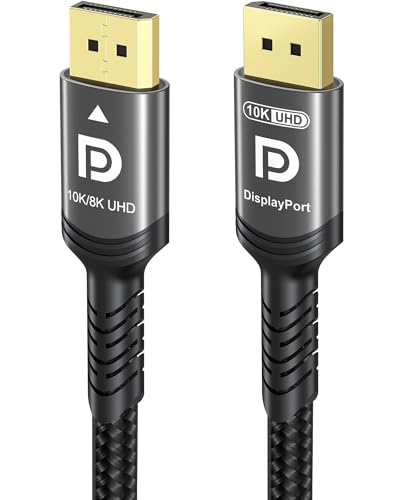 Ubluker 10K 8K DisplayPort 2.1 Cable 54Gbps
- Certify Displayport Cable: Ubluker DisplayPort cable has multiple…
- Meeting High Quality Needs: DisplayPort is a digital…
- Widespread Applications: DisplayPort is a high-speed serial interface…
| Product | Key specs | |
|---|---|---|
| Samsung 27” Odyssey G5 | Samsung’s 27” Odyssey G5 QHD Gaming Monitor delivers… QHD resolution (2560 x 1440) boasts incredibly detailed,… With a wide 178° viewing angle, the IPS… | Check price |
| Capshi 8K 4K DisplayPort Cable 1.4 | 8K DisplayPort Cable 1.4: This VESA Certified DP… Multi-functional Support: The 8K DisplayPort cable supports video… Advanced Technology: The cable delivers enhanced bandwidth via… | Check price |
| Ubluker 10K 8K DisplayPort 2.1 Cable 54Gbps | Certify Displayport Cable: Ubluker DisplayPort cable has multiple… Meeting High Quality Needs: DisplayPort is a digital… Widespread Applications: DisplayPort is a high-speed serial interface… | Check price |
 ASUS TUF Gaming 27” 1440P HDR Monitor | High-Resolution QHD Gaming Display: 27-inch QHD (2560 x… ASUS Extreme Low Motion Blur Sync Technology: ELMB… Advanced Synchronization Technologies: FreeSync Premium, G-Sync compatible and… | Check price |
 IVANKY VESA Certified 8K DisplayPort Cable 1.4 | [VESA Certified DP to DP Cable 1.4] This… [Enhanced Gaming Experience] The DisplayPort 1.4 Cable provides… [Anti-Interference & Ultra Durability] Our Display Port cable… | Check price |
 Capshi 8K 4K DisplayPort Cable 1.4 | 8K DisplayPort Cable 1.4: This VESA Certified DP… Multi-functional Support: The 8K DisplayPort cable supports video… Advanced Technology: The cable delivers enhanced bandwidth via… | Check price |
 Maxonar 8K VESA Certified DisplayPort Cable 1.4 | 【UHD 8K DISPLAYPORT 1.4 CABLE】: HIGH END RESOLUTIONS… 【MAXIMUM PERFORMANCE- Gamer Friendly】: Maxonar Displayport cable supports… 【Reliable Anti-interference Capability】:Our DisplayPort 1.4 Cable Made of… | Check price |
 LG 27GS75Q-B 27-inch Ultragear QHD | Ascend your game with the speed of UltraGear… 200Hz Refresh Rate & 1ms MBR - Gear… SYNC Compatible and AMD FreeSync - Officially validated… | Check price |
As an Amazon Associate we earn from qualifying purchases at no extra cost to you.
⚡ Save on Your Next PC — Amazon Prime
Prime members get fast free shipping on the systems above, plus early access to Prime Day & Black Friday PC deals. New members get a 30-day free trial.
Watch: FreeSync vs G-Sync: Which Is Better? — Video Review
Quick Verdict
For most gamers, FreeSync is the value choice, it works well, adds no cost to the monitor, and is compatible with both AMD and NVIDIA GPUs. A full hardware G-Sync module monitor offers the most consistent VRR experience and extras but costs more. Since most NVIDIA users get great results on G-Sync Compatible FreeSync panels, buy the monitor that fits your needs and confirm it supports VRR for your GPU.
Key Differences
- Cost: FreeSync is royalty-free and adds nothing to monitor price; dedicated G-Sync module monitors cost more.
- GPU compatibility: FreeSync works with AMD and, as G-Sync Compatible, most NVIDIA cards; native G-Sync needs an NVIDIA GPU.
- Consistency: hardware G-Sync guarantees a validated VRR range; FreeSync quality varies by monitor.
- Features: high-end G-Sync modules add variable overdrive and extra validation.
- Availability: FreeSync and G-Sync Compatible panels are far more common and cheaper.
- Setup: both require enabling in the monitor OSD and GPU software.
FreeSync
AMD FreeSync is an open standard built on VESA Adaptive-Sync, so manufacturers add it at no licensing cost. That makes FreeSync monitors, from the Samsung Odyssey G5 to the LG UltraGear line, affordable and widely available. Crucially, most FreeSync monitors are also certified G-Sync Compatible, so NVIDIA owners get tear-free gaming too.
The variability is the catch: because any monitor can implement FreeSync, quality ranges from excellent to mediocre depending on the panel’s VRR range and overdrive tuning. Look for FreeSync Premium or Premium Pro certification, which guarantees a wider range and low-framerate compensation for a more consistent experience.
G-Sync
NVIDIA G-Sync comes in two forms. G-Sync Compatible is NVIDIA’s validation of FreeSync monitors that meet its standard, giving you tear-free gaming on affordable panels. Full hardware G-Sync uses a dedicated module in the monitor that guarantees a validated VRR range and adds features like variable overdrive for cleaner motion across the whole refresh range.
The hardware module delivers the most consistent, polished VRR experience but raises the monitor’s price and requires an NVIDIA GPU. For enthusiasts who want the best-tuned motion and are already on NVIDIA, it is worth considering; for most, a G-Sync Compatible panel captures the majority of the benefit for less.
Which Should You Buy?
- On an AMD GPU, buy a FreeSync Premium monitor, it is the natural, cost-effective match.
- On an NVIDIA GPU, a G-Sync Compatible FreeSync monitor gives tear-free gaming for less.
- Choose a full hardware G-Sync monitor only if you want the most consistent VRR and extras and are on NVIDIA.
- Prioritize FreeSync Premium or Premium Pro certification for a guaranteed wide VRR range.
- Match the monitor’s refresh and resolution to your GPU, VRR is just one factor.
Frequently Asked Questions
Can I use FreeSync with an NVIDIA card?
Yes. Most FreeSync monitors are G-Sync Compatible, so NVIDIA GPUs get tear-free gaming on them. Just enable G-Sync in the NVIDIA app and Adaptive-Sync in the monitor OSD.
Is hardware G-Sync worth the extra cost?
For most gamers, no, a good G-Sync Compatible or FreeSync Premium panel captures nearly all the benefit. The dedicated module mainly appeals to enthusiasts wanting the most consistent motion.
What is FreeSync Premium?
A higher tier that guarantees a wider VRR range and low-framerate compensation, giving smoother results than basic FreeSync. It is worth seeking out.
Does either add input lag?
No meaningful lag. Both eliminate tearing while keeping response fast, unlike traditional V-Sync. Pair VRR with a frame cap for the best feel.
Final Verdict
In 2026 FreeSync and G-Sync deliver similar tear-free results, so the practical choice is easy: pick a FreeSync Premium monitor for value on any GPU, or a hardware G-Sync panel only if you are on NVIDIA and want the most polished VRR. Match VRR support to your graphics card, and focus your budget on the monitor’s refresh rate, resolution, and panel quality.
FAQ
Can I use FreeSync with an NVIDIA card?
Is hardware G-Sync worth the extra cost?
What is FreeSync Premium?
Does either add input lag?
More from Amazon
Programs that pair well with the guide above. Offers and eligibility are set by Amazon and may change.
Free shipping on eligible items, Prime Video and more. Eligible new members can start with a free trial.
Start a Prime free trialAd-free music streaming. Eligible new subscribers can start with a free trial.
Try Music Unlimited freeA Prime membership for ages 18-24 with a trial period. Eligibility is set by Amazon.
See Prime for Young AdultsAudiobooks and podcasts to listen to on the go. Eligible new members can start with a free trial.
Try Audible freeAs an Amazon Associate we earn from qualifying purchases.