Key takeaways
- Best TV speakers for hard of hearing: dialogue-enhancement soundbars, centre-channel clarity, wireless TV listeners and hearing-aid-friendly options explained.
As an Amazon Associate we earn from qualifying purchases.
Television dialogue often sits underneath music, crowd noise and sound effects, so following a conversation on screen can take real effort even when the volume seems high enough. The decision here is not simply to buy a louder speaker. It is to find a setup that lifts voices forward, keeps consonants distinct and lets you hear speech clearly at a comfortable level, without turning every explosion and theme tune into a blast that fills the house.
This guide is written for people who regularly miss words during films and news programmes, for households where one person needs the television louder than everyone else, for viewers who already wear hearing aids and want sound that works alongside them, and for anyone choosing a first speaker upgrade mainly to make speech easier to follow. It explains the features that matter for dialogue, compares the main types of speaker and listener, and shows how to match a setup to a room, a television and a way of watching.
How to Choose
Dialogue Clarity Comes Before Bass and Loudness
A speaker built for films may chase deep bass and wide surround effects, yet none of that helps when a whispered line disappears under a soundtrack. Look first for a design that keeps the middle range, where most speech lives, clean and forward. A dedicated centre channel or a centre tweeter, a dialogue or voice mode, and a way to raise speech separately from background sound all point in that direction. Listen, where possible, to spoken passages rather than music demos, and pay attention to whether consonants stay sharp when several people talk at once. A compact bar with clear speech will serve this purpose better than a powerful system that buries voices.
Check the Speech Controls, Not Just the Presets
Many televisions and soundbars include a speech or dialogue setting, but the controls behind it vary a great deal. Some offer a single on-or-off switch, while others provide several levels of enhancement or a separate control for the centre channel. A stepped control is more useful, because hearing needs differ from programme to programme and from person to person. A remote with a clear speech button helps too, since it lets you adjust the setting without opening menus in the middle of a scene. Before settling on a model, find out whether the enhancement can be changed quickly and whether it stays active when you switch inputs.
Match the Connection to Your Television
A speaker cannot improve dialogue if it cannot connect cleanly to the set you already own. Check the audio outputs on the back of the television before choosing anything: an HDMI ARC or eARC socket, an optical output and a headphone socket each suit different devices. HDMI ARC usually carries volume control through the television remote, which keeps daily use simple. Optical gives a steady digital link for older sets, while a headphone socket suits a wireless listener or a small speaker placed close to a chair. Measure the space under the screen as well, so a soundbar does not block the remote sensor or sit too low to project sound toward the seats.
Consider Where the Sound Reaches You
Distance changes everything for speech. A soundbar under a television sends sound across a room, and soft furnishings, hard floors and open-plan layouts all shape what arrives at the sofa. A speaker placed nearer the listener, or a wireless listener worn around the neck or used with earphones, shortens that journey and can make words far easier to follow at a lower volume. Think about where you usually sit, whether other people share the room, and whether a personal listening device would suit evenings better than a room-filling speaker. The right choice often depends less on the speaker itself than on how close its sound gets to your ears.
Soundbars, TV Speakers and Wireless Listeners Compared
Compact Soundbars Under the Television
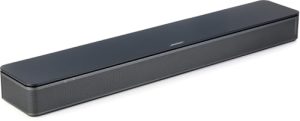
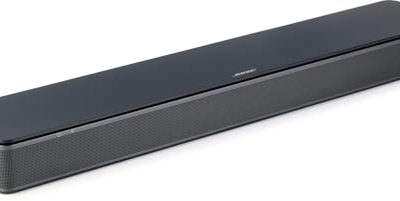
A compact soundbar sits directly beneath the screen and replaces the thin speakers built into most modern televisions. Because its drivers face the room rather than pointing down or backwards from a slim cabinet, speech usually arrives fuller and easier to separate from background music. Many bars add a dialogue mode that lifts the centre of the sound, and a remote makes it simple to switch that mode on for drama and off for music. A soundbar suits a shared living room, since everyone hears the same improved sound, and it needs only one cable to most televisions. Its limit is distance: in a large room, voices still have to travel to the far seats.
Dedicated TV Speakers and Centre Speakers
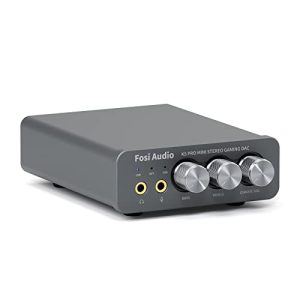
A dedicated television speaker is a single unit designed mainly for speech, often with a centre tweeter or a driver layout that keeps voices in the middle of the sound picture. Some are small enough to sit on a shelf below the screen, while others form part of a larger system with a separate centre speaker fed by an amplifier or receiver. A centre speaker has a particular advantage in films, because dialogue in surround sound is usually sent to that channel, so raising it lifts speech without raising music and effects to the same degree. This route suits viewers who want a permanent living-room setup and are comfortable with a little more wiring, yet it can cost more and needs space for the extra cabinet.
Wireless TV Listeners for Personal Listening
A wireless TV listener sends television sound to a small receiver worn around the neck, clipped to clothing or used with earphones, so the sound arrives close to the ears instead of crossing the room. Many listeners include their own volume control and a tone or balance adjustment, which lets one viewer raise the sound without changing what anyone else hears. Some connect through the television headphone socket or optical output, while others use a transmitter plugged into the set. This option suits households where volume is a point of disagreement, late-night viewing, and people who find room speakers tiring to follow. Its drawback is that it is a personal device rather than a shared upgrade, so guests still hear the television speakers.
Dialogue Enhancement and Centre-Channel Features
What a Dialogue Mode Actually Does
A dialogue mode is a processing setting that raises the frequencies used by speech and, in many designs, reduces the level of low background sound at the same time. The result is that voices stand out more clearly against music and effects, even at the same overall volume. Different makers apply this in different ways, and some modes sound natural while others make voices thin or boxy. A useful test is a busy scene with dialogue over music: a good mode keeps the words intelligible without making the music disappear entirely. If the setting makes voices sound harsh or unnatural, try a lower level before deciding the speaker is at fault.
Centre-Channel Control and Voice Lift
In a multi-channel soundbar or a home cinema setup, most dialogue is carried by the centre channel, so a separate centre-level control is one of the most practical features for this purpose. Raising the centre by a small amount lifts speech without changing the volume of the left and right channels, which carry music and effects. Some soundbars offer this as a menu setting, while others place it on the remote as a voice or centre button. A related feature, sometimes described as voice lift or speech clarity, uses processing to sharpen consonants. Either approach is worth more than extra bass for a viewer who misses words, and both are easier to live with than constantly reaching for the volume.
Tone, Balance and Night Modes
Beyond a dialogue mode, a simple tone or treble control can help, because raising the upper middle range slightly can bring out the edges of words that otherwise blur together. A balance control matters too when hearing differs between ears, since shifting the sound a little toward one side can even out what you hear. Night or late-evening modes reduce sudden loud passages while keeping speech at a steadier level, which helps when you want to follow a programme without disturbing others. None of these settings replaces a proper dialogue feature, but together they give you more ways to shape the sound to a particular programme, room and evening.
Connections and Hearing-Aid Compatibility
HDMI ARC, Optical and Analogue Outputs
HDMI ARC lets a soundbar receive sound from the television and, in most cases, lets the television remote control its volume, which keeps everyday use to a single remote. Optical output provides a reliable digital connection for televisions without HDMI ARC, and it works well for soundbars and many wireless listener transmitters. An analogue headphone socket is the simplest route for a personal listener, although it may mute the television speakers when something is plugged in, so check that behaviour before buying. A few televisions also send sound over Bluetooth, which can suit a listener or a pair of headphones. Whichever route you choose, confirm that the speaker or listener accepts that input and that the television can send sound to it while still showing the picture normally.
Using a Speaker Alongside Hearing Aids
Some viewers use hearing aids and a television speaker together, while others prefer a direct link from the television to their aids. A soundbar can still help in the first case, because clearer speech from the room gives the aids a cleaner signal to work with. A wireless listener with a neckloop can work with hearing aids that include a telecoil setting, sending sound directly to the aids without room echo in between. Other listeners connect to aids through a streamer or a Bluetooth link, depending on the aid design. Because hearing aid models differ widely, check the listener maker’s compatibility notes and, if anything is unclear, ask your hearing care provider or audiologist about the connection options for your particular aids before buying.
Latency, Sync and Everyday Ease of Use
When sound travels through a wireless link, a small delay can put voices slightly out of step with lip movements, which makes speech harder to follow rather than easier. Look for listeners and soundbars that keep this delay low, and check whether the television has a lip-sync or audio-delay setting to correct any mismatch. Everyday ease matters just as much: a large remote with clear buttons, a simple way to switch the dialogue mode on and off, and a display that can be read from the sofa all reduce frustration. If a device needs a phone app for basic volume or speech controls, think about whether that suits everyone who will use it, since a physical remote is often simpler for shared viewing.
Which One Fits Your Situation
You Miss Words in Films and Drama
Choose a soundbar or television speaker with a dedicated dialogue mode and, where possible, a centre-channel control, placed directly under the screen so voices come from the picture. Several levels of speech enhancement let you raise dialogue for a quiet drama and lower it for a brighter programme. Keep the bass moderate, since heavy low sound can mask the consonants that carry meaning.
Other People Find Your Volume Too Loud
Choose a wireless TV listener with its own volume and tone controls, so you can raise the sound for yourself while the room stays comfortable for others. A neckloop version suits hearing aid wearers with a telecoil setting, while an earphone version suits viewers who simply need sound closer to their ears. Check that the transmitter does not mute the speakers for everyone else.
You Watch Late at Night or in a Shared Home
Choose a setup with a night mode and a dialogue setting that keeps speech steady while softening sudden loud passages. A compact soundbar with a remote speech button lets you adjust the sound without leaving your seat, and a wireless listener gives you a personal option for the quietest hours. Avoid a large subwoofer that sends low sound through walls and floors.
You Already Wear Hearing Aids
Choose by compatibility first, then by sound. Ask your hearing care provider or audiologist whether a neckloop listener, a streamer or a Bluetooth link suits your aids, and check the listener maker’s compatibility notes before buying. A soundbar with clear dialogue can still improve the room sound your aids receive, so a combination of both often works best.
Common Mistakes
- Choosing the most powerful speaker available instead of the one with the clearest speech controls, so dialogue stays buried even though the room is louder.
- Buying a soundbar without checking the television outputs first, then finding that the set has no matching socket for the connection the bar needs.
- Turning the bass up to make the sound feel fuller, which can mask consonants and make speech harder to follow rather than easier.
- Placing a soundbar inside a closed cabinet or behind the television stand, where the sound is muffled before it reaches the seats.
- Ignoring lip-sync delay on a wireless listener, so voices drift out of step with the picture and become tiring to follow over a full programme.
Frequently Asked Questions
Are soundbars better than built-in TV speakers for hearing dialogue?
Yes, in most cases a soundbar improves dialogue because its drivers face the room and many models include a dialogue mode or a centre-channel control. Built-in television speakers are often small and point downwards or backwards, which leaves voices thin and easily masked by music. For shared viewing, a soundbar is usually the simplest step toward clearer speech.
What is the difference between a dialogue mode and a centre-channel control?
A dialogue mode is a processing setting that lifts the speech frequencies and may soften background sound at the same time, while a centre-channel control raises the volume of the channel that carries most film dialogue. The mode changes how the sound is shaped, whereas the centre control changes how loud that part of the mix plays. Some devices offer both.
Can I use a wireless TV listener with hearing aids?
Some wireless listeners work with hearing aids through a neckloop for aids with a telecoil setting, while others connect through a streamer or a Bluetooth link, depending on the aid model. Compatibility varies a great deal, so check the listener maker’s notes for your aids and ask your hearing care provider or audiologist if the connection is unclear.
Do I need a subwoofer to hear television dialogue clearly?
No, a subwoofer is not needed for clear dialogue, and in some rooms it can make speech harder to follow by adding low sound that masks consonants. Dialogue lives mainly in the middle range, so a speaker with a clear centre channel and a good dialogue mode matters far more. A subwoofer is an optional extra here and can be left out.
FAQ
Are soundbars better than built-in TV speakers for hearing dialogue?
What is the difference between a dialogue mode and a centre-channel control?
Can I use a wireless TV listener with hearing aids?
Do I need a subwoofer to hear television dialogue clearly?
More from Amazon
Programs that pair well with the guide above. Offers and eligibility are set by Amazon and may change.
Free shipping on eligible items, Prime Video and more. Eligible new members can start with a free trial.
Start a Prime free trialAd-free music streaming. Eligible new subscribers can start with a free trial.
Try Music Unlimited freeA Prime membership for ages 18-24 with a trial period. Eligibility is set by Amazon.
See Prime for Young AdultsAudiobooks and podcasts to listen to on the go. Eligible new members can start with a free trial.
Try Audible freeAs an Amazon Associate we earn from qualifying purchases.