Key takeaways
- Immediate hands-on control: A dedicated fader or knob is faster than finding the correct OBS source during a live stream.
- More physical inputs: A mixer can combine XLR microphones, instruments, phone audio, music playback, and other line-level sources before they reach your computer.
- Better for multiple people: Two to four microphones are simpler to manage through one mixer than through a collection of separate USB devices.
- Independent monitoring: Headphone outputs and monitor controls make it easier to hear yourself and spot distortion before your audience does.
- Useful outside OBS: A hardware mixer can serve karaoke, meetings, rehearsals, small events, recording sessions, and live music setups without requiring streaming software.
- Less dependence on computer resources: Basic level balancing happens before audio reaches OBS, which can simplify a busy streaming computer.
The Short Answer
It depends: a hardware audio mixer is worth it only if you need to control more than one microphone or audio source live without relying on OBS filters, menus, and your computer’s processing. For a simple one-person stream with one USB mic and occasional game audio, OBS’s digital mixer is usually enough—and it costs nothing beyond the computer and gear you already own. For podcasts, karaoke, live music, interviews, multi-camera streams, or any setup where several people need to be heard reliably, a physical mixer is easier to operate and more flexible.
The biggest distinction is control. OBS can mix sources already connected to your computer, such as a USB microphone, capture card audio, browser music, and desktop sound. A hardware mixer accepts physical sources first: XLR microphones, instruments, phones, music players, and sometimes a computer over USB. It lets you set gain, EQ, effects, monitor levels, and channel volume before the sound reaches OBS.
Our top picks
 TKLBLS 4 Channel Audio Mixer for Home
- 【48V Phantom Power & Flexible Output】Independent 48V phantom…
- 【2 XLR + 2 Stereo Inputs with 3-Band…
- 【99 DSP Effects & Signal Monitoring】Built-in DSP processor…
 K-mxerpro 8 Channel Professional Audio Mixer Console
- 【8 Channel Audio Mixer】This 8-channel mixer is excellent…
- 【USB Music Player & Bluetooth Wireless Connection】This digital…
- 【3-Band EQ/Gain Controls/Reverb And Delay Effect】Highly accurate LED…
As an Amazon Associate we earn from qualifying purchases at no extra cost to you.
In 2026, the budget end of the hardware-mixer market is especially tempting. Basic four-channel USB mixers commonly sell for roughly $60 to $100, while entry-level eight-channel models often land around $100 to $160. That can be a sensible upgrade, but only when the extra inputs and hands-on controls solve a real problem in your setup.
What You Actually Get
A digital OBS audio mixer is software built into OBS Studio. Each audio source gets its own volume slider, mute button, balance control, and monitoring setting. You can add filters such as noise suppression, noise gate, compressor, limiter, gain, and VST plug-ins. For streaming, it is remarkably capable. A compressor can smooth out voice volume, a limiter can prevent clipping, and a noise gate can reduce room noise between sentences.
However, OBS does not create extra physical inputs. If you need three XLR microphones for a panel discussion, OBS alone cannot connect them to the computer. You would still need an audio interface, USB microphones, or another device to bring those sources in. Running several USB microphones can work, but synchronization, driver behavior, USB-port limits, and differing sound quality can make the setup less dependable than it looks.
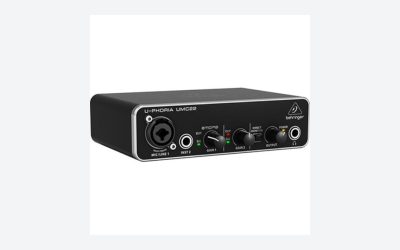
A hardware mixer gives every physical channel its own preamp and gain control. On a typical compact four-channel mixer, you may get one or two XLR microphone inputs, one or two stereo line inputs, USB audio, headphone monitoring, and 48V phantom power for condenser microphones. An eight-channel unit may offer more microphone inputs and more room for instruments, phones, playback devices, or additional guests. The referenced TKLBLS four-channel mixer is listed at $85.99, while the K-mxerpro eight-channel console is listed at $119.98; prices in this category can change quickly, so judge them by inputs and features rather than channel count alone.
Many affordable mixers advertise 48V phantom power and built-in DSP effects. Phantom power matters if you use an XLR condenser microphone; it is generally not needed for most dynamic XLR microphones. DSP effects may include reverb, delay, echo, or vocal presets. Those are useful for karaoke and casual music, but they are not a substitute for careful microphone placement, gain staging, and a quiet room. For spoken streaming or podcasting, a light compressor and limiter are often more useful than a long list of vocal effects.
Physical size and portability also matter. Small desktop mixers are commonly about 8 to 14 inches wide and 2 to 5 pounds, while larger eight-channel boards may take up 14 to 20 inches of desk width and weigh 4 to 8 pounds. Check the product listing for the actual dimensions, power adapter requirements, USB connection type, and whether USB sends a true multitrack signal or only a stereo mix. Most low-cost USB mixers send only a two-channel stereo mix to the computer. That is fine for live streaming, but it limits your ability to edit each microphone separately after recording.
Pros
- Immediate hands-on control: A dedicated fader or knob is faster than finding the correct OBS source during a live stream.
- More physical inputs: A mixer can combine XLR microphones, instruments, phone audio, music playback, and other line-level sources before they reach your computer.
- Better for multiple people: Two to four microphones are simpler to manage through one mixer than through a collection of separate USB devices.
- Independent monitoring: Headphone outputs and monitor controls make it easier to hear yourself and spot distortion before your audience does.
- Useful outside OBS: A hardware mixer can serve karaoke, meetings, rehearsals, small events, recording sessions, and live music setups without requiring streaming software.
- Less dependence on computer resources: Basic level balancing happens before audio reaches OBS, which can simplify a busy streaming computer.
Cons
- More desk clutter: You will need space for the mixer, power adapter, USB cable, microphones, and often several XLR or 1/4-inch cables.
- More setup complexity: Gain, channel level, main output, USB routing, OBS input selection, and monitoring all need to be configured correctly.
- Budget mixers may send only stereo over USB: Once sources are blended into a stereo feed, you cannot separate each speaker in post-production.
- Built-in effects can be distracting: Echo and reverb are easy to overuse, especially for spoken content where clarity matters most.
- Cheap specs can be confusing: “Eight channel” does not always mean eight microphone preamps. Some channels may be stereo line inputs rather than XLR mic channels.
- OBS still needs attention: You may still want an OBS limiter, monitoring, and scene-specific settings even with a physical mixer.
Who Should Buy It
Buy a hardware mixer if you regularly use two or more XLR microphones, host guests in the same room, perform music live, run karaoke, or need to adjust levels while looking at a camera rather than a computer screen. It is also a good buy for creators who want one audio hub for both streaming and non-streaming use. A compact four-channel mixer is often enough for one host, one guest, a music source, and a spare input. An eight-channel model makes more sense when you need several microphones or instruments at the same time.
A mixer is particularly worthwhile if you already own dynamic XLR microphones. Dynamic mics are popular in untreated rooms because they can pick up less distant room sound than many condenser models when used close to the speaker. A mixer with decent microphone preamps, individual gain knobs, and a headphone jack gives that type of setup a practical workflow.
Choose a model with USB audio if OBS is part of the plan. Confirm that it works as a USB input device without special software, and check whether it offers direct monitoring. For voice streaming, prioritize clean routing, accessible mute controls, and enough XLR inputs over flashy DSP-effect counts.
Who Should Skip It
Skip the hardware mixer if you stream alone with a single USB microphone, have no need for XLR gear, and are comfortable using OBS filters. In that situation, the money is often better spent on a boom arm, a better microphone placement solution, closed-back headphones, or basic room treatment. Moving a microphone 4 to 8 inches from your mouth and lowering its gain can improve clarity more than adding a budget mixer.
Also skip it if your main goal is polished multitrack recording. A low-cost USB mixer that outputs only a stereo mix may be less useful than a multichannel USB audio interface. With an interface, each microphone can often be recorded on its own track for editing, noise cleanup, and level correction later.
Finally, do not buy a mixer solely because OBS audio sounds bad. First check microphone distance, input gain, Windows or macOS input settings, clipping, fan noise, and OBS filters. A mixer cannot fix a microphone that is too far away or a noisy room.
Cheaper Alternatives
| Option | Cost | Trade-off |
|---|---|---|
| Use the OBS audio mixer and filters you already have | $0 | No added physical inputs; adjustments require mouse and keyboard control. |
| Single USB microphone with headphones | About $35-$100 | Simple for one person, but not ideal for adding XLR microphones or several guests. |
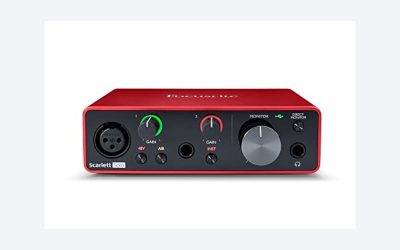
| Basic one- or two-input USB audio interface | About $50-$130 | Usually cleaner and simpler for one or two XLR mics, but lacks live mixing controls and extra source routing. |
| Used compact analog mixer | About $30-$80 | Can be a bargain, but may lack USB audio, include worn controls, or require a separate interface. |
| USB headset or wired lavalier for casual calls | About $20-$60 | Convenient and compact, but generally offers less natural sound and fewer upgrade paths. |
FAQ
Is OBS’s digital audio mixer good enough for streaming?
Yes, for many solo streamers. OBS provides per-source volume control, mute buttons, monitoring, and useful filters including compression, limiting, and noise suppression. It is enough when your audio sources are already connected to the computer and you do not need live physical controls.
Do I need a hardware mixer for two microphones?
Not always. Two USB microphones may work, and a two-input USB audio interface is often the cleaner choice for two XLR microphones. A hardware mixer becomes more appealing when you also need music playback, phone audio, instruments, hands-on level changes, or multiple headphone-monitoring options.
What does 48V phantom power do?
It supplies power through an XLR cable to compatible condenser microphones and certain active devices. Turn it on only when needed, follow the microphone manufacturer’s instructions, and connect or disconnect microphones with channel levels turned down. Most ordinary dynamic microphones do not require 48V phantom power.
Should I buy a four-channel or eight-channel mixer?
Count the sources you will use at the same time, then leave at least one spare input. For one host, one guest, and a playback device, a four-channel mixer may be sufficient. For a three- or four-person show, instruments, or karaoke, an eight-channel model offers more breathing room. Verify the number of actual XLR microphone inputs, not just the total advertised channel count.