Key takeaways
- Our guide to the best webcams apple tv setups explains Continuity Camera, iPhone mounts and FaceTime on the big screen, plus the checks to run before you buy.
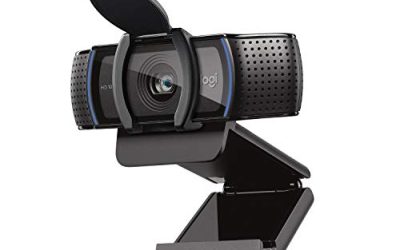
Apple TV has no USB port for a webcam, so a regular webcam cannot plug into it at all. The real decision is how to get a camera onto the living room screen for FaceTime, and Apple already built the answer: Continuity Camera turns an iPhone into the camera and microphone while the TV shows the call. That shifts the buying decision away from the camera itself and toward the phone you already own, the mount that holds it above the TV, and the lighting and sound in the room.
This guide is for families who want FaceTime on the big screen, remote workers who take calls from the couch, and anyone whose Apple TV runs tvOS 17 or later. It explains how Continuity Camera works, which mounts and accessories fit the setup, how to fix the problems that come up most often, and what to check before spending anything on new gear. As an Amazon Associate we earn from qualifying purchases.
How to Choose
Start with Continuity Camera, not a webcam
FaceTime on Apple TV does not use a webcam at all. Since tvOS 17, the FaceTime app on Apple TV pairs with a nearby iPhone through Continuity Camera, and the phone supplies both the video and the microphone while the television handles the picture and the speakers. That means the camera you need is the one already in your pocket, and the quality of the call follows the phone: a newer iPhone gives a sharper image in dim rooms, while an older one still works as long as it runs iOS 17 or later. Before buying anything, check the two requirements that trip people up most. First, the Apple TV itself must run tvOS 17 or later, which means an Apple TV 4K from the second generation onward. Second, the iPhone and the Apple TV must sign in to the same Apple ID, sit on the same Wi-Fi network, and have Bluetooth switched on. If any of those links is missing, the FaceTime app will not offer the phone as a camera, and no accessory can fix that. A mount is the only purchase most households actually need, and even that is optional for a first test: prop the phone on top of the television, start a call, and see whether the framing and the sound suit the room before spending anything.
Mount the phone above the television
Where the phone sits decides how natural the call looks, so the mount matters more than any camera specification. The lens should sit near the top centre of the screen and point slightly down toward the people on the couch, which keeps eye contact believable and keeps the television itself out of the lower half of the frame. A mount made for this job clips onto the top edge of the television or sticks to its back with a magnetic plate, and the phone snaps on with MagSafe, so it can be lifted off in seconds when the call ends. Belkin makes the mount Apple sells for exactly this setup, and it folds flat for storage. Generic TV-top mounts and small tripods also work, provided they hold the phone steady and keep the lens clear of the bezel. What does not work well is leaning the phone against a book or wedging it into the television stand: it slides, it points at the ceiling, and the first person who shifts on the couch knocks it over. Check the thickness of the television before ordering a clip-on mount, because a clip sized for a slim panel will not grip a thick older set. A mount with a small tilt adjustment is worth having, since a few degrees of tilt is the difference between a view of foreheads and a view of faces.
Light your face, not the wall behind you
Video calls fail on lighting more often than on camera quality, and a living room at night is an unforgiving place for a phone camera. The rule is simple: the brightest light in the room should fall on the faces in the call, not on the wall or the window behind them. A lamp placed behind the television and aimed at the couch lifts faces out of shadow without glaring into the lens, and a window behind the couch will turn everyone into a silhouette no matter how good the phone is. If the television sits opposite a window, draw the curtains or move the seating so the light comes from the front or the side. Overhead ceiling lights help less than people expect, because they throw shadows down across foreheads and eye sockets. A small ring light or a desk lamp with a warm bulb, set low and off to one side, gives a far more flattering result and costs little. Colour matters too: a lamp that is far warmer or cooler than the television’s picture makes skin tones look wrong on the other end, so aim for a neutral, even light. Test the setup with a short call to a family member before an important one, and ask them how the picture looks rather than guessing from the small preview on the phone.
Sound, privacy and the living room
The iPhone supplies the microphone in a Continuity Camera call, and its beamforming microphones are good at picking up voices from a couch a few feet away, but a living room is noisier than a desk. A television, a dishwasher or children playing in the next room will all reach the other end of the call, so close doors, turn the television volume down to a level where it does not feed back into the microphone, and sit within a few feet of the phone. If the room is echoey, a rug or a curtain softens it more than any setting will. Audio coming back can use the television speakers, a HomePod, or AirPods, and AirPods are the best choice when two people in the same room join different calls. Privacy deserves a thought before the first call: the phone shows a camera indicator while Continuity Camera is active, and the call ends the moment the phone is moved away or the FaceTime app is closed on the television. Anyone can also switch the camera off from the television remote without ending the call. Keep the phone charged or plugged in during long calls, because an hour of video with the screen awake drains the battery faster than most people expect, and a phone that dies mid-call ends the conversation for everyone.
Which One Fits Your Situation
Family FaceTime from the couch
A family spread across the couch needs a wide view, a steady mount and a phone that can see everyone at once. Put the mount at the top centre of the television, pull the couch a little closer than usual, and sit in a shallow arc rather than a straight line so nobody hides behind anyone else. The phone’s ultra-wide lens, which Continuity Camera can use for a wider field of view, helps here: it takes in the whole couch without anyone having to squeeze together. Lighting matters more with a group, because a face at the edge of the frame falls into shadow first, so a lamp behind the television aimed at the seating does more than any camera upgrade. Keep the television volume moderate so the microphone does not pick up its own echo, and nominate one person to watch the remote for muting when the room gets noisy. The setup suits grandparents best of all, because they see the whole family at once instead of one face at a time on a small phone screen.
Work calls from the living room
A work call from the couch has different demands: a tidy background, a stable frame and a voice that carries clearly. Sit upright rather than sinking into the cushions, because a slouched posture reads as disinterest on camera and puts the lens above your eye line in an unflattering way. A cushion behind the lower back holds a straight posture through a long meeting. Frame the shot from the chest up, with a little space above the head, and keep anything distracting out of the background, such as a drying rack or a bright window. A lamp in front of the seating, off to one side, keeps the face lit without glare on the screen. If the household is busy, AirPods keep the call private and stop the television speakers from leaking the meeting into the room. Close other apps on the phone before the call, since a notification popping up on the camera phone can steal the screen and confuse the connection.
A small flat with one shared television
In a small flat the television is often the only big screen, and the same set serves films, games and calls, so the setup has to appear and disappear quickly. A folding MagSafe mount that clips to the top of the set is the right answer: it lives on the television, the phone snaps on for a call and lifts off in a second, and nothing else needs to move. Because the seating is close to the screen in a small room, the wide-angle view of the phone’s camera can make faces look stretched at the edges, so sit a little further back than feels natural and keep the group small. Sound is the bigger problem in a small space, because the phone sits close to the television speakers and the microphone can pick up the echo of the other side of the conversation. Turning the television volume down a notch and sitting closer to the phone fixes most of it. A short cable to a charger by the couch keeps the phone alive through a long call without trailing wires across the room.
No iPhone in the house
Without an iPhone there is no camera path onto Apple TV at all, and that is worth stating plainly rather than letting a buyer discover it after ordering a webcam. Continuity Camera is an iPhone feature, and no USB webcam, Android phone or third-party camera can stand in for it on Apple TV. The honest alternatives are to take the call on a different screen: an iPad or a Mac runs FaceTime natively with a built-in camera, and either can sit on a stand in front of the television. Some households cast the call audio to the television through AirPlay while keeping the video on the iPad, which gives the big-screen sound without pretending the television has a camera. If FaceTime on the big screen is the whole point, the purchase to make is a used or older iPhone that runs iOS 17, since even an older model serves well as a dedicated camera, and it does not need a mobile plan to work as one. Check that the model is an iPhone XR or later before buying, because anything older cannot run the software the feature needs.
Common Mistakes
- Buying a USB webcam and expecting it to plug into Apple TV, which has no USB port for a camera and no driver support for one.
- Skipping the software check and discovering mid-call that the Apple TV or the iPhone runs an older system than Continuity Camera needs.
- Mounting the phone below the television or far to one side, which makes every caller look away from the camera.
- Sitting with a bright window or lamp behind the couch, which turns faces into silhouettes the phone cannot fix.
- Leaving the phone unplugged during a long call and having it run out of battery halfway through.
Frequently Asked Questions
Can I plug a USB webcam into Apple TV?
No, and this is the misunderstanding that causes the most wasted purchases. Apple TV has no USB port for a camera, and tvOS has no support for external webcams. FaceTime on Apple TV works only through Continuity Camera, which uses a nearby iPhone as the camera and microphone. Any webcam bought for this purpose will sit unused, so check the software route first.
Which iPhones work with Continuity Camera?
Any iPhone from the XR onward works, provided it runs iOS 17 or later and signs in with the same Apple ID as the Apple TV. The phone and the television must share the same Wi-Fi network with Bluetooth switched on. A newer iPhone gives a sharper picture in dim rooms, but even an older supported model handles a family call well.
Do I need a special mount for the phone?
A mount is not strictly required, but it makes a visible difference. A clip-on mount made for televisions holds the phone at the top centre of the screen, keeps the lens level and lets the phone lift off in seconds. A small tripod behind the television works too. Leaning the phone against a book is the option to avoid, since it slides and points at the ceiling.
Can I use the television speakers for the call?
Yes, and for a family call the television speakers are usually the best choice, since everyone in the room can hear. The iPhone still supplies the microphone. If the room echoes or the volume feeds back into the microphone, turn the television down a notch and sit closer to the phone. AirPods suit private calls or two people joining different meetings.
FAQ
Can I plug a USB webcam into Apple TV?
Which iPhones work with Continuity Camera?
Do I need a special mount for the phone?
Can I use the television speakers for the call?
More from Amazon
Programs that pair well with the guide above. Offers and eligibility are set by Amazon and may change.
Free shipping on eligible items, Prime Video and more. Eligible new members can start with a free trial.
Start a Prime free trialAd-free music streaming. Eligible new subscribers can start with a free trial.
Try Music Unlimited freeA Prime membership for ages 18-24 with a trial period. Eligibility is set by Amazon.
See Prime for Young AdultsAudiobooks and podcasts to listen to on the go. Eligible new members can start with a free trial.
Try Audible freeAs an Amazon Associate we earn from qualifying purchases.