Key takeaways
- Discover the best VR headsets for Roblox in our November 2026 guide, covering standalone Quest options, PC VR setups, comfort, tracking, storage and setup tips.
As an Amazon Associate we earn from qualifying purchases.
Playing Roblox in virtual reality turns familiar blocky worlds into places you can stand inside and explore with your own hands, so the headset you pick shapes every session that follows. The real decision is how you want to play: a standalone headset that runs Roblox on its own, or a PC-connected setup that leans on a gaming computer for extra power. Standalone play keeps things simple, with no cables or computer in the loop, while a PC route opens a wider VR library beyond Roblox. Comfort, tracking, and play space all feed into that same choice.
This guide is written for parents buying a first headset, younger players stepping into VR, and Roblox fans who want to know what actually matters before they spend. It explains how Roblox VR works, which kinds of headsets run it, and the comfort, tracking, and setup details that separate a good first session from a frustrating one. It also covers the play-space habits and session limits that keep VR comfortable and safe.
How to Choose
Standalone or PC VR First
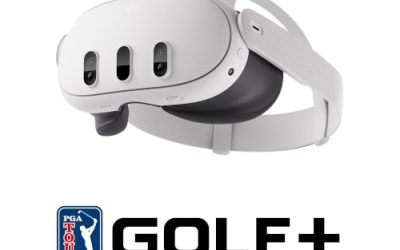
The first fork in the road is whether the headset runs Roblox by itself or needs a computer beside it. Standalone headsets run a native Roblox app, so you can download it, sign in, and start playing without owning a gaming PC. That simplicity suits most Roblox players, especially families buying a first headset. A PC VR route instead runs Roblox on a Windows computer and streams it to the headset, which opens a wider catalogue of PC VR titles but adds cost, setup steps, and a computer powerful enough to drive VR smoothly. Choose standalone when Roblox is the main event; choose PC VR only when the household already has a capable computer and wants the broader library.
Comfort and Fit for Long Sessions
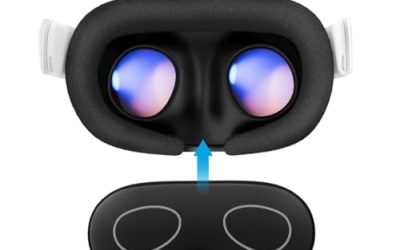
A headset that feels fine for ten minutes can turn into a chore after an hour, so comfort deserves as much attention as any specification on the box. Weight distribution matters more than raw weight: a balanced headset with a supportive strap presses less on the forehead and cheeks than a front-heavy one. Look for adjustable straps, a facial interface that seals out light without pinching, and an interpupillary distance adjustment that lines the lenses up with the wearer’s eyes. Players who wear glasses should check that the headset fits over frames or accepts prescription lens inserts. Younger players with smaller heads need a strap that tightens down far enough to stay put during active games.
Tracking, Controllers and Movement
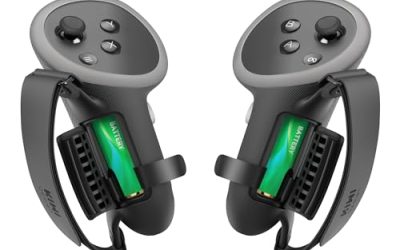
Roblox VR lives or dies on tracking, because the games ask you to reach, grab, climb, and wave rather than sit still and press buttons. Most modern headsets use inside-out tracking, with cameras on the headset watching the controllers, so no external sensors or base stations are needed around the room. That keeps setup simple, but the controllers can lose tracking when they drift behind your back or too close to the headset. Some headsets also support hand tracking, which lets you interact without controllers at all, although Roblox play is generally smoother with the physical controllers in hand. Check that the headset offers a clear guardian system that warns the player before they walk into furniture.
Storage, Battery and the Extras That Add Up
The headline headset is rarely the whole purchase, so map out the running costs before you commit. Storage decides how many games and apps can live on a standalone headset at once, and Roblox itself is only the start once other VR titles join the library. A larger storage tier saves the hassle of deleting and re-downloading games later. Battery life sets the length of an untethered session, so long-session players will want a charging routine or a battery strap. PC VR players should budget for a quality link cable if they plan to play wired, plus a comfortable strap and a case for storage.
Which One Fits Your Situation
A First Headset for a Younger Player
A first headset should be simple above all else. A standalone model keeps the setup to a download and a sign-in, with no computer to configure and no cables to trip over. Pick a light, well-balanced headset with a strap that adjusts small enough for a younger head, and set up parental controls and playtime limits before the first session. Short sessions with breaks work better than marathon play while a new player finds their VR legs.
A Roblox Player Who Also Wants PC VR
Some players start with Roblox and soon want the wider world of PC VR, from simulation to creative sandboxes. That player needs a headset that works both standalone and connected to a computer, plus a PC with the graphics power to drive VR smoothly. A wired link gives the most stable connection, while wireless streaming needs a strong home network. If the household PC is not up to the job, the standalone route stays the better buy.
A Shared Family Headset
When one headset serves the whole household, adjustability becomes the feature that matters most. Look for a strap and lens spacing that different family members can reset in seconds, and enough storage for several players’ games. Separate profiles keep saves and settings from colliding, and a wipeable facial interface makes sharing far more pleasant. A quick wipe between players keeps things fresh. A sturdy case also helps, since a shared headset gets carried between rooms far more often.
A Player Who Builds and Explores for Hours
Long sessions in building games, roleplay worlds, and obstacle courses punish an uncomfortable headset quickly. This player should prioritise a balanced strap, good ventilation around the facial interface, and a battery solution that outlasts a single charge. A clear, uncluttered play space matters just as much, since hours of reaching and turning are no fun in a cramped corner. Grip-friendly controllers also help when every session involves constant reaching. Keep water nearby and take regular breaks to rest the eyes.
Common Mistakes
- Buying a headset that cannot run Roblox at all. Not every VR headset plays Roblox. The PlayStation VR2, for example, is built for the PlayStation 5, and Roblox is not available on it, so a PlayStation household shopping for Roblox VR needs a different headset entirely. Before buying anything, confirm that the specific model runs Roblox, either through a native Quest app or through Roblox on a PC with a compatible PC VR headset. Check the store listing for the exact model name rather than trusting a bundle title, and confirm whether Roblox runs natively or needs a PC, since the two routes demand very different setups. A quick check of the platform saves the disappointment of unboxing a headset that can never load the game.
- Skipping the play-space setup. It is tempting to jump straight into a game, but an unguarded play space is how controllers meet walls, lamps, and television screens. Set up the guardian or boundary system every time the headset moves to a new room, and clear the floor of toys, cables, and pets before starting. Measure the space before the first session, move coffee tables and rugs aside, and agree on a simple rule: if the guardian warning appears, stop and step back to the centre. Younger players in particular need reminding that the virtual world feels bigger than the room really is. A few minutes of preparation protects both the hardware and the player, and it keeps the session relaxed instead of tense.
- Ignoring fit, lens spacing, and glasses. A blurry image or a headset that slides down mid-game usually comes down to fit, not a faulty device. Take time to adjust the strap, set the lens spacing to match the player’s eyes, and check whether glasses fit comfortably inside the facial interface. Spend five minutes on setup for each new player rather than handing over a headset adjusted for someone else. Blurry edges, eye strain, and headaches often trace back to lens spacing that was never set, and a strap tightened for an adult will slide around on a smaller head. Players who wear glasses should look into prescription lens inserts for longer sessions, since squeezed frames cause discomfort and can scratch the headset lenses over time.
- Forgetting storage and the accessories that follow. A base storage tier fills up fast once Roblox is joined by other games, and deleting titles to make room gets old quickly. The extras add up too: a better strap, a link cable for PC play, a case, and spare facial interfaces all cost money. Check the storage tier before checkout, and look at the strap and cable options from the same maker so everything fits the model you own. Third-party straps and cables vary in quality, so read the compatibility notes carefully and keep the receipt until the whole setup has been tested together. Plan for the accessories that match how the headset will actually be used, rather than treating the headset alone as the finished purchase.
- Assuming every Roblox experience works in VR. Roblox is a platform of millions of player-made experiences, and only the ones built with VR support play properly in a headset. An experience designed for keyboard and mouse may load in VR but feel awkward, with menus or controls that do not translate. Check whether the experiences a player loves most are VR-enabled before promising a fully virtual Roblox life, and keep favourite flat-screen games in mind as well. Browse the VR-enabled list inside the Roblox app on the headset itself, and let the player test a few favourites before settling into a routine. Some experiences offer a dedicated VR mode with redesigned controls, while others simply mirror the flat-screen version, and the difference in comfort is usually obvious within minutes.
Frequently Asked Questions
Can you play Roblox in VR without a PC?
Yes. Standalone headsets in the Quest family run a native Roblox app, so you can download Roblox directly on the headset, sign in, and play without a computer. A stable Wi-Fi connection and a free Roblox account are all the setup needs beyond the headset itself. PC VR is an option for players who already own a capable gaming computer, but it is not a requirement for Roblox VR.
Which headsets work with Roblox VR?
Roblox VR works on standalone Quest headsets and on PC VR headsets connected to a Windows computer running Roblox. The Quest route is the simplest for most players, since the app runs on the headset itself. PC VR headsets work through the desktop version of Roblox with a compatible VR runtime, which suits households that already have a VR-ready computer and want a wider library.
Do you need a special cable to play Roblox in VR?
No cable is needed for standalone play, since the game runs entirely on the headset over Wi-Fi. A cable only comes into the picture for PC VR, where a link cable connects the headset to the computer for a stable wired connection. Wireless PC streaming is possible too, but it depends on a strong home network. For most Roblox players, the standalone route means no cable at all.
Is Roblox VR suitable for children?
Roblox VR suits children who are old enough for the headset and comfortable with immersive play, but it needs adult setup and supervision. Parents should configure the headset’s age settings, Roblox parental controls, and playtime limits before handing it over. Start with short sessions and a clear play space, watch for motion discomfort, and encourage breaks, since younger players may not notice fatigue until a session has already run long.
FAQ
Can you play Roblox in VR without a PC?
Which headsets work with Roblox VR?
Do you need a special cable to play Roblox in VR?
Is Roblox VR suitable for children?
More from Amazon
Programs that pair well with the guide above. Offers and eligibility are set by Amazon and may change.
Free shipping on eligible items, Prime Video and more. Eligible new members can start with a free trial.
Start a Prime free trialAd-free music streaming. Eligible new subscribers can start with a free trial.
Try Music Unlimited freeA Prime membership for ages 18-24 with a trial period. Eligibility is set by Amazon.
See Prime for Young AdultsAudiobooks and podcasts to listen to on the go. Eligible new members can start with a free trial.
Try Audible freeAs an Amazon Associate we earn from qualifying purchases.