Key takeaways
- A tower desktop gives you the most power, cooling, and upgrade room; a mini PC gives you the smallest footprint and lowest noise.
A tower desktop gives you the most power, cooling, and upgrade room; a mini PC gives you the smallest footprint and lowest noise; an all-in-one gives you the cleanest desk by building the display into the computer. If you game, edit video, or plan to swap parts over several years, a tower is the right shape. If you mostly browse, work in documents, or stream media, a mini PC or all-in-one saves space without much sacrifice.
The decision is mostly about three trade-offs: how much you want to upgrade later, how much desk or shelf space you can spare, and how much heat the parts will produce. This guide walks through each form factor, compares them in a table, and ends with a checklist so you can match a shape to the way you actually use a computer.
The Three Form Factors in Plain Terms
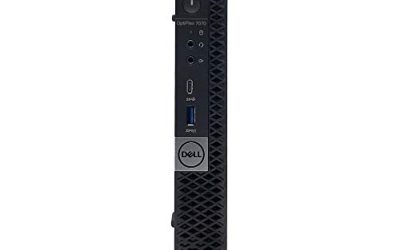
A tower is a standard case with a motherboard, power supply, and space for expansion cards and drives. You supply a separate monitor, keyboard, and mouse. A mini PC is a compact box, often small enough to mount behind a monitor or sit in a bookshelf, with most components fixed to a custom board. An all-in-one hides the computer behind the screen, so the display, speakers, and often a webcam arrive as a single unit with one power cable.
Side-by-Side Comparison
| Factor | Tower | Mini PC | All-in-One |
|---|---|---|---|
| Upgradeability | High: graphics card, memory, storage, power supply | Limited: often memory and storage only | Very limited: sometimes memory or storage only |
| Gaming power | Highest ceiling with a dedicated graphics card | Usually integrated graphics, light gaming | Usually integrated graphics, light gaming |
| Desk footprint | Large: case plus separate monitor | Smallest | Small: one unit, one cable |
| Cooling and noise | Best cooling headroom, fans can be quiet or loud | Compact cooling, fans can spin up under load | Compact cooling behind the panel |
| Display choice | Any monitor you like | Any monitor you like | Built-in panel, not replaceable |
| Repair path | Replace any part | Replace the unit or a few parts | Repair is often tied to the whole unit |
How Each One Fits Real Use
Choose a Tower for Gaming and Long-Term Growth
Towers can hold a full-size graphics card, several storage drives, and larger cooling. If a part fails or ages out, you replace just that part. This is the most flexible route, and it is the only one that really supports high-end gaming and rendering work. The price is bulk, cable management, and the need to pick a monitor separately.
Choose a Mini PC for Space and Quiet Work
A mini PC suits a small desk, a shared living room, or a media setup. You can mount it behind a monitor and free up the surface. It handles office tasks, video calls, streaming, and older or lighter games well. Buyers who want the option of a graphics card later should check carefully, because most mini designs do not have the room or power connectors.
Choose an All-in-One for a Clean, Simple Desk
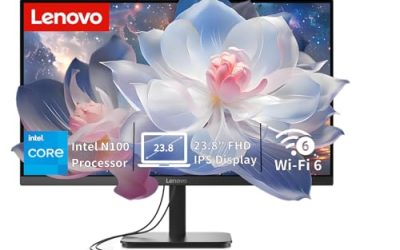
An all-in-one suits family computers, reception desks, and home offices where tidy looks matter. Setup is plugging in one cable. The trade-off is that the display and computer age together: if the screen is excellent but the processor is slow, you cannot replace one without the other.
Mixed Needs: Compromise Options
Some people split the difference by choosing a small-form-factor tower, which keeps a graphics card slot in a reduced case. Others pair a mini PC with a separate monitor, keeping the screen choice open while limiting footprint. Both approaches reduce the main weakness of one shape at the cost of another.
Cooling, Noise, and Power
Heat is the hidden limiter. A tower has room for larger fans and heatsinks, so components can sustain their rated performance under long loads. Compact machines throttle sooner when tasks run for a long time, because less air moves through a smaller space. Power draw follows the same pattern: mini PCs tend to sip electricity, while a tower with a graphics card can use many times more. If you leave a machine on all day for light work, the lower consumption of a compact system can matter over a year.
Budget Tiers and Total Cost of Ownership
Sticker price rarely tells the whole story. A budget tower may need a separate monitor, keyboard, and speakers, which raises the real cost, while an all-in-one in the same tier includes the screen and often basic peripherals. Mid-range mini PCs cost more per unit of performance because of their compact engineering, but they pay back through lower electricity use. Premium towers cost the most up front and tend to hold value longest, since individual parts can be upgraded or resold instead of replacing the entire machine. Think in tiers, budget, mid-range, premium, and compare the total setup, not the box alone.
Lifespan and Upgrade Paths
A tower can stay useful for a decade by swapping the graphics card, adding memory, and moving to larger drives. A mini PC usually reaches the end of its useful life when its fixed processor stops keeping up, though memory and storage upgrades can extend it a few years. An all-in-one often ends when either the processor or the screen lets you down. If you want a machine that grows with you, the tower is the clear winner; if you replace computers every few years anyway, the compact types lose little.
Who Should Skip Each Type
- Skip a tower if desk space is tight and your work is mostly browsing and documents.
- Skip a mini PC if you want to add a powerful graphics card later or play demanding titles.
- Skip an all-in-one if you want to keep your current monitor or upgrade the display separately.
Ports, Connectivity, and Display Needs
Check ports before you decide. Towers usually provide the widest port selection and add more through expansion cards. Mini PCs often include a respectable range but with fewer legacy connections. All-in-ones offer a modest set because the panel and housing limit space. If you use multiple monitors, confirm the number of video outputs, and note that an all-in-one’s built-in screen counts as one display and may not accept video from other devices. Wireless standards and Bluetooth support are worth confirming in 2026 listings, as older units may lack current versions.
Before You Buy Checklist
- List the apps and games you run now and in the next three years.
- Measure the desk or shelf space, including cable room and ventilation clearance.
- Decide whether you want to choose your own monitor.
- Check whether memory and storage can be upgraded in the exact model.
- Count the ports you need for peripherals, drives, and extra screens.
- Note how much fan noise you can tolerate during long sessions.
Common Mistakes
- Buying an all-in-one for gaming and expecting a dedicated graphics card.
- Choosing a mini PC without checking whether memory or storage can be changed.
- Forgetting the cost and desk space of a separate monitor, keyboard, and speakers when pricing a tower.
- Putting a compact machine in a closed cabinet, which traps heat.
- Paying for a premium all-in-one display when you plan to keep the computer for many years and might want a newer panel later.
Related guides
- Hall Effect Vs Potentiometer Controller Sticks Explained
- Low Profile Cpu Coolers For Small Form Factor Pcs
- How To Transfer Nintendo Switch Data To A New Console
Frequently Asked Questions
Can a mini PC play modern games?
Light and older games, yes. Demanding titles usually need a dedicated graphics card that most mini PCs cannot hold. Check the graphics specification in the listing and compare it with the game’s stated requirements.
Are all-in-one computers repairable?
Some allow memory or storage access, but internal repairs are generally harder than in a tower. Review the maker’s service documentation and warranty terms before buying.
Which is the cheapest to run?
A mini PC usually uses the least electricity, an all-in-one is in the middle, and a tower with a powerful graphics card uses the most. The gap matters mostly for machines left on for long hours.
Is a tower always the best choice for a home office?
Not always. A tower offers flexibility, but a mini PC or all-in-one can be a better fit when space, noise, and simplicity outweigh upgrade options for document and web work.
FAQ
Can a mini PC play modern games?
Are all-in-one computers repairable?
Which is the cheapest to run?
Is a tower always the best choice for a home office?
More from Amazon
Programs that pair well with the guide above. Offers and eligibility are set by Amazon and may change.
Free shipping on eligible items, Prime Video and more. Eligible new members can start with a free trial.
Start a Prime free trialAd-free music streaming. Eligible new subscribers can start with a free trial.
Try Music Unlimited freeA Prime membership for ages 18-24 with a trial period. Eligibility is set by Amazon.
See Prime for Young AdultsAudiobooks and podcasts to listen to on the go. Eligible new members can start with a free trial.
Try Audible freeAs an Amazon Associate we earn from qualifying purchases.