Our Top Picks
Picking an ASUS laptop is less about the logo and more about which of the company’s product families matches the way you work. The brand sells three very different machines under one name: ROG Strix gaming rigs with dedicated RTX graphics, Vivobook models that aim at everyday productivity, and the entry-level Vivobook Go line built around low-power processors. Mix them up and you either overpay for a graphics card you never use or buy a 4GB machine that stalls with a dozen browser tabs open.
This guide is for buyers who have already decided on ASUS and want to sort the lineup by real need: a 16-inch gaming laptop with a fast panel, a 32GB multitasker, a school machine, or a basic browsing laptop for a relative. Every pick below is judged only from the specs in its listing title, so use it as a shortlist and confirm the exact configuration before you commit in 2026.
Quick Picks

ASUS ROG Strix G16 (2025) Gaming Laptop, 16” FHD+ 16:10 165Hz/3ms, NVIDIA® GeForce RTX™ 5060, Intel® Core™ i7 Processor 14650HX, 16GB DDR5, 1TB Gen 4 SSD, Wi-Fi 7, Windows 11 Home, G615JMR-AS74
One of the consumer electronics options compared in this guide.
View on Amazon
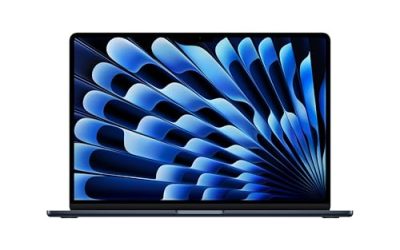
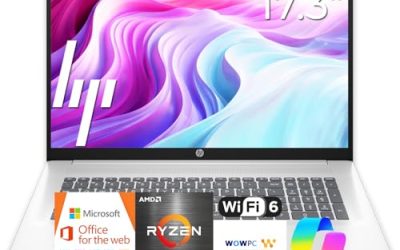
ASUS Vivobook 15 Laptop, 15.6" FHD, Intel Core i9-13900H, 32GB RAM, 1TB SSD, Next Gen AI Ready, Physical Webcam Shield, Backlit Keyboard, Fingerprint Reader, Wi-Fi 6, Win11 Pro, Blue, PCO Bundle
One of the consumer electronics options compared in this guide.
View on Amazon
ASUS ROG Strix G16 Gaming Laptop, 16” 16:10 FHD+ 165Hz/3ms, NVIDIA GeForce RTX 5050 Laptop GPU, Intel Core i5 Processor 14450HX, 16GB DDR5-5600, 512GB PCIe Gen 4 SSD, Wi-Fi 7, Win11 Home, G615JHR-DS53
One of the consumer electronics options compared in this guide.
View on Amazon
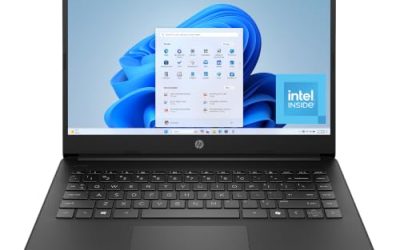
ASUS Vivobook Go 15 15.6” FHD 60Hz Laptop with Intel Processor N150, Intel UHD Graphics, 4GB RAM, 128GB SSD, Mixed Black
One of the consumer electronics options compared in this guide.
View on Amazon
ASUS Vivobook Go 15 Laptop, 15.6” FHD 60Hz, AMD Ryzen 5 40, AMD Radeon Graphics, 8GB RAM, 512GB SSD, Military Grade, ErgoSense Keyboard, WiFi 6E, Windows 11, Cool Silver, E1504FA-AS54-S
One of the consumer electronics options compared in this guide.
View on Amazon
ASUS ROG Strix G16 (2026) Gaming Laptop, 16” ROG Nebula HDR 2.5K 240Hz/3ms, Intel Core Ultra 9 290HX Plus, NVIDIA GeForce RTX 5080, 32GB DDR5, 1TB PCIe Gen4 SSD, Wi-Fi 7, Win11 Home, G615LW-AB96
One of the consumer electronics options compared in this guide.
View on Amazon| Product | Best for | Key spec from the title |
|---|---|---|
| ASUS ROG Strix G16 (RTX 5080) | Top-tier gaming and creator work | Core Ultra 9 290HX Plus, RTX 5080, 32GB DDR5, 2.5K 240Hz panel |
| ASUS ROG Strix G16 (RTX 5060) | Balanced 1080p-class gaming | Core i7-14650HX, RTX 5060, 16GB DDR5, 165Hz FHD+ |
| ASUS ROG Strix G16 (RTX 5050) | Entry gaming on a 16-inch screen | Core i5-14450HX, RTX 5050, 16GB DDR5-5600, 165Hz |
| ASUS Vivobook 15 (Core i9) | Heavy multitasking without a gaming chassis | Core i9-13900H, 32GB RAM, 1TB SSD |
| ASUS Vivobook Go 15 (Ryzen 5) | Students and mobile office work | Ryzen 5, 8GB RAM, 512GB SSD, WiFi 6E |
| ASUS Vivobook Go 15 (N150) | Light browsing and documents | Intel N150, 4GB RAM, 128GB SSD |
| ASUS Vivobook Go Slim 15.6 | Basic study use and a thin form | Intel Dual Core N4500, 4GB RAM, 128GB SSD |
How to Choose
Start with the product family, not the model number
ROG Strix means a gaming laptop with a discrete NVIDIA GeForce RTX card and a high-refresh display. Vivobook means a mainstream laptop with integrated graphics. Vivobook Go means the lowest-power tier, typically with an Intel N-series chip or a modest Ryzen part. If you plan to play current 3D games, only the Strix family belongs on your list. If you mostly write, browse, and join video calls, a Strix is extra weight and fan noise you will not use.
Memory and storage floors
For Windows 11 with a browser, a chat app, and an office suite running at once, 8GB is a practical floor and 16GB is comfortable. The 4GB listings here will work for a single task at a time but leave no room to grow, and RAM is often soldered, so you cannot add more later. For storage, 128GB fills up quickly once Windows updates and a few apps are installed; 512GB is the sensible minimum for anyone who keeps files locally, and 1TB suits gamers with large libraries.
Display specs that matter
Look at refresh rate and resolution together. A 60Hz FHD screen is fine for documents and video. Gaming buyers should look for 144Hz or higher, and the listings here show 165Hz and 240Hz options on the G16 line. The 2.5K panel on the top G16 adds sharpness for creative work, but it also asks more of the graphics card. Brightness, color gamut, and panel type are often missing from titles, so check the full spec page before buying.
Where budget models cut corners
Entry Vivobook Go models usually save money on the processor, memory, and storage, not on the screen size. Expect slower app launches and limited multitasking. On gaming laptops, the cut is usually the GPU tier and the RAM speed, which is why the RTX 5050 and RTX 5060 versions of the G16 differ in more than just the graphics label. Ignore vague marketing phrases such as “AI ready” unless the title names a specific NPU or feature you actually need.
The 7 Best Options
ASUS ROG Strix G16 with RTX 5080
This is the flagship configuration in the group, and the title lists the parts to back it up: Intel Core Ultra 9 290HX Plus, an RTX 5080 laptop GPU, 32GB of DDR5, and a 1TB PCIe drive. The 16-inch ROG Nebula HDR panel is listed at 2.5K and 240Hz with 3ms response, which suits competitive players who want fast motion and creators who want a sharper canvas. It is the pick for someone who wants one machine for high-detail gaming and demanding creative software.
- Strength: the 240Hz 2.5K HDR display pairs with top-tier graphics.
- Strength: 32GB of DDR5 leaves headroom for heavy projects.
- Trade-off: it sits in the premium tier, and a gaming chassis this powerful is a poor fit for carrying around all day.
Skip it if your workload is documents and streaming; the graphics card would be wasted.
ASUS ROG Strix G16 with RTX 5060
The listing pairs a Core i7-14650HX with an RTX 5060, 16GB of DDR5, and a 1TB Gen 4 drive in a 16-inch FHD+ 16:10 screen running at 165Hz with 3ms response. That is a sensible middle of the road for a player who wants high frame rates at 1080p-class settings without moving to the flagship tier. The 16:10 shape also gives a little extra vertical room for spreadsheets and timelines.
- Strength: 1TB of fast storage holds a decent game library out of the box.
- Strength: 165Hz refresh suits esports-style titles.
- Trade-off: the processor generation is older than the one in the top G16, so it is not the choice for buyers chasing the newest platform.
Skip it if you want a thin office laptop or need a battery-first design.
ASUS ROG Strix G16 with RTX 5050
The most affordable G16 in this set uses a Core i5-14450HX with an RTX 5050 laptop GPU, 16GB of DDR5-5600, and a 512GB drive, on the same 16-inch 16:10 FHD+ 165Hz screen. It is aimed at someone stepping into PC gaming who still wants the larger display and the high refresh rate that define the ROG line. The RAM speed is stated in the title, which is a useful detail for people who care about memory bandwidth.
- Strength: 16GB of DDR5-5600 is a healthy base for modern games.
- Strength: the 165Hz panel matches the pricier RTX 5060 model.
- Trade-off: 512GB fills fast once several large games are installed.
Skip it if you plan to play at the highest settings in demanding new releases, where a stronger GPU tier makes more sense.
ASUS Vivobook 15 with Core i9-13900H
This Vivobook stands out for its memory and storage rather than graphics: a Core i9-13900H, 32GB of RAM, and a 1TB SSD in a 15.6-inch FHD body. The title also lists a physical webcam shield, a backlit keyboard, and a fingerprint reader, which appeal to people who work in shared offices or cafes. It suits someone who keeps dozens of tabs, spreadsheets, and a virtual machine open at once.
- Strength: 32GB of RAM is generous for multitasking.
- Strength: webcam shield and fingerprint sensor add privacy and quick login.
- Trade-off: the processor is from an earlier generation, and the title shows no discrete graphics for gaming.
Skip it if you want to play new 3D games; a Strix is the better direction.
ASUS Vivobook Go 15 with Ryzen 5
The Ryzen-based Vivobook Go 15 offers a more balanced spec than its Intel N-series sibling: 8GB of RAM, a 512GB SSD, a 15.6-inch FHD 60Hz screen, WiFi 6E, and a military-grade durability claim along with an ErgoSense keyboard. It is a good match for a high school or college student who needs a machine that handles coursework, video lectures, and cloud documents.
- Strength: 8GB plus 512GB covers everyday school and office use.
- Strength: WiFi 6E support is a forward-looking networking spec at this level.
- Trade-off: the 60Hz panel and integrated graphics rule out serious gaming.
Skip it if you edit video or run memory-hungry professional apps.
ASUS Vivobook Go 15 with Intel N150
This is a simple 15.6-inch FHD machine with an Intel N150 processor, Intel UHD graphics, 4GB of RAM, and a 128GB SSD. It fits a parent or grandparent who wants a screen big enough to read comfortably for email, video calls, and web pages, with little interest in installing many programs. The larger display is the main draw, not the horsepower.
- Strength: a full-size 15.6-inch FHD screen at the entry tier.
- Strength: low-power hardware is well suited to light tasks.
- Trade-off: 4GB of RAM and 128GB of storage leave little breathing room.
Skip it if you juggle many tabs or store large photo and video libraries.
ASUS Vivobook Go Slim 15.6
The Go Slim listing describes a thin, portable laptop for student study, with an Intel Dual Core N4500, 4GB of RAM, a 128GB SSD, and Windows 11. It is the simplest option here and targets buyers who need a basic school or home machine. The slim description suggests it is easy to slip into a backpack.
- Strength: a thin and portable form aimed at study use.
- Strength: Windows 11 comes listed, so setup is straightforward.
- Trade-off: the dual-core N4500 is the least capable processor in this group.
Skip it if you want smooth performance with video calls plus other apps open, or you want room to grow.
Which One Fits Your Situation
You want to play new games at a high refresh rate
Choose between the three G16 models by graphics tier. The RTX 5060 version is the balanced choice, the RTX 5050 version is the entry route, and the RTX 5080 version is for buyers who want the strongest hardware in the set.
You work with large spreadsheets and many browser tabs
The Vivobook 15 with 32GB of RAM and a 1TB SSD is built for this. It gives you the memory headroom of a gaming machine without the gaming chassis.
You are buying for a student on a tight plan
The Ryzen 5 Vivobook Go 15 with 8GB and 512GB is the safest starting point, because it leaves room to run coursework and cloud tools together. The Go Slim is the thinner but weaker option.
You need a basic screen for a relative who browses and emails
The Vivobook Go 15 with the N150 gives a large display and light-duty performance. Just keep expectations modest and avoid piling on programs.
Common Mistakes
- Buying a ROG Strix for office work and ending up with a heavy, loud machine that never uses its GPU.
- Treating 4GB of RAM as enough because Windows boots fine on day one.
- Assuming every Strix G16 is the same machine; the GPU tier, processor, and memory speed differ between listings.
- Ignoring storage size and discovering that 128GB is nearly full after updates and a few applications.
- Trusting broad phrases such as “AI ready” or “military grade” without checking what the full specification page actually covers.
Related guides
- How To Fix Stick Drift On Xbox And Ps5 Controllers
- How Long Does A Gaming Laptop Last Before Upgrade
- Mirrorless Cameras For Landscape Photography
Frequently Asked Questions
Is a ROG Strix better than a Vivobook?
They are built for different jobs. A Strix adds a discrete NVIDIA GPU and a fast display for gaming, while a Vivobook focuses on everyday computing. For office work, the Vivobook is usually the more sensible fit.
How much RAM should I get in an ASUS laptop?
Choose 16GB if you want smooth multitasking, and 8GB as a minimum for general use. The 4GB models in this group suit only light, single-task use.
Do the Vivobook Go models handle gaming?
Their integrated graphics and low-power processors are meant for browsing, documents, and video, not demanding 3D titles. For gaming, look at the G16 family.
Are the listings fully specified?
Not always. Titles can be shortened, and details such as brightness, ports, and battery capacity are often missing, so confirm them on the full product page.