Our Top Picks
 Dell XPS 14 Premium Laptop DA14250-14.5-inch Touch 3.2KXPS14|32GB|1TB8.5 x 12.6 x 0.71 Inches3.79 PoundsCheck on Amazon
An OLED panel changes what a laptop screen feels like. Each pixel lights itself, so black is actually black, and HDR highlights sit next to deep shadows without the gray haze common on LCD panels. The catch is that OLED shows up on very different machines: featherweight 14-inch travelers, big 16-inch creative laptops, and even a gaming rig with a 165Hz OLED panel. The real decision is not whether you want OLED, but which kind of laptop you want wrapped around it.
This guide is for buyers who already know they want that contrast and color and now need to sort the field by processor platform, memory, storage, and panel specs. Everything below is judged from the specifications in each product listing, so treat it as a shortlist to compare against your own priorities rather than a verdict on how any unit feels day to day. Two of the seven laptops are the same Vivobook S16 design with different processors, which makes them a handy way to see how much the chip platform alone changes the buying decision, from memory size to software compatibility.
Quick Picks

ASUS Zenbook-14 OLED Touchscreen Laptop - Ultra Light, Long Battery Life | Ryzen AI 9 465, 16GB RAM, 1TB SSD, 2K 500 nits HDR, Backlit Keyboard, Windows 11 Pro, Copilot+ PC for Business Office
One of the consumer electronics options compared in this guide.
View on Amazon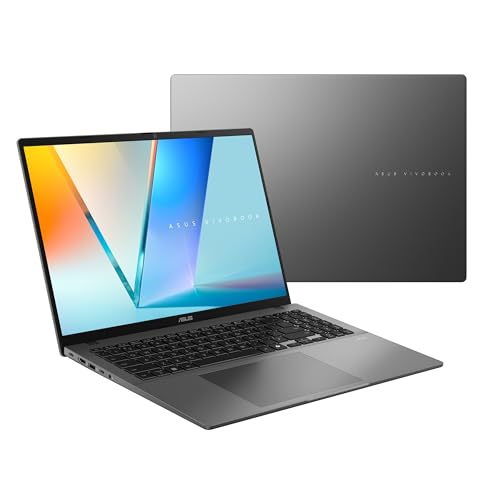
ASUS Vivobook S16 Laptop (2026), 16” 16:10 WUXGA OLED Display, Copilot+ PC, AMD Ryzen™ AI 7 445 Processor, AMD Radeon™ Graphics, 32 GB RAM, 1TB SSD, WiFi 6, Windows 11 Home, Matte Gray, M3607GA-DS79
One of the consumer electronics options compared in this guide.
View on Amazon
HP OmniBook 3 AI-Powered Laptop 14" WUXGA OLED 100% DCI-P3 8-core Snapdragon X (Up to 45 NPU Tops) 16GB DDR5 256GB SSD Wi-Fi 6E for Creator Designer Business Professional Win11 ICP Accessory
One of the consumer electronics options compared in this guide.
View on Amazon
Acer Swift Go 16in OLED Laptop Ultra 5 125H 8GB RAM 512GB SSD | SFG16-72-5844, Intel Evo AI certified, 3200x2000 resolution, 120Hz display, Windows 11 Home, WiFi 6E, USB-C
One of the consumer electronics options compared in this guide.
View on AmazonDell XPS 14 Premium Laptop DA14250-14.5-inch Touch 3.2K OLED 48-120Hz Display, Intel Core Ultra 7 255H, Intel Arc Graphics, 32GB Memory, 1TB SSD, Backlit English Keyboard with Fingerprint Reader
One of the consumer electronics options compared in this guide.
View on Amazon
ASUS Vivobook S16 Laptop (2026), Copilot+ PC, 16” 16:10 WUXGA OLED Display Display, Snapdragon® X2 Elite Processor, Adreno™ GPU, 16 GB RAM, 1TB SSD, WiFi 7, Windows 11 Home, Mist Blue
One of the consumer electronics options compared in this guide.
View on Amazon| Product | Best for | Key spec from the title |
|---|---|---|
| ASUS Zenbook 14 OLED | Light travel with a bright screen | 2K OLED, 500 nits HDR, Ryzen AI 9 465 |
| ASUS Vivobook S16 (Ryzen AI 7) | Big-screen work and multitasking | 16-inch 16:10 WUXGA OLED, 32 GB RAM |
| HP OmniBook 3 14 | Color-accurate creative work on the go | 100% DCI-P3 WUXGA OLED, Snapdragon X |
| Acer Swift Go 16 | Sharp, smooth 16-inch viewing | 3200×2000 at 120Hz, Intel Evo certified |
| Dell XPS 14 | Premium all-rounder with touch | 14.5-inch 3.2K OLED, 48-120Hz |
| ASUS Vivobook S16 (Snapdragon X2 Elite) | Arm-based Copilot+ buyers | Snapdragon X2 Elite, 1 TB SSD |
| Lenovo Legion 5a | Gaming on an OLED screen | RTX 5060, 15.3-inch 2560×1600 165Hz OLED |
How to Choose
Panel resolution and refresh rate
Look for at least a 2K-class panel on a 14-inch screen and roughly 2.8K to 3.2K on 14.5 to 16 inches. Refresh rate matters more than most OLED shoppers expect: 120Hz makes scrolling and pen work noticeably smoother, while variable ranges like 48-120Hz also help conserve battery. Gamers should look for 144Hz or higher, which only the gaming model here reaches.
Color and brightness claims
A listing that states a gamut, such as 100% DCI-P3, is more useful to a designer than a vague promise of vivid color. Peak HDR brightness figures like 500 nits tell you how well highlights hold up in a bright room. Ignore marketing words such as stunning or cinematic; only a stated gamut or nit rating can be compared across listings. Also remember that a glossy touchscreen reflects more light than a matte panel, so a high nit figure helps most when you work near windows.
Processor platform and compatibility
Intel Core Ultra and AMD Ryzen AI chips run the widest range of Windows software. Snapdragon X-series laptops are built on Arm and are aimed at long battery life and on-device AI features, but buyers who rely on niche drivers, older plugins, or specialized tools should confirm compatibility first. A listed NPU rating, such as up to 45 TOPS, only matters if you will use AI-assisted features.
Memory and storage where budgets cut corners
This is where cheaper OLED laptops economize. 8 GB of RAM is workable for browsing and documents but tight for photo editing or heavy multitasking; 16 GB is a sensible floor, and 32 GB suits creative or development work. A 256 GB drive fills quickly once you add apps and projects, so favor 512 GB or 1 TB if you will store media locally. Also glance at the wireless standard: Wi-Fi 6E and Wi-Fi 7 appear in the listings here and matter mostly if your router already supports them.
The 7 Best Options
ASUS Zenbook 14 OLED
The Zenbook 14 is aimed at buyers who carry their laptop daily and want a premium display without bulk. The title highlights an ultra-light build and long battery life, backed by a Ryzen AI 9 465 processor, 16 GB of RAM, and a 1 TB SSD.
- Strength: a 2K OLED panel rated at 500 nits HDR makes highlights stand out in bright rooms.
- Strength: 1 TB of storage is generous for a thin machine, and the touchscreen and backlit keyboard add everyday convenience.
- Trade-off: 16 GB of RAM leaves less headroom for heavy creative workloads than the 32 GB models here.
Skip it if you need a larger canvas or a dedicated graphics card.
ASUS Vivobook S16 (Ryzen AI 7 445)
This model targets people who want a roomy 16-inch OLED screen for spreadsheets, editing timelines, and split-screen work. The listing pairs a 16:10 WUXGA OLED display with a Ryzen AI 7 445 processor, Radeon graphics, and Copilot+ PC support.
- Strength: 32 GB of RAM and a 1 TB SSD give it the most memory-and-storage balance of the 16-inch options.
- Strength: the 16:10 aspect ratio shows more rows of content than a 16:9 panel.
- Trade-off: WUXGA is a lower resolution than the 3K-class panels on the Acer and Dell, so text is less crisp at this size.
Skip it if portability is your top priority, since a 16-inch screen is simply larger to carry.
HP OmniBook 3 14
The OmniBook 3 is positioned for creators and designers who care about color on a compact 14-inch frame. The title specifies a WUXGA OLED panel covering 100% DCI-P3, a Snapdragon X processor with up to 45 NPU TOPS, 16 GB of DDR5 memory, and Wi-Fi 6E.
- Strength: the stated full DCI-P3 coverage is the clearest color claim in this group.
- Strength: AI-oriented Snapdragon silicon suits users who want on-device AI features.
- Trade-off: only a 256 GB SSD, so heavy media libraries will need external storage.
Skip it if you depend on software that is not yet built for Arm, or if you need a large internal drive.
Acer Swift Go 16
The Swift Go 16 is for buyers who want a big, sharp screen and a smooth refresh rate in a mainstream package. The listing shows a 3200×2000 OLED running at 120Hz, an Intel Core Ultra 5 125H processor, and Intel Evo AI certification.
- Strength: 3200×2000 resolution at 120Hz is the highest stated pixel density among the 16-inch options.
- Strength: Evo certification signals Intel's mobile-experience standards.
- Trade-off: 8 GB of RAM is the weak point and may feel limiting for heavy multitasking or editing.
Skip it if you plan to keep dozens of browser tabs and creative apps open at once.
Dell XPS 14
The XPS 14 suits professionals who want a premium touch-enabled OLED laptop with strong specs across the board. The title lists a 14.5-inch 3.2K OLED panel with a 48-120Hz range, a Core Ultra 7 255H processor, Intel Arc graphics, 32 GB of memory, and a 1 TB SSD.
- Strength: the 3.2K panel and adaptive 48-120Hz range pair high sharpness with flexible smoothness.
- Strength: 32 GB of memory and 1 TB of storage cover demanding multitasking.
- Trade-off: as the most fully specified premium option, it sits at the top of the cost range.
Skip it if you just want an OLED screen for streaming and browsing, since you would pay for headroom you will not use.
ASUS Vivobook S16 (Snapdragon X2 Elite)
This version of the Vivobook S16 swaps in a Snapdragon X2 Elite processor with Adreno graphics, while keeping the 16-inch 16:10 WUXGA OLED display and Copilot+ PC branding. It is for buyers who prefer Arm efficiency and a large screen.
- Strength: a 1 TB SSD provides ample local storage.
- Strength: the Copilot+ PC label points to on-device AI features.
- Trade-off: 16 GB of RAM is half the memory of its Ryzen sibling, and Arm compatibility must be checked for specialized software.
Skip it if you rely on legacy Windows tools that may not run well on Arm.
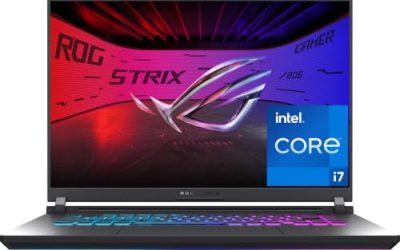
Lenovo Legion 5a
The Legion 5a is the outlier: a gaming laptop with a 15.3-inch WQXGA (2560×1600) OLED panel running at 165Hz. It pairs a Ryzen 7 250 processor with a GeForce RTX 5060, 32 GB of DDR5 RAM, a 1 TB SSD, Wi-Fi 7, and an RGB backlit keyboard.
- Strength: it is the only option here with dedicated GeForce graphics for gaming.
- Strength: 165Hz refresh on an OLED panel is rare and appealing for fast-paced games.
- Trade-off: gaming laptops are typically heavier and shorter on battery than thin-and-light models, so it is a poor fit for all-day travel.
Skip it if you want a quiet, ultra-light machine for office work.
Which One Fits Your Situation
You commute and work in cafes
The ASUS Zenbook 14 OLED fits best: its ultra-light, long-battery positioning and bright 500 nits panel suit varied lighting.
You edit photos or design layouts
Choose the HP OmniBook 3 14 for its stated 100% DCI-P3 coverage, or step up to the Dell XPS 14 if you need 32 GB of memory and a sharper 3.2K screen.
You want the biggest display for productivity
The ASUS Vivobook S16 with Ryzen AI 7 and 32 GB of RAM gives a tall 16:10 workspace; the Acer Swift Go 16 is the pick if resolution and 120Hz smoothness matter more than memory.
You game and want OLED contrast
The Lenovo Legion 5a is the only listing here with an RTX 5060 and a 165Hz OLED display. Pair it with a good headset and an external mouse, and treat the thin-and-light models as the better fit for anything that involves a backpack all day.
Common Mistakes
- Assuming every OLED laptop has the same color accuracy; only some listings state a gamut such as DCI-P3.
- Ignoring RAM because the screen is the headline feature, then discovering 8 GB is tight for multitasking.
- Buying an Arm-based laptop without confirming that your key apps and drivers support it.
- Choosing a 256 GB drive for a machine that will hold photos, video, and projects.
- Expecting a gaming-class OLED laptop to behave like an ultra-light travel machine.
Related guides
- How To Fix Stick Drift On Xbox And Ps5 Controllers
- How Long Does A Gaming Laptop Last Before Upgrade
- Mirrorless Cameras For Landscape Photography
Frequently Asked Questions
Is an OLED laptop worth it in 2026?
If you watch video, edit images, or simply prefer deep blacks and vivid color, the display upgrade is easy to see. If you mostly work in spreadsheets under bright office lights, a good LCD may serve you just as well.
Does OLED suffer from burn-in?
Static elements shown for very long periods can cause image retention on any OLED panel. Features like dark mode, screen timeouts, and auto-hiding taskbars reduce the risk for normal use.
How much RAM do I need with an OLED laptop?
16 GB is a comfortable baseline for most people, and 32 GB suits creative work or heavy multitasking. The 8 GB configuration here is best reserved for lighter use.
Should I pick Intel, AMD, or Snapdragon?
Intel and AMD offer the broadest software compatibility. Snapdragon X-series suits buyers who prioritize efficiency and on-device AI, provided their apps run on Arm.