Our Top Picks
The best webcam for YouTube videos is a 4K model with a large sensor, because recorded video is watched full screen and often re-framed in editing; the Logitech MX Brio, Insta360 Link 2, OBSBOT Tiny 2 and Elgato Facecam Pro are the strongest choices in 2026, depending on whether you value color, tracking or 60 fps. Recording is a different job from live streaming: there is no bitrate cap holding the image back, so every weakness of the camera shows up in the final upload.
Recording vs. Streaming: Why the Priorities Change
- Resolution matters again. A live stream compresses to 6–8 Mbps; a local recording can run at 40–100 Mbps. Detail from a 4K sensor survives.
- Cropping is free headroom. Record in 4K, export in 1080p, and you can punch in for emphasis or reframe a talking-head shot without losing sharpness.
- Noise is obvious. YouTube’s compression is harsh on grainy footage; a noisy source turns into blocky mush on upload. Larger sensors and good light prevent that.
- Audio is separate. For YouTube, record voice with a proper mic. Treat the webcam purely as the video source.
Webcams Worth Considering for YouTube
| Webcam | Recording modes | Sensor | Strength | Weak spot | Typical price |
|---|---|---|---|---|---|
| Logitech MX Brio | 4K30, 1080p60 | Larger-than-typical webcam sensor | Natural color, simple setup | No 4K60 | $170–$200 |
| Insta360 Link 2 | 4K30, 1080p60 | 1/2″ | Gimbal tracking, whiteboard and desk modes | Gimbal motion can distract if over-used | $170–$230 |
| OBSBOT Tiny 2 | 4K30, 1080p60 | 1/1.5″ | Best low light in class, fast PDAF autofocus | Higher price | $250–$330 |
| Elgato Facecam Pro | 4K60 | Sony STARVIS-class | Only common webcam with 4K at 60 fps | Needs a fast USB 3 port and a strong PC | $250–$300 |
| Razer Kiyo Pro Ultra | 4K30, 1080p60 | 1/1.2″ | Largest webcam sensor, shallow depth look | Big and heavy for a monitor clip | $250–$300 |
| Sony ZV-E10 II (step up) | 4K via HDMI capture | APS-C | Real lens blur, interchangeable lenses | Needs capture card, power solution | $900–$1,100 with lens |
Which one for which channel
Talking-head commentary, gaming reviews and tutorials: MX Brio or Tiny 2. Channels that show products on a desk or move around a room: Link 2 or Tiny 2, where tracking and overhead or desk modes save setup time. Fast-moving content such as reaction videos where smoothness matters: Facecam Pro for 4K60. If the face cam is the whole video and you plan to grow the channel, a mirrorless camera is the real long-term upgrade.

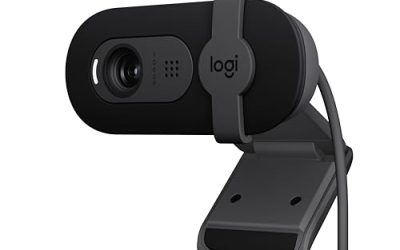
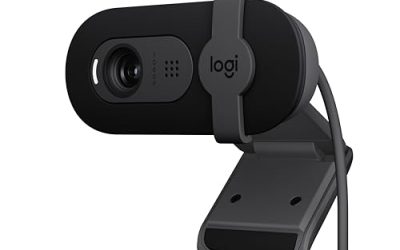
Logitech Brio 4K Webcam, Ultra HD Web Camera with Autofocus 5x Digital Zoom | Ultra 4K HD Webcam for PC with dual Noise-cancelling mic, HD light correction, wide field of view, Windows, Mac, or ChromeOS
Chosen because it specifies Black.
View on Amazon
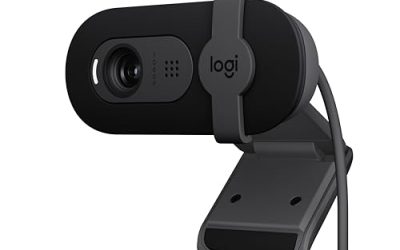
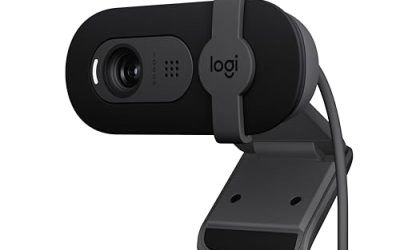
Logitech MX Brio Ultra HD 4K Webcam for Streaming and Collaboration | Computer camera, 1080p 60 FPS, Show Mode, Works with Microsoft Teams, Zoom, Google Meet, Nintendo Switch 2, Graphite
Chosen because it specifies Graphite.
View on Amazon
EMEET NOVA 4K Webcam for PC, Ultra 4K HD, PDAF Autofocus, Dual Omni Mics | 73° FOV, Auto Light Correction, USB-A, Privacy Cover, Ideal for High-End Business Meetings&Live Streaming
Chosen because it specifies Ultra 4K HD and PDAF Autofocus.
View on Amazon
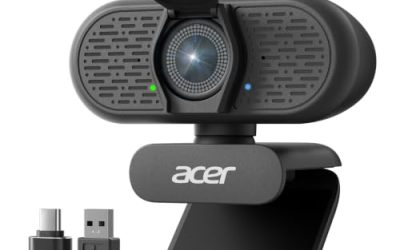
Acer 4K Webcam for PC/Mac with All-Metal Unibody Sculpted, Sony 1/2" Sensor, PDAF, 2 Noise Reduction Mics, Privacy Cover for Switch 2/Zoom/Teams/Facetime/YouTube/Google Meet
Chosen because it specifies Sony 1/2" Sensor and PDAF.
View on AmazonStorage Math for Recording
Webcam footage adds up quickly. File size per hour equals bitrate in Mbps × 3,600 ÷ 8, which gives megabytes.
| Recording format | Typical bitrate | Size per hour | 10 hours of raw footage |
|---|---|---|---|
| 1080p30, H.264 | 15 Mbps | ~6.8 GB | ~68 GB |
| 1080p60, H.264 | 25 Mbps | ~11.3 GB | ~113 GB |
| 4K30, HEVC | 40 Mbps | ~18 GB | ~180 GB |
| 4K30, H.264 | 60 Mbps | ~27 GB | ~270 GB |
| 4K60, H.264 | 100 Mbps | ~45 GB | ~450 GB |
Record to a fast internal NVMe drive, not the system drive if you can avoid it, and move finished projects to a larger archive disk. A 2 TB secondary SSD holds roughly 70 hours of 4K30 H.264 footage.
Recording Settings in OBS for YouTube
- Canvas and output. Set the base and output resolution to 3840×2160 if you plan to crop, or 1920×1080 if you will not.
- Camera format. In the Video Capture Device, pick Custom resolution, 3840×2160 at 30 fps, and use MJPEG or the camera’s native format. Check the stats panel for dropped frames.
- Encoder. Use the GPU encoder (NVENC, AMD AMF or Intel Quick Sync) with HEVC or AV1 if your editor handles it, H.264 if not.
- Rate control. Use CQP or CRF-style quality targeting rather than CBR. A CQ level of around 18–22 keeps quality high without enormous files.
- Container. Record to MKV or the fragmented MP4 option so a crash does not corrupt the whole file, then remux if needed.
- Lock camera settings. Fix exposure, white balance and focus in the camera’s app so the look does not drift between takes and you can match clips in editing.
Lighting for Recorded Video
Recorded footage exposes lighting mistakes more than a live corner cam. A practical three-light setup costs $100–$250:
- Key light: soft panel or softbox at 45 degrees, slightly above eye level, about 60–100 cm away.
- Fill: a dimmer panel or white reflector on the other side, roughly half the key’s brightness.
- Background or hair light: a small light behind you separates you from the wall and makes the frame look deeper.
Keep all lights at the same color temperature (5,000–5,600 K for a neutral look) and set the webcam’s white balance manually to match.
Video Calls Too?
All of these cameras work in Zoom, Teams, Google Meet and Discord as standard USB webcams. For calls you will want autofocus on and HDR or auto exposure enabled, which is the opposite of recording. Most companion apps let you save presets, so keep one profile locked for recording and another automatic for calls.
FAQ
Is a webcam good enough for a YouTube channel?
Yes, especially for gaming, tech and commentary channels where the face cam is a small part of the frame. Many established channels started with a 4K webcam and good lighting.
Should I record in 4K if I upload 1080p?
Often yes. Uploading 4K also gets YouTube to use a higher-quality codec for all viewers, and recording in 4K gives cropping room. The trade-off is storage and editing load.
FAQ
Video Calls Too?
Is a webcam good enough for a YouTube channel?
Should I record in 4K if I upload 1080p?
More from Amazon
Programs that pair well with the guide above. Offers and eligibility are set by Amazon and may change.
Free shipping on eligible items, Prime Video and more. Eligible new members can start with a free trial.
Start a Prime free trialAd-free music streaming. Eligible new subscribers can start with a free trial.
Try Music Unlimited freeA Prime membership for ages 18-24 with a trial period. Eligibility is set by Amazon.
See Prime for Young AdultsAudiobooks and podcasts to listen to on the go. Eligible new members can start with a free trial.
Try Audible freeAs an Amazon Associate we earn from qualifying purchases.