Key takeaways
- Refresh rate: a 144 to 165 Hz panel, like those on the ASUS TUF Gaming A16 and GIGABYTE A16, makes fast games feel dramatically smoother than 60 Hz.
- Resolution: 1080p and 1200p (16:10) are ideal for mainstream GPUs; a 2.5K 240 Hz screen like the ROG Strix G16 Nebula pairs best with a stronger GPU.
- Aspect ratio: 16:10 panels give you extra vertical space for menus and desktop work.
- Color coverage: high DCI-P3 coverage, as on the ROG Strix G18, matters if you also edit photos or video.
A gaming laptop asks you to balance power, portability, heat, and price in a single sealed package, which makes it one of the trickiest purchases in PC gaming. Unlike a desktop, you cannot easily swap the graphics card two years down the line, so the choices you make at checkout have to last. Knowing what genuinely matters, and what is just spec-sheet noise, is the difference between a machine you love and one you regret.
This guide walks through the components that actually shape your gaming experience: the GPU and its power limit, the CPU, the display, memory and storage, and the cooling and build that let a thin chassis sustain performance. You will learn how to read a listing critically so you can compare models like the ASUS ROG Strix G16, the Acer Nitro V, and the GIGABYTE Gaming A16 on the things that count.
Our top picks
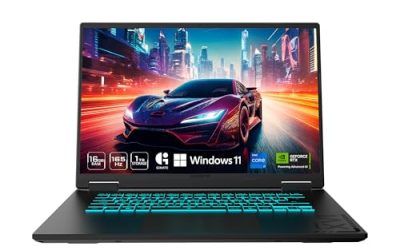
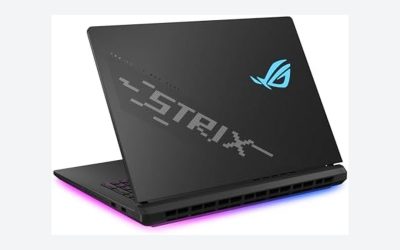
 ASUS ROG Strix G16
- Unleash power with Windows 11 Home, an Intel…
- Multitask seamlessly with 16GB of DDR5-5600MHz memory and…
- Immerse yourself in stunning visuals with the smooth…
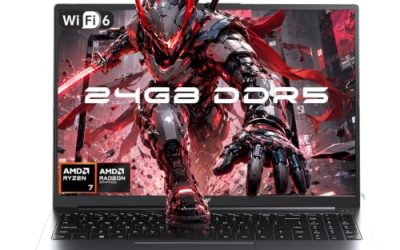
 KAIGERR 2026 Gaming Laptop
- 【ENGINEERED FOR SPEED】The KAIGERR 2026 RX16 laptop is…
- 【Advanced Dual-Fan Cooling】KAIGERR’s dual-fan system expels heat faster…
- 【INSPIRE YOUR POSSIBILITIES】 The laptop on sale comes…
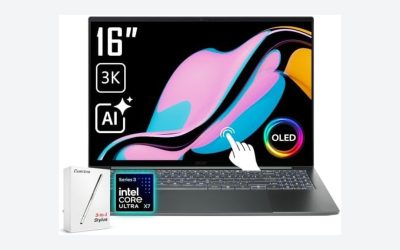
 Acer Nitro V Gaming Laptop
- Advanced Hybrid Architecture Performance: The Intel Core 7…
- NVIDIA Blackwell Architecture Graphics: Powered by GeForce RTX…
- AI-Powered DLSS Technology: DLSS is a revolutionary suite…
| Product | Key specs | |
|---|---|---|
| ASUS ROG Strix G16 | Unleash power with Windows 11 Home, an Intel… Multitask seamlessly with 16GB of DDR5-5600MHz memory and… Immerse yourself in stunning visuals with the smooth… | Check price |
| KAIGERR 2026 Gaming Laptop | 【ENGINEERED FOR SPEED】The KAIGERR 2026 RX16 laptop is… 【Advanced Dual-Fan Cooling】KAIGERR’s dual-fan system expels heat faster… 【INSPIRE YOUR POSSIBILITIES】 The laptop on sale comes… | Check price |
| Acer Nitro V Gaming Laptop | Advanced Hybrid Architecture Performance: The Intel Core 7… NVIDIA Blackwell Architecture Graphics: Powered by GeForce RTX… AI-Powered DLSS Technology: DLSS is a revolutionary suite… | Check price |
 ASUS ROG Strix G16 | Experience next-level performance with Windows 11 Home, an… Multitask seamlessly with 32GB of DDR5-5600MHz memory and… Immerse yourself in stunning visuals with the ultra-fast… | Check price |
 GIGABYTE | GIGABYTE GiMATE as Your Smart AI Mate Intel Core i7-13620H Processor NVIDIA GeForce RTX 5060 Laptop GPU | Check price |
 ASUS ROG Strix G18 RTX 5070 Gaming | Flagship-Class 24-Core Performance Combo: The ASUS ROG Strix… | Check price |
 ASUS TUF Gaming A16 Laptop: AMD Ryzen | AMD Ryzen 7 7445HS Processor (3.2GHz) 16" Full HD+ 144Hz Display NVIDIA GeForce RTX 4050 Graphics | Check price |
As an Amazon Associate we earn from qualifying purchases at no extra cost to you.
⚡ Save on Your Next PC — Amazon Prime
Prime members get fast free shipping on the systems above, plus early access to Prime Day & Black Friday PC deals. New members get a 30-day free trial.
Watch: What to Look for in a Gaming Laptop — Video Review
The GPU Is the Heart of the Machine
Frame rates come mostly from the graphics chip, so decide your GPU tier first. In 2026, RTX 50-series laptop GPUs span from the entry RTX 5050 in the Acer Nitro V up through the RTX 5060 and RTX 5070 found in models like the GIGABYTE Gaming A16 and the ASUS ROG Strix G18. Just as important as the chip name is its total graphics power (TGP): the same GPU can be configured at very different wattages, and a higher-wattage version runs noticeably faster. Always check the TGP a laptop allots to its GPU, not just the model number.
CPU, Memory, and Storage
A capable processor feeds the GPU and handles physics, AI, and background tasks. Current AMD Ryzen 7 and Intel Core 7 chips, such as the Ryzen 7 in the NIMO and KAIGERR models or the Core 7 240H in the Acer Nitro V, are more than enough for gaming. For memory, treat 16 GB of DDR5 as the floor and 32 GB as comfortable headroom for newer titles and multitasking; the KAIGERR ships with 24 GB as a middle ground. On storage, a 512 GB NVMe SSD fills quickly, so favor 1 TB or confirm there is a spare M.2 slot for expansion.
Display: Refresh Rate, Resolution, and Panel
- Refresh rate: a 144 to 165 Hz panel, like those on the ASUS TUF Gaming A16 and GIGABYTE A16, makes fast games feel dramatically smoother than 60 Hz.
- Resolution: 1080p and 1200p (16:10) are ideal for mainstream GPUs; a 2.5K 240 Hz screen like the ROG Strix G16 Nebula pairs best with a stronger GPU.
- Aspect ratio: 16:10 panels give you extra vertical space for menus and desktop work.
- Color coverage: high DCI-P3 coverage, as on the ROG Strix G18, matters if you also edit photos or video.
Cooling and Sustained Performance
A laptop’s rated GPU power means nothing if the cooling cannot hold it. Thin machines throttle under load, dropping frame rates after a few minutes. Look for models with multiple heat pipes, dual fans, and generous exhaust vents; the TUF and ROG Strix lines are built around this. Reviews that measure “sustained” versus “peak” clocks tell you far more than the spec sheet. If you plan long sessions, a slightly thicker chassis with better airflow will outperform a razor-thin one with the same GPU on paper.
Build, Battery, and Ports
Gaming laptops sip battery under load, so expect to game plugged in; battery life matters mostly for travel and light use. Prioritize a sturdy chassis, a comfortable keyboard, and a useful port selection, at minimum USB-C with charging or display output, HDMI, and enough USB-A for peripherals. A model like the ASUS ROG Strix G16 balances a rigid build with a full port set, while budget picks may trim ports to hit a price. Weigh portability against the cooling headroom you actually need.
Tips
- Always check the GPU’s total graphics power (TGP); a higher-wattage RTX 5060 can beat a starved RTX 5070.
- Match display resolution to GPU tier: 1080p/1200p for RTX 5050 to 5060, higher-res panels for RTX 5070 and up.
- Treat 512 GB as a starting point and confirm there is a second M.2 slot before you commit.
- Read reviews for sustained clocks and fan noise, not just peak benchmark numbers.
Frequently Asked Questions
How much should I spend on a gaming laptop?
Set your budget around the GPU tier you want. Entry RTX 5050 machines like the Acer Nitro V hit the value end, RTX 5060 models sit in the mainstream, and RTX 5070 laptops such as the ROG Strix G18 command a premium for higher frame rates and better displays.
Is 16 GB of RAM enough for gaming in 2026?
It is the sensible minimum and runs almost everything today, but 32 GB gives real headroom for newer titles, streaming, and heavy multitasking. If a model offers 24 or 32 GB, or lets you upgrade, that future-proofs the machine.
Do I need a high-resolution screen?
Only if your GPU can drive it. A fast 1080p or 1200p panel suits mainstream GPUs and delivers high frame rates, while 2.5K and higher panels shine with an RTX 5070 or stronger. A high refresh rate usually matters more than raw resolution for competitive play.
Can I upgrade a gaming laptop later?
Partially. The GPU and CPU are soldered, but most laptops let you add RAM and a second SSD. That makes storage and memory expandability worth checking before you buy, since they are your only real upgrade paths.
Conclusion
Buying a gaming laptop well comes down to priorities: pick the GPU tier and its power limit first, pair it with a capable CPU, enough DDR5 memory, and a display that matches the GPU, then confirm the cooling can sustain it all. Get those right and features like RGB and slim bezels are just bonuses. Focus on the fundamentals and the laptop you choose today will still feel fast years from now.
FAQ
How much should I spend on a gaming laptop?
Is 16 GB of RAM enough for gaming in 2026?
Do I need a high-resolution screen?
Can I upgrade a gaming laptop later?
More from Amazon
Programs that pair well with the guide above. Offers and eligibility are set by Amazon and may change.
Free shipping on eligible items, Prime Video and more. Eligible new members can start with a free trial.
Start a Prime free trialAd-free music streaming. Eligible new subscribers can start with a free trial.
Try Music Unlimited freeA Prime membership for ages 18-24 with a trial period. Eligibility is set by Amazon.
See Prime for Young AdultsAudiobooks and podcasts to listen to on the go. Eligible new members can start with a free trial.
Try Audible freeAs an Amazon Associate we earn from qualifying purchases.