Our Top Picks
Minecraft looks simple, which is exactly why laptop shoppers get it wrong. The blocky art style suggests any machine will do, then a 16-chunk render distance, a modpack with two hundred mods, or a shader pack turns a cheap laptop into a slideshow. The honest answer depends on which version you play: Bedrock Edition runs comfortably on modest hardware, while Java Edition with mods leans hard on memory and processor speed, and shaders need real graphics power.
This guide is for parents buying a first laptop for a Minecraft-loving kid, students who want something that also handles homework, and players who just want a portable machine for vanilla survival worlds in 2026. The six laptops here are all 15.6-inch Windows models in the budget-to-mid-range zone. Two are labeled “gaming laptop” in their titles even though no graphics card is listed, so the reviews treat those labels with caution. What the titles do state is RAM, storage, and processor family, and for Minecraft those three matter far more than marketing words.
Quick Picks
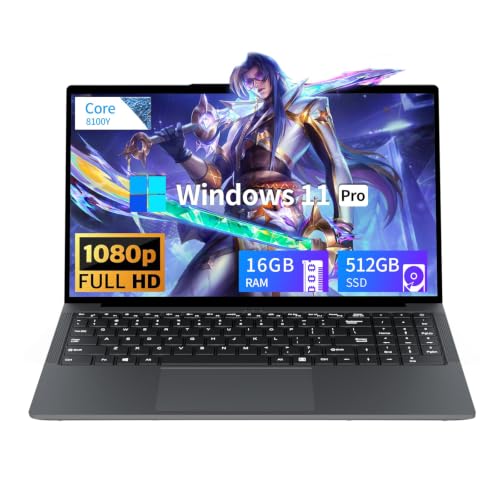
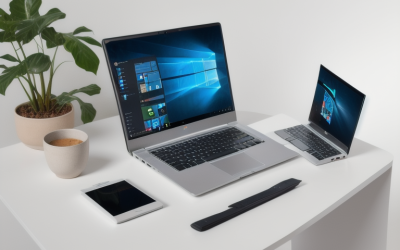
Tunhail 15.6 inch Laptop, Laptops with Core Processor (up to 3.40GHz), Gaming Laptop 16GB RAM 512GB ROM, FHD 1920 x 1080, Win 11 Pro Traditional Laptops Computers
One of the consumer electronics options compared in this guide.
View on Amazon
Gaming laptop Core processor (up to 3.40GHz) 16GB RAM 512GB SSD,traditional laptop computers 15.6 Inch FHD Display 1920*1080,with WIFI BT 5.0 Lap top-For Students/Commuters/Business Professionals
One of the consumer electronics options compared in this guide.
View on Amazon
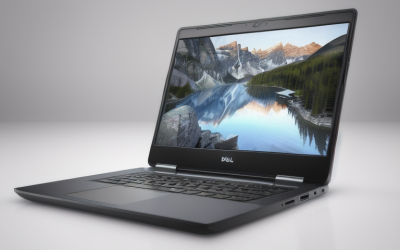
VIGSENUP15.6 Full HD Laptop,16GB RAM,256GB SSD,6500Y Processor,Work,Office | Dual-core Pentium Gold Processor Up to 3.4GHz,WiFi5,Lightweight laptop,Portable Business and Student,general use,Silver
One of the consumer electronics options compared in this guide.
View on Amazon
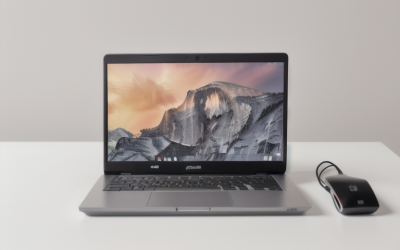
HP 15 High Performance Laptop Intel i7 16GB 1TB 15.6" Silver (15FD-Renewed)
One of the consumer electronics options compared in this guide.
View on Amazon
HP 15.6" Touchscreen Laptop, Ryzen 7 7730U, 16GB 512GB SSD, FHD IPS Display | AMD Radeon Graphics, Windows 11 Pro, Wi-Fi 6, Copilot Key, Numeric Keypad, Fast Charge Laptop for Business & Student
One of the consumer electronics options compared in this guide.
View on Amazon
HP 15.6" FHD Touchscreen Laptop, AMD Ryzen 7 7730U, AMD Radeon Graphics, 16GB RAM, 512GB SSD, Copilot AI, Laptop for Business&Student, WiFi 6, Bluetooth 5.4, Windows 11 Home, Natural Silver, EAT cloth
One of the consumer electronics options compared in this guide.
View on Amazon| Product | Best for | Key spec from the title |
|---|---|---|
| Tunhail 15.6″ Laptop | Vanilla Java worlds on a budget | 16GB RAM, 512GB, FHD, Windows 11 Pro |
| Unbranded 15.6″ “Gaming” Laptop | Students and commuters | 16GB RAM, 512GB SSD, Wi-Fi and Bluetooth 5.0 |
| VIGSENUP 15.6″ Laptop | Bedrock and light play | 16GB RAM, 256GB SSD, Pentium Gold 6500Y |
| HP 15 renewed Intel i7 | Modded Java with big libraries | Core i7, 16GB RAM, 1TB storage |
| HP 15.6″ Ryzen 7 (Pro, touch) | All-round family laptop | Ryzen 7 7730U, Radeon Graphics, 16GB, 512GB |
| HP 15.6″ Ryzen 7 (Home, touch) | Kids’ homework plus play | Ryzen 7 7730U, 16GB, 512GB SSD, Wi-Fi 6 |
How to Choose
RAM: the Java Edition bottleneck
Java Edition can run in 4GB of allocated memory for vanilla play, but a Windows laptop with 8GB total leaves little headroom once the launcher, browser, and voice chat are open. Sixteen gigabytes is the target for modpacks, where you may allocate 6GB to 8GB to the game alone. Bedrock Edition is lighter and will run on 8GB without much fuss. If a listing offers 4GB, pass for anything beyond basic play.
Processor and graphics
Minecraft’s world generation and chunk loading lean on single-core speed, so a modern quad-core or better chip is preferable to an older dual-core part. Integrated graphics can handle vanilla Minecraft at standard settings and moderate render distances. Shader packs, however, need a dedicated graphics card, and none of the titles here list one. If shaders matter to you, this price tier is the wrong place to shop.
Storage and load times
Choose an SSD. Worlds, resource packs, and modpacks add up quickly, and each modpack can take several gigabytes. A 256GB SSD works for a single install; 512GB is more comfortable; 1TB suits players who collect many modpacks and keep world backups.
Screen, controls, and what to ignore
A 15.6-inch Full HD display is plenty for Minecraft, and IPS panels help in bright rooms. Ignore the word “gaming” if no graphics card is listed, and ignore processor comparisons like “outperforms an older chip” without context. Budget models cut corners on cooling, so long sessions can lead to throttling. A cheap external mouse improves aiming and building far more than a touchpad. Also keep the laptop on a hard surface during long sessions, since blocked vents are the fastest way to turn a decent processor into a throttled one. Players who stream or record gameplay should expect to lower their settings further, because capture software competes for the same memory and processor.
The 6 Best Options
Tunhail 15.6″ Laptop
Listed with a Core processor (up to 3.40GHz), 16GB of RAM, a 512GB drive, an FHD 1920 by 1080 display, and Windows 11 Pro. The title also uses the phrase “Gaming Laptop,” but it does not list a graphics card, so expect integrated graphics. Memory and storage are the draw for a first Minecraft machine, and for a young player the straightforward Windows 11 Pro setup means launching the game and joining a family server without much tinkering. Keep expectations modest on render distance, and check the seller’s return window in case the real-world speed disappoints.
- Strength: 16GB of RAM suits Java Edition and lighter mods.
- Strength: FHD display and 512GB of storage at a budget-leaning tier.
- Trade-off: the processor model is not named, so performance is harder to judge.
Skip it if you want shaders or are counting on a gaming label meaning a graphics card.
Unbranded 15.6″ Core Processor Laptop (16GB, 512GB SSD)
Another generic 15.6-inch listing with a Core processor (up to 3.40GHz), 16GB of RAM, a 512GB SSD, an FHD display, Wi-Fi, and Bluetooth 5.0, pitched at students, commuters, and business users. It is nearly identical on paper to the Tunhail, and it also calls itself a gaming laptop without listing a graphics card. That makes it a coin flip between two similar listings: the deciding factors are seller terms and delivery reliability rather than the spec sheet, since the memory and storage match.
- Strength: an SSD is explicitly stated, which helps world and mod loading.
- Strength: 16GB of RAM leaves room for the launcher and a browser.
- Trade-off: the brand and exact processor are not clear, so support and quality are harder to gauge.
Skip it if you want a recognizable brand or a documented warranty.
VIGSENUP 15.6″ Full HD Laptop
A 15.6-inch FHD laptop with 16GB of RAM, a 256GB SSD, and a dual-core Pentium Gold 6500Y processor up to 3.4GHz, with Wi-Fi 5 and a lightweight design. It is more about office and general use than gaming, but 16GB of RAM helps Bedrock or lightly modded play. It is a sensible pick for a child who plays a few hours after school, builds in creative mode, and spends the rest of the time on typing and reports, where a lightweight body counts for more than raw speed.
- Strength: 16GB of RAM at the budget tier.
- Strength: lightweight and portable for a school bag.
- Trade-off: dual-core processing will limit larger worlds and mods.
Skip it if you plan heavy modpacks or high render distances.
HP 15 Renewed (Intel i7, 16GB, 1TB)
A renewed HP 15 with an Intel Core i7, 16GB of RAM, and 1TB of storage. The i7 class processor is the strongest Intel option in this lineup for chunk loading, and 1TB gives room for several modpacks and world backups. The title does not specify drive type, so confirm it is an SSD. For a Java player who treasures old worlds and keeps dozens of resource packs, that much space is a relief, and the extra processing headroom shortens the pause when new chunks load while flying with elytra.
- Strength: Core i7, 16GB, and 1TB are a strong combination for modded Java.
- Strength: plenty of room for modpacks and backups.
- Trade-off: renewed condition varies, and the title lists no graphics details.
Skip it if you want a new unit with a full warranty.
HP 15.6″ Touchscreen Laptop (Ryzen 7, 16GB, 512GB, Pro)
A Ryzen 7 7730U with AMD Radeon graphics, 16GB of RAM, a 512GB SSD, an FHD IPS touchscreen, Windows 11 Pro, Wi-Fi 6, a Copilot key, and a numeric keypad. It is the well-rounded option for a family laptop that handles homework and vanilla Minecraft. The Pro edition adds business-oriented management tools that a parent may appreciate for account control, and Wi-Fi 6 helps when the router sits down the hall from the bedroom. A listed numeric keypad is a bonus for school math.
- Strength: Ryzen 7 with Radeon graphics is a capable integrated combination.
- Strength: 16GB of RAM and a 512GB SSD suit Java Edition and modest mods.
- Trade-off: integrated graphics will not handle demanding shader packs.
Skip it if shaders are a priority or you want a discrete graphics card.
HP 15.6″ FHD Touchscreen Laptop (Ryzen 7, 16GB, Home)
The same Ryzen 7 7730U, 16GB of RAM, and 512GB SSD in a Home edition, with Wi-Fi 6, Bluetooth 5.4, and a touchscreen, marketed to business users and students. It is a practical pick for kids who need a homework machine that also runs Minecraft. Bluetooth 5.4 pairs headphones and a wireless mouse without fuss, which matters because most children use a mouse for building and a headset for voice chat on shared servers.
- Strength: modern wireless supports wireless headsets and online servers.
- Strength: the same processor and memory as the Pro model.
- Trade-off: Home edition lacks some management tools, and graphics are integrated.
Skip it if you want a dedicated graphics card for shaders.
Which One Fits Your Situation
You want to play vanilla Java Edition with friends
The HP 15.6″ Ryzen 7 with 16GB and 512GB is the reliable pick, with enough processing power and memory for multiplayer servers. Either edition works; choose Pro only if you need its management features, and keep render distance in the mid range for steady frame rates.
You run big modpacks
The renewed HP 15 with Core i7, 16GB, and 1TB offers the room for modpacks and backups, provided you verify the drive type. Allocate memory carefully in the launcher, leaving at least a few gigabytes for Windows, so the game does not stutter when the system itself runs short.
You are buying for a younger child on a budget
The Tunhail or the unbranded 16GB model gives memory and storage for Minecraft and school. Expect integrated graphics and lower render distances, and set expectations with your child before the first big modded world. A used mouse and a headset are better upgrades than any cosmetic accessories in the box.
You only play Bedrock Edition
The VIGSENUP 15.6″ is enough for lighter play, particularly at lower render distances. It will not enjoy large Java modpacks, so if your child later wants mods, plan on upgrading instead of pushing this machine past its comfort zone.
Common Mistakes
- Trusting the word “gaming” in a title when no graphics card is listed.
- Buying 4GB or 8GB of RAM and then adding modpacks.
- Skipping an SSD, which slows loading of worlds and mods.
- Expecting shader packs to run on integrated graphics.
- Forgetting a mouse, which makes building and combat harder on a touchpad.
Related guides
- How To Fix Stick Drift On Xbox And Ps5 Controllers
- Mirrorless Cameras For Landscape Photography
- How Long Does A Gaming Laptop Last Before Upgrade
Frequently Asked Questions
Can integrated graphics run Minecraft?
Yes, for vanilla Minecraft at moderate settings. Shader packs and very high render distances usually need a dedicated card.
How much RAM does Minecraft need?
Bedrock runs comfortably on 8GB. Java Edition with mods benefits from 16GB so the game and the system both have room, and every laptop in this guide lists at least that amount.
Is a touchscreen useful for Minecraft?
Not really. Keyboard and mouse remain the best controls, and touch is useful mainly for general use such as browsing or reading. If you do buy a touch model, a matte screen protector can cut reflections in a bright bedroom.
Is a renewed laptop a good idea for a kid?
It can be a cost-effective choice if you confirm the return policy and storage type. Renewed units vary in condition, so test the keyboard, the screen, and the battery in the first days after delivery, while returns are still easy. It is also worth asking whether the seller includes a charger, since replacement chargers can cost more than expected.