Key takeaways
- Find the best hi fi computer speakers for your desk with this guide to drivers, amps, DACs, placement, and the features that matter most.
As an Amazon Associate we earn from qualifying purchases.
Introduction
The best hi fi computer speakers turn an ordinary desk into a listening room. Whether you are editing video, playing games, streaming music, or joining long work calls, a good pair of desktop speakers delivers detail, warmth, and soundstage that laptop speakers and cheap plastic boxes simply cannot match. But the world of hi-fi desktop audio is full of confusing terms, and the right choice depends on your room, your sources, and how you actually listen. This guide explains what hi-fi really means at a desk, how to judge the features that matter, and how to set up whatever you buy so it sounds its best.
What Hi-Fi Really Means for Computer Speakers
Hi-fi, short for high fidelity, means sound reproduced as faithfully as possible to the original recording. For computer speakers, that translates into a few concrete qualities. First, a flat and balanced frequency response: bass, mids, and treble should all be present without one range drowning out the others. Second, low distortion, so loud passages stay clean instead of turning harsh or muddy. Third, a believable stereo image, where instruments and voices seem to sit in specific places between the two speakers rather than collapsing into a single point.
At a desk, hi-fi also means nearfield performance. You sit roughly an arm’s length from the speakers, so they do not need enormous power. What they do need is a well-designed tweeter and woofer that blend smoothly at close range, and a cabinet that does not buzz or resonate. Many respected hi-fi brands now make compact powered speakers specifically for this use, with built-in amplifiers tuned to the drivers inside.
How to Choose Hi-Fi Computer Speakers
Driver Size and Configuration
Most desktop hi-fi speakers are two-way designs: a tweeter for high frequencies and a woofer for mids and bass. A woofer between four and five and a quarter inches is the sweet spot for a desk, offering meaningful bass without a cabinet so large it crowds your monitor. Larger woofers reach deeper, but they also need more space and more distance from the wall. A silk dome tweeter tends to sound smooth and forgiving, while a metal dome can sound more detailed but occasionally brighter. Neither is automatically better; the overall tuning matters more than any single material.
Built-In Amplification
The simplest path to hi-fi sound at a desk is a pair of powered, or active, speakers. The amplifier is built in and matched to the drivers, so you only need to connect a source and plug them in. Some powered speakers include a digital-to-analog converter, known as a DAC, plus Bluetooth, optical, and USB inputs. Passive speakers need a separate amplifier or receiver, which adds cost and complexity but gives you freedom to upgrade components one at a time. For most computer users, powered speakers are the practical choice.
Connectivity
Check the inputs before you buy. A USB input lets the speaker act as your computer’s sound card, often improving on a noisy motherboard headphone jack. An optical input is ideal for a television or game console alongside the computer. A standard 3.5 millimeter auxiliary input covers almost everything else, and Bluetooth is convenient for playing music from a phone. If you plan to add a subwoofer later, look for a subwoofer output on the back panel.
Controls and Daily Use
You will adjust volume constantly, so the control layout matters. A volume knob on the front of the active speaker is the most convenient option, and some models add bass and treble knobs so you can tune the sound to your room. A remote control is a nice bonus, especially if the speakers sit behind a monitor. A front headphone jack is useful for late-night listening without reaching behind the desk.
Room and Desk Realities
Your desk and room shape the sound as much as the speakers do. Speakers pushed hard against a wall get a bass boost that can sound boomy, so rear-ported models usually need a few inches of breathing room. Front-ported or sealed designs are more forgiving in tight spaces. Hard desktops reflect sound, so small isolation pads or stands that angle the tweeters toward your ears can make a noticeable difference. If your desk sits in a corner, expect extra bass buildup and plan to use the tone controls to compensate.
Powered vs. Passive: Which Path Fits a Desk Setup?
Powered speakers win on simplicity. One box contains the amplifier, the crossover, and the drivers, all designed to work together. You get a complete system with one purchase, and modern powered speakers often include a DAC, Bluetooth, and multiple inputs. The trade-off is that upgrading means replacing the whole speaker.
Passive speakers win on flexibility. You choose the amplifier, and you can swap either part later. A small desktop amplifier can drive efficient bookshelf speakers beautifully, and the same speakers can move to a living room system years later. The trade-off is cost and clutter: you need space for the amplifier, speaker wire, and possibly a separate DAC.
For a first hi-fi desktop system, powered speakers are almost always the better starting point. Move to passive speakers when you already own an amplifier you love or you enjoy building a system piece by piece.
Do You Need a Subwoofer?
Many hi-fi computer speakers reach down to around 50 to 60 hertz, which covers most music and games convincingly. A subwoofer extends the low end further, adding weight to movie explosions, electronic bass, and orchestral depth. It also lets the main speakers focus on mids and highs, which can clean up the overall sound.
However, a subwoofer is not mandatory, and a poorly integrated one can make things worse, producing boomy one-note bass that overwhelms the mix. If your desk is small or you share walls with neighbors, start with two good speakers and add a subwoofer only if you feel something is genuinely missing. When you do add one, place it near the desk, set the crossover low, and keep the volume modest until the bass blends invisibly with the main speakers.
Placement: The Free Upgrade
Placement is the most powerful and least expensive way to improve desktop sound. Start with the two speakers and your head forming an equilateral triangle, with the tweeters at ear height and aimed directly at you. Keep the speakers at least a few inches from the back wall if they are rear-ported, and avoid tucking one speaker into a corner while the other sits in open space, because that imbalance skews the stereo image.
Angle the speakers inward slightly, a technique called toe-in, so the sound converges just behind your head. If the speakers sit flat on the desk, small stands or foam pads that tilt them upward will aim the tweeters at your ears and reduce reflections off the desktop surface. Finally, clear the space between the speakers: a monitor in the middle is unavoidable, but stacks of books or clutter directly in front of a speaker will muffle its sound.
Common Mistakes to Avoid
The most common mistake is buying speakers that are too large for the desk. Oversized cabinets crowd the workspace and often sound worse at close range because their drivers are designed to blend at a greater distance. Another mistake is ignoring the source: a great speaker cannot fix a noisy onboard audio output, so a USB or optical connection is worth prioritizing. A third mistake is chasing maximum volume. Nearfield listening needs very little power, and a speaker that sounds clean at moderate levels is far more valuable than one that simply plays loud. Finally, do not judge speakers in the first hour. New speakers and new ears both need a little time, and small placement adjustments often matter more than any setting.
Comparison Table
| Feature | Compact Powered Pair | Larger Bookshelf Pair | Passive Pair with Amp |
|---|---|---|---|
| Best for | Small desks, simple setup | Bigger rooms, deeper bass | Upgraders, existing amps |
| Amplifier | Built in | Built in | Separate purchase |
| Typical woofer | 4 inches | 5.25 inches | 5.25 to 6.5 inches |
| Inputs | USB, optical, aux, Bluetooth | USB, optical, aux, Bluetooth | Depends on amplifier |
| Subwoofer output | Sometimes | Often | Depends on amplifier |
| Upgrade path | Replace speakers | Replace speakers | Swap amp or speakers |
| Desk footprint | Small | Medium | Medium plus amp |
Frequently Asked Questions
Are hi-fi computer speakers worth it over a soundbar?
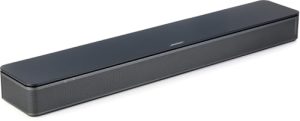
For a desk, yes, in most cases. A pair of separate speakers creates a genuine stereo image with width and depth that a single soundbar struggles to match. Soundbars are convenient for televisions, but at arm’s length, two well-placed speakers almost always sound more spacious and detailed. A soundbar can still be the right choice if desk space is extremely tight.
What size speakers do I need for a desk?
A four to five and a quarter inch woofer suits most desks. This size delivers satisfying bass without overwhelming the workspace, and the cabinet stays small enough to sit beside a monitor. Larger woofers are better suited to bigger rooms or setups where the speakers sit on stands rather than on the desk itself.
Do I need a DAC for hi-fi computer speakers?
A DAC converts digital audio from your computer into the analog signal speakers need. Every computer already has one, but a dedicated DAC, whether built into the speakers or added separately, often produces cleaner sound with less hiss and interference. If your speakers offer a USB or optical input, use it, because that bypasses the noisy analog output of many motherboards.
Can hi-fi speakers be used for gaming?
Absolutely. Good stereo imaging helps you locate footsteps and environmental cues in games, and clean, undistorted sound makes long sessions less fatiguing. Many hi-fi speakers lack the virtual surround processing of gaming headsets, but their accuracy and soundstage are often superior for immersive single-player games and music.
How far from the wall should desktop speakers sit?
Rear-ported speakers generally need at least four to six inches of space behind them to avoid boomy bass. Front-ported and sealed speakers are more forgiving and can sit closer to the wall. If you cannot move the speakers out, use the bass control to reduce the low end until the sound is balanced.
Conclusion
The best hi fi computer speakers are the ones that fit your desk, your sources, and your listening habits. Start with a well-tuned powered pair in the four to five inch range, connect it over USB or optical, place the tweeters at ear height in an even triangle, and give the setup a few days before judging it. Pay attention to driver quality, built-in amplification, useful inputs, and honest placement rather than chasing wattage numbers or brand hype. Done right, a modest desktop system can deliver the clarity, depth, and musicality that make you want to listen longer, and it will keep rewarding you every time you sit down at your computer.
FAQ
Powered vs. Passive: Which Path Fits a Desk Setup?
Do You Need a Subwoofer?
Are hi-fi computer speakers worth it over a soundbar?
What size speakers do I need for a desk?
Do I need a DAC for hi-fi computer speakers?
Can hi-fi speakers be used for gaming?
How far from the wall should desktop speakers sit?
More from Amazon
Programs that pair well with the guide above. Offers and eligibility are set by Amazon and may change.
Free shipping on eligible items, Prime Video and more. Eligible new members can start with a free trial.
Start a Prime free trialAd-free music streaming. Eligible new subscribers can start with a free trial.
Try Music Unlimited freeA Prime membership for ages 18-24 with a trial period. Eligibility is set by Amazon.
See Prime for Young AdultsAudiobooks and podcasts to listen to on the go. Eligible new members can start with a free trial.
Try Audible freeAs an Amazon Associate we earn from qualifying purchases.