Key takeaways
- Best headsets with microphone for work under 50 dollars: compare wired USB headsets, noise-cancelling boom mics, comfort, and Teams and Zoom fit before you buy.
As an Amazon Associate we earn from qualifying purchases.
The best headsets with microphone for work under 50 dollars are wired USB headsets with a boom microphone, clear voice pickup, and simple plug-and-play setup. That combination matters more for daily calls than wireless range, extra bass, or a fashionable design. A work headset is a communication tool first. If the people on your calls cannot hear you clearly, if the headset hurts after two hours, or if it drops out in the middle of a meeting, it has failed at its main job, no matter how good music sounds through it.
This guide explains how to choose a work headset in this budget, what under 50 dollars does and does not buy, and which designs suit different kinds of work.
What Under 50 Dollars Buys
A budget of under 50 dollars buys a focused, practical headset. It buys a wired connection, a boom microphone, stereo or mono listening, and inline controls for volume and mute. It does not usually buy premium wireless freedom, active noise cancellation for the listener, a charging dock, or a long battery life, because those features need a battery, a radio, and extra electronics that push the cost higher.
That trade-off is often a good one for work. A wired headset never needs charging in the middle of a call, never needs pairing, and usually works as soon as it is plugged in.
How to Choose a Work Headset
Start With the Microphone
The microphone decides whether a work headset is good or not. Your colleagues hear the microphone, not the earcups. A boom microphone that sits close to your mouth picks up your voice clearly and picks up less of the room around you. A microphone built into an earcup or a cable sits further away and usually sounds thinner and noisier.
Look for a noise-cancelling microphone. That term means the microphone is designed to reduce steady background sound, such as keyboard typing, a fan, or distant conversation, while keeping your voice clear. It does not make a noisy room silent, and it does not replace a quiet workspace, but it helps in a shared home, an open office, or a room with a computer fan running nearby.
A rotating boom lets you place the microphone near the corner of your mouth, which reduces breath noise. Test it in a real call and ask a colleague how you sound.
Choose Wired USB for Reliability
Most work headsets in this budget are wired USB headsets. They connect through USB-A, USB-C, or both, and they carry both the audio and the microphone signal through one cable. That single connection is one reason they are so reliable for calls.
Before you buy, check the ports on your computer. Many newer laptops have only USB-C ports, while older desktops and laptops have USB-A ports. Some headsets come with a USB-C plug and a USB-A adapter in the box. Others come with USB-A only, or USB-C only. If you buy the wrong plug, you will need an adapter, and a cheap adapter can introduce its own problems with sound or microphone pickup.
A 3.5 mm headset is a different option, but it depends on the sound hardware in your computer and may need a splitter on a desktop. A USB headset is usually simpler for work calls. Cable length matters too: around six feet gives you room to lean back without pulling the headset off your head.
Mono or Stereo
A mono headset has one earcup. It leaves one ear free to hear the room, a colleague at the next desk, a doorbell, or a child calling from another room. That is useful in an office, a call centre, or a home where you need to stay aware of what is happening around you. It is also lighter, because there is only one earcup and less headband pressure.
A stereo headset has two earcups. It blocks more outside sound, even without active noise cancellation, and it sounds fuller for music and for calls with several speakers. It is usually the better choice for back-to-back meetings, for a noisy home, or for anyone who wants to focus and shut out the room. The downside is that it is heavier and warmer, and it can feel isolating if you need to hear people nearby.
If you take calls all day and need to concentrate, choose stereo. If you work in a shared space and need to answer questions between calls, choose mono.
Comfort for Long Meetings
Comfort is not a luxury for a work headset. It is a basic requirement. A headset that hurts after an hour will be taken off, left on the desk, or replaced, and that wastes the money spent on it.
Light headsets are easier to wear for a full working day, and a padded, adjustable headband spreads the weight evenly. Foam cushions are soft, light, and breathe better than leatherette in a warm room, while leatherette seals better and blocks more sound. On-ear cushions are lighter; over-ear cushions spread pressure more evenly.
Controls You Can Reach Without Thinking
Inline controls are the small buttons on the cable or on an earcup that let you change the volume, mute the microphone, and answer or end a call. They matter because you will use them many times a day, often while you are talking or listening.
A physical mute button is the most important control. It lets you mute yourself instantly, without hunting for a button on the screen. A mute button with a light or a clear position is even better, because it tells you at a glance whether you are muted. That avoids the common problem of talking for a minute before realising that no one can hear you. Call answer and end buttons are useful if your headset is certified for Teams or Zoom, because they can answer a call and mute or unmute you in the app.
Compatibility With Teams, Zoom, and Other Apps
Most USB headsets work with Teams, Zoom, Google Meet, Webex, and other meeting apps because those apps see the headset as a standard USB audio device. You plug it in, select it as the speaker and microphone in the app settings, and it works.
Certification is a step beyond basic compatibility. A headset certified for Microsoft Teams has been tested with Teams and may have a dedicated Teams button and call controls that work directly in the app. If your work uses more than one platform, do not worry too much about certification for a single app: a good USB headset that works well in Teams will usually work well in Zoom too.
Types of Work Headsets in This Budget
Wired USB Office Headsets
Wired USB office headsets are the most common choice in this budget, and they are the best starting point for most people. They are made for calls, they are light, and they are simple to set up.
The Logitech H390 is a long-running example: a light wired USB-A headset with a rotating noise-cancelling boom microphone, stereo sound, and inline volume and mute controls. It works with Windows, Mac, and Chromebook. Its sound is tuned for speech rather than for music.
The Poly Blackwire 3220 is aimed more directly at office and call-centre work: a light stereo headset with a noise-cancelling boom microphone, inline controls, and USB-A and USB-C versions.
The Jabra Evolve 20 is similar, with a stereo design, a noise-cancelling microphone, Teams certification on some versions, and an inline control unit. The Logitech H570e is a more recent headset in this family, with a USB-C connection and a Teams-certified version.
These models show the pattern in this budget. They are not identical, but they share the same priorities: a boom microphone, a wired USB connection, light weight, and simple controls. Choose between them by matching the connector to your computer, the earcup style to your comfort, and the certification to the app you use most.
Wireless Headsets With a Dongle
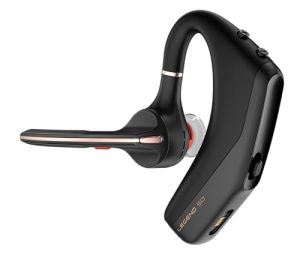
Some headsets in this budget are wireless, usually with Bluetooth and a USB dongle. They let you stand up, walk around the room, or fetch a drink during a long call without taking the headset off. That freedom is real, and for some people it is the main reason to choose wireless.
The trade-offs are also real. A wireless headset needs charging, and it will run out of battery at some point, often in the middle of a call if you forget to charge it. It needs pairing, and it can suffer from interference, dropouts, or a delay between the sound and the picture on a video call. The microphone on a budget wireless headset is often further from the mouth or built into the earcup, which can make the voice sound thinner than a wired boom microphone.
If you want wireless, look for a headset with a USB dongle rather than Bluetooth alone, and with a boom microphone. For most people who work at one desk, a wired headset is still the more reliable choice in this budget.
Comparison Table
| Feature | Wired USB office headset | Wireless headset with dongle | Mono headset |
|---|---|---|---|
| Best for | Daily calls at one desk | Moving around during calls | Staying aware of the room |
| Microphone | Boom, noise-cancelling | Boom or built-in, varies | Boom, noise-cancelling |
| Connection | USB-A or USB-C cable | Bluetooth and USB dongle | USB-A or USB-C cable |
| Charging | None needed | Regular charging needed | None needed |
| Comfort | Light, good for long wear | Varies, can be heavier | Lightest, one ear free |
| Call controls | Inline volume and mute | On earcup or inline | Inline volume and mute |
| Platform fit | Teams, Zoom, Meet, Webex | Teams, Zoom, Meet, Webex | Teams, Zoom, Meet, Webex |
| Main limit | Cable ties you to the desk | Battery and pairing | Less isolation from noise |
Common Mistakes to Avoid
The first mistake is buying a gaming headset for work. Gaming headsets are made for game sound and voice chat with friends. They often have strong bass, a large design, and a microphone tuned for game chat. Some work well for calls, but many sound boomy or distant in a meeting, and they can look out of place in a professional call. A work headset is tuned for speech.
The second mistake is buying a headset without checking the connector. A USB-A headset will not plug directly into a laptop with only USB-C ports. Check your computer before you buy, and choose a headset with the right plug or with an adapter included in the box.
The third mistake is choosing a headset by the number of features rather than by the quality of the microphone and the comfort. A headset with Bluetooth, a charging dock, and a fancy design may look like better value than a simple wired headset, but if the microphone is weak or the headset hurts after an hour, the extra features do not help.
The fourth mistake is ignoring the return policy and the setup. Buy from a seller with a clear return policy, try the headset for a few days of real calls, and check that your computer and your meeting app are using it for both the speaker and the microphone.
Setting Up a New Work Headset
Plug the headset into a USB port on your computer, not into a hub if you can avoid it, because a hub can sometimes cause problems with power or sound. Wait a few seconds for the computer to recognise the headset. Open the sound settings and confirm that the headset is selected as the output and the input device. Open your meeting app and check the audio settings there too.
Join a test meeting to hear how you sound. Position the boom microphone near the corner of your mouth, about a finger width away from your lips, not directly in front of it, so your breath does not cause popping sounds. Keep the cable tidy and leave enough slack to move your head freely.
Frequently Asked Questions
Are wired headsets better than wireless headsets for work calls under 50 dollars?
For most people, yes. A wired USB headset is more reliable, it never needs charging, and it usually has a boom microphone that sits close to the mouth. A wireless headset in this budget can be useful if you move around during calls, but it needs charging, it can drop out, and the microphone is often weaker. If you work at one desk, a wired headset is usually the safer choice.
Do I need a Teams-certified headset for work?
No, you do not need certification to join a Teams call. Most USB headsets work with Teams, Zoom, Google Meet, and Webex as standard audio devices. Certification means the headset has been tested with a specific app and may have dedicated call controls, which is useful if your employer uses one platform all day. If you use more than one platform, a good general USB headset is often enough.
Is a mono or a stereo headset better for work?
Stereo is better if you need to focus and block out noise, because two earcups cover both ears and reduce outside sound. Mono is better if you need to hear the room around you, such as colleagues, a doorbell, or a child in another room. Mono headsets are also lighter. Choose stereo for back-to-back meetings in a noisy home, and mono for a shared office or a role where you need to stay aware of your surroundings.
Can a headset under 50 dollars have a good microphone?
Yes, if you choose a wired office headset with a boom microphone. A boom microphone that sits near your mouth, with noise-cancelling design, can sound clear in a normal home or office. The microphone is the most important part of a work headset, so look for a boom microphone and a noise-cancelling description, rather than a built-in microphone in an earcup. Test the microphone in a real call before you decide to keep the headset.
Why does my new headset sound quiet or echo on calls?
The most common cause is a settings problem, not a faulty headset. Check that your computer and your meeting app are both using the headset for the speaker and the microphone, and that no other device is selected by mistake. Check the volume in the app and on the headset controls. An echo is often caused by a speaker playing the call sound back into a microphone, so use the headset for both listening and speaking, and do not use a separate speaker at the same time. If the problem continues, try a different USB port and restart the meeting app.
Conclusion
The best headsets with microphone for work under 50 dollars are simple, wired USB headsets made for calls. They have a boom microphone that sits close to your mouth, a noise-cancelling design that helps in a noisy room, a light and comfortable fit for long meetings, and controls you can reach without thinking. They work with Teams, Zoom, Google Meet, and other meeting apps, and they do not need charging, pairing, or extra software.
Choose by starting with your computer and your working day. Check whether you need USB-A or USB-C, decide whether mono or stereo suits your room, and think about how long you wear a headset in one sitting. Look for a boom microphone, a comfortable fit, and a clear mute button. Avoid gaming headsets for professional calls, avoid buying on features alone, and try the headset in real calls before you decide to keep it.
A good work headset does not need to be expensive or complicated. It needs to make your voice clear, make other voices easy to hear, and stay comfortable until the last meeting of the day.
FAQ
Are wired headsets better than wireless headsets for work calls under 50 dollars?
Do I need a Teams-certified headset for work?
Is a mono or a stereo headset better for work?
Can a headset under 50 dollars have a good microphone?
Why does my new headset sound quiet or echo on calls?
More from Amazon
Programs that pair well with the guide above. Offers and eligibility are set by Amazon and may change.
Free shipping on eligible items, Prime Video and more. Eligible new members can start with a free trial.
Start a Prime free trialAd-free music streaming. Eligible new subscribers can start with a free trial.
Try Music Unlimited freeA Prime membership for ages 18-24 with a trial period. Eligibility is set by Amazon.
See Prime for Young AdultsAudiobooks and podcasts to listen to on the go. Eligible new members can start with a free trial.
Try Audible freeAs an Amazon Associate we earn from qualifying purchases.